 CloudConsole
aws ecs list-tasks
aws ecs list-tasks --cluster my-cluster --service-name my-service returns the ARNs of that service's running tasks. Add --desired-status STOPPED to list recently stopped tasks, which is the first step in finding out why tasks keep dying; then pass the ARNs to describe-tasks.
What the command does
list-tasks returns task ARNs, filtered by service, task definition family, container instance, the startedBy value or launch type. By default it lists tasks whose desired status is RUNNING, which includes tasks still starting. It returns no details; use describe-tasks for those.
Syntax
aws ecs list-tasks --cluster my-cluster \
  [--service-name my-service | --family my-family | --started-by my-job] \
  [--desired-status RUNNING|PENDING|STOPPED] \
  [--launch-type FARGATE|EC2] \
  [--container-instance <id>]
--service-name and --family cannot be combined.
Worked examples
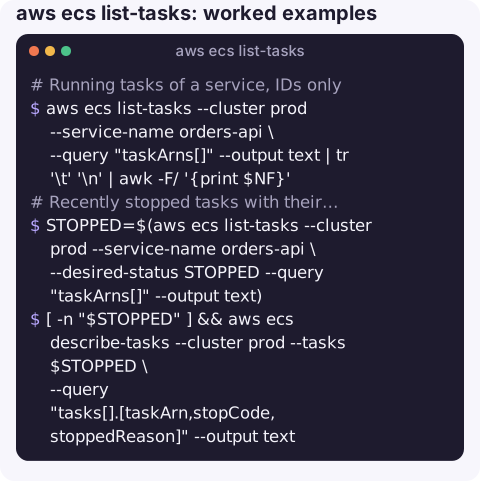
Running tasks of a service, IDs only:
aws ecs list-tasks --cluster prod --service-name orders-api \
  --query "taskArns[]" --output text | tr '\t' '\n' | awk -F/ '{print $NF}'
Recently stopped tasks with their reasons:
STOPPED=$(aws ecs list-tasks --cluster prod --service-name orders-api \
  --desired-status STOPPED --query "taskArns[]" --output text)
[ -n "$STOPPED" ] && aws ecs describe-tasks --cluster prod --tasks $STOPPED \
  --query "tasks[].[taskArn,stopCode,stoppedReason]" --output text
Pick one running task for ECS Exec:
TASK=$(aws ecs list-tasks --cluster prod --service-name orders-api \
  --query "taskArns[0]" --output text)
aws ecs execute-command --cluster prod --task "$TASK" --container web \
  --interactive --command "/bin/sh"
Tasks started by a scheduled job, if it sets startedBy:
aws ecs list-tasks --cluster batch --started-by nightly-report --desired-status STOPPEDCount running tasks in a cluster:
aws ecs list-tasks --cluster prod --query "length(taskArns)" --output jsonSpotting a crash loop
A service that keeps replacing tasks shows a pattern in list-tasks: the running list is short or keeps changing IDs, while the stopped list grows. Count stopped tasks a few minutes apart:
aws ecs list-tasks --cluster prod --service-name orders-api --desired-status STOPPED \
  --query "length(taskArns)" --output json
If the number climbs steadily, describe a handful of them and group the reasons. The same stoppedReason on every task (an exit code, a failed health check, a secrets error) points to one cause; a mix of reasons usually means the tasks are being killed by something external such as scale-in or Spot interruptions. Comparing startedAt and stoppedAt also helps: tasks that live for only a few seconds fail at start-up, while ones that survive minutes are more likely failing load balancer health checks.
Filters
| Option | Notes |
|---|---|
--service-name | Tasks belonging to a service. |
--family | Tasks from any revision of a task definition family. |
--started-by | Matches the value set at run-task; EventBridge-scheduled tasks often use a rule-based value. |
--desired-status STOPPED | Recently stopped tasks only. |
--container-instance | Tasks on one EC2 container instance. |
Gotchas
- Stopped tasks are short-lived in the API. They are only listed for a limited time (about an hour), so investigate soon or record task state changes through EventBridge.
- Empty variable traps.
describe-tasks --taskswith nothing after it is a parameter error; guard scripts against an empty list. - Desired vs last status. A task listed as
RUNNINGby desired status may still bePROVISIONINGorPENDING; checklastStatus. - Cluster defaults to
defaultif omitted.
Questions
How do I list stopped ECS tasks?
aws ecs list-tasks --cluster my-cluster --desired-status STOPPED, optionally with --service-name. Then describe them to read stoppedReason.
How do I list all ECS clusters?
aws ecs list-clusters --query "clusterArns[]" --output text, repeated with --region for each region you use.
How do I get an ECS task ID?
Use list-tasks with --service-name and take the last segment of the task ARN.
Finding the right task quickly is half the battle when a service is flapping. CloudConsole, a phone app for AWS, is built to show running and stopped tasks with their reasons on a phone.
About the app → · Download on the App Store