 CloudConsole
aws iam list-access-keys
aws iam list-access-keys --user-name my-user returns the access key IDs for an IAM user with their status (Active or Inactive) and creation date. It never returns secrets or last-used information; for that, call aws iam get-access-key-last-used --access-key-id for each key.
What the command does
It lists key metadata only, under AccessKeyMetadata:
{
  "AccessKeyMetadata": [
    {
      "UserName": "ci-deploy",
      "AccessKeyId": "AKIAIOSFODNN7EXAMPLE",
      "Status": "Active",
      "CreateDate": "2024-02-11T14:03:27+00:00"
    }
  ]
}
Without --user-name it lists keys for the IAM user making the call, which fails if you are signed in with a role, since roles have no access keys.
Syntax
aws iam list-access-keys [--user-name <user>]Worked examples
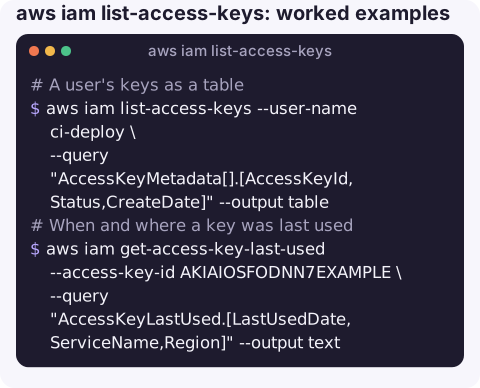
A user's keys as a table:
aws iam list-access-keys --user-name ci-deploy \
  --query "AccessKeyMetadata[].[AccessKeyId,Status,CreateDate]" --output table
When and where a key was last used:
aws iam get-access-key-last-used --access-key-id AKIAIOSFODNN7EXAMPLE \
  --query "AccessKeyLastUsed.[LastUsedDate,ServiceName,Region]" --output text
A never-used key shows N/A for the service and Region and no date.
Who owns this key? When a key ID turns up in a log or an alert:
aws iam get-access-key-last-used --access-key-id AKIAIOSFODNN7EXAMPLE \
  --query UserName --output text
That only works for keys in your own account. From any account, aws sts get-access-key-info --access-key-id AKIA... tells you which account a key belongs to.
All active keys older than 90 days across users:
cutoff=$(date -d '90 days ago' +%F)
for u in $(aws iam list-users --query "Users[].UserName" --output text); do
  aws iam list-access-keys --user-name "$u" \
    --query "AccessKeyMetadata[?Status=='Active' && CreateDate<='$cutoff'].[UserName,AccessKeyId,CreateDate]" \
    --output text
done
Reading a key ID
| Prefix | What it is | Where to look |
|---|---|---|
AKIA | Long-term access key of an IAM user (or, rarely, the root user) | This command and the credential report |
ASIA | Temporary credentials from STS: an assumed role, an SSO session, or a session token | CloudTrail, by the access key ID, to find the role session behind it |
Knowing the prefix saves time during an investigation: an ASIA key will never show up in list-access-keys, and deactivating a user key does nothing to it. Temporary keys expire on their own; to cut one off early you restrict the role it came from.
A simple monthly routine is enough for most accounts: list keys older than your rotation period, check last use for each, deactivate anything unused for 90 days, and delete keys that have stayed inactive for another month without anyone noticing.
Related key commands
| Command | Use |
|---|---|
aws iam get-access-key-last-used | Last-used date, service and Region for one key |
| aws iam update-access-key | Switch a key between Active and Inactive |
aws iam delete-access-key | Remove a key permanently |
| aws iam create-access-key | Issue a new key (maximum two per user) |
aws iam get-credential-report | Every user's keys, status and last use in one CSV |
Gotchas
- Last-used is approximate. IAM records last use with some delay and only to the day and service; it is enough for "unused for 90 days", not for forensics. Use CloudTrail for exact calls.
- Roles have no keys. If someone shows you an
ASIA…key ID, it is a temporary credential from STS, not a user key, and will not appear here. - Inactive keys still count towards the two-key limit.
- Throttling in loops. For accounts with many users, the credential report avoids hundreds of calls.
Questions
How do I find unused IAM access keys?
For each key, call get-access-key-last-used and look for a missing LastUsedDate or one older than your threshold. The credential report has the same data for all users at once.
How do I find which IAM user an access key belongs to?
Run aws iam get-access-key-last-used --access-key-id <id> in the owning account; the response includes UserName. aws sts get-access-key-info returns the owning account ID from anywhere.
Why does list-access-keys fail with "must specify userName when calling with non-User credentials"?
You are signed in with a role or SSO session, which has no keys of its own. Pass --user-name for the IAM user you want to inspect.
A leaked-key alert needs a quick answer to whose key it is and whether it is still active. CloudConsole is built to show AWS resources and alarms on a phone so that first triage can start anywhere.
About the app → · Download on the App Store