 CloudConsole
aws iam list-users
aws iam list-users returns every IAM user in the account with its name, ARN, creation date and, if the user has a console password that has been used, PasswordLastUsed. It does not show access keys, groups, policies or MFA; combine it with other IAM calls or the credential report for an audit.
What the command does
IAM is global, so the Region you pass makes no difference. The CLI follows the Marker for you and returns all users in one Users array. Each entry looks like this:
{
  "Path": "/",
  "UserName": "ci-deploy",
  "UserId": "AIDAEXAMPLEUSERID123",
  "Arn": "arn:aws:iam::123456789012:user/ci-deploy",
  "CreateDate": "2023-04-02T10:11:12+00:00",
  "PasswordLastUsed": "2026-10-30T08:12:44+00:00"
}
Users in IAM Identity Center are not IAM users and never appear here. In many organisations the only IAM users left are automation accounts and break-glass users, which is exactly why auditing them matters.
Syntax
aws iam list-users [--path-prefix /path/] [--max-items <n>]Worked examples
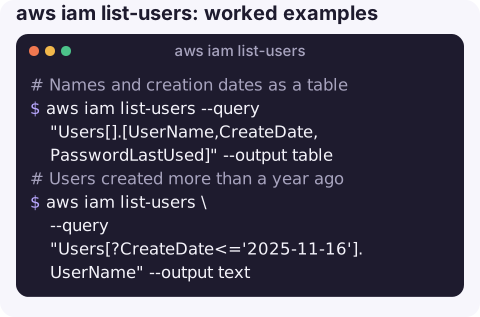
Names and creation dates as a table:
aws iam list-users --query "Users[].[UserName,CreateDate,PasswordLastUsed]" --output tableNone in the last column means the user has no console password or has never used it.
Users created more than a year ago (ISO dates compare correctly as strings):
aws iam list-users \
  --query "Users[?CreateDate<='2025-11-16'].UserName" --output text
Users under a path, if your team organises them that way:
aws iam list-users --path-prefix /service-accounts/ --query "Users[].UserName"Access keys for every user:
for u in $(aws iam list-users --query "Users[].UserName" --output text); do
  aws iam list-access-keys --user-name "$u" \
    --query "AccessKeyMetadata[].[UserName,AccessKeyId,Status,CreateDate]" --output text
done
Full audit in one file: the credential report includes password, MFA and both access keys with last-used dates for every user:
aws iam generate-credential-report
aws iam get-credential-report --query Content --output text | base64 -d > credential-report.csv
Run the first command until it reports COMPLETE; the report is cached and regenerated at most every few hours.
What to look for in an audit
- Users with console passwords but no MFA, especially with administrator policies attached.
- Users whose names suggest a person who has left, or a project that has ended.
- Automation users with keys that are years old, which are prime candidates to move to a role.
- Users created recently that nobody recognises, which can be a sign of compromise.
Key options
| Option | Notes |
|---|---|
--path-prefix | Only users whose path starts with this value, such as /admins/. Default is /, meaning all users. |
--max-items | Stop after this many users and print a NextToken. Without it you get everyone. |
--query | The only way to filter by name or date; the API has no server-side name filter. |
Gotchas
- No tags in the output. Use
aws iam list-user-tags --user-name <name>per user, oraws iam get-user, which includes them. - PasswordLastUsed has gaps. It is missing for users who never had or used a console password, and it says nothing about API use. Access key use is in get-access-key-last-used.
- Large accounts are slow. IAM APIs have modest rate limits; per-user loops over hundreds of users can be throttled. The credential report is one call.
- Root is not listed. The root user appears only in the credential report, as
<root_account>.
Questions
How do I list IAM users with their last activity?
Generate and download the credential report. It contains password_last_used and access_key_1_last_used_date / access_key_2_last_used_date for every user in one CSV.
Why does list-users not show my SSO users?
IAM Identity Center users live in the Identity Center directory, not IAM. List them with aws identitystore list-users --identity-store-id <id>.
How do I list the groups or policies of an IAM user?
aws iam list-groups-for-user --user-name <name> for groups, aws iam list-attached-user-policies for managed policies and aws iam list-user-policies for inline ones.
Forgotten IAM users with old keys are a common finding after a security alert. CloudConsole, a phone app for AWS, is built to show resources and alarms on a phone with production guardrails.
About the app → · Download on the App Store