 CloudConsole
How to find unused IAM access keys
Download the IAM credential report: it lists every user with each access key's status, last rotation and last used date. Keys with a last used date of N/A (never) or months ago are your candidates. For a single key, aws iam get-access-key-last-used shows when and where it was last used. IAM Access Analyzer's unused access analyzer can track this continuously across accounts.
The credential report
aws iam generate-credential-report        # repeat until State is COMPLETE
aws iam get-credential-report --query Content --output text > creds.b64
base64 --decode creds.b64 > creds.csv

# Active keys and their last use (columns by name, not position)
python3 - <<'EOF'
import csv
for r in csv.DictReader(open("creds.csv")):
    for n in ("1", "2"):
        if r[f"access_key_{n}_active"] == "true":
            print(r["user"], n, r[f"access_key_{n}_last_rotated"], r[f"access_key_{n}_last_used_date"])
EOFN/Aas the last used date means the key has never been used.- The report can be regenerated at most every four hours; within that window you get the cached one.
- It includes the root user (
<root_account>), which should show no active keys.
Checking keys one by one
for u in $(aws iam list-users --query 'Users[].UserName' --output text); do
  for k in $(aws iam list-access-keys --user-name "$u" \
      --query 'AccessKeyMetadata[?Status==`Active`].AccessKeyId' --output text); do
    last=$(aws iam get-access-key-last-used --access-key-id "$k" \
      --query 'AccessKeyLastUsed.LastUsedDate' --output text)
    echo "$u $k $last"
  done
done
None in the output means never used. This makes several API calls per user, so for large accounts the credential report is faster.
Ongoing detection
- IAM Access Analyzer, unused access: create an analyzer of type
ACCOUNT_UNUSED_ACCESS(orORGANIZATION_UNUSED_ACCESS) with a tracking period, and it raises findings for unused access keys, passwords, roles and permissions. It is a paid feature, charged per IAM role and user analysed. - AWS Config managed rules such as
access-keys-rotatedandiam-user-unused-credentials-checkflag keys that are too old or unused for a set number of days. - Security Hub controls cover the same ground if you already use it.
Cleaning up safely
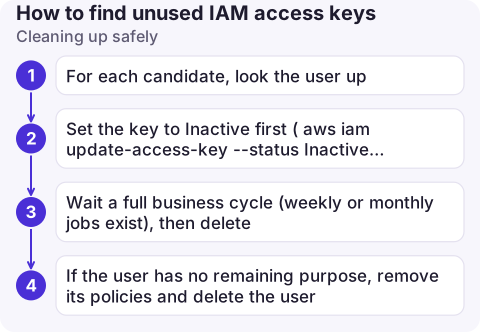
- For each candidate, look the user up: who owns it, what it was for. Ask before deleting.
- Set the key to Inactive first (
aws iam update-access-key --status Inactive), not deleted. - Wait a full business cycle (weekly or monthly jobs exist), then delete.
- If the user has no remaining purpose, remove its policies and delete the user.
See rotating access keys for keys that are in use but old.
Pitfalls
- Last used is approximate. It's tracked per key and can lag; don't treat a key used "yesterday" as dead.
- Region and service tell a story.
get-access-key-last-usedalso returns the service and Region, which helps identify the workload. - Inactive isn't gone. Inactive keys can be reactivated by anyone with permission; delete them once you're sure.
Questions
What does N/A mean in the IAM credential report?
For a key's last used date, N/A means the key has never been used. For other columns it can mean the item does not exist, for example no second key.
How do I list all IAM access keys in an account?
The credential report lists both possible keys for every user in one file. On the CLI you can loop over list-users and list-access-keys.
Is IAM Access Analyzer unused access free?
No. Unused access analysis is charged per IAM role and user analysed per month; external access analysis has no extra charge.

Forgotten keys are the kind of risk that never pages anyone until it is too late. CloudConsole, a phone app for AWS, is built to surface account security signals alongside alarms and costs on your phone.
About the app → · Download on the App Store