 CloudConsole
aws iam update-access-key
aws iam update-access-key --user-name my-user --access-key-id AKIA... --status Inactive switches an IAM user's access key off without deleting it. Requests signed with an inactive key are rejected, and you can turn it back on with --status Active if something important breaks.
What the command does
It changes one key's status between Active and Inactive. Nothing else about the key changes; the secret stays the same. That makes deactivation the safe middle step between "this key looks unused" and deleting it, and the fast first response when a key may have leaked.
The call returns no output on success. Like other IAM changes, it takes effect across AWS within seconds, though not necessarily instantly everywhere.
Syntax
aws iam update-access-key \
  --access-key-id <AKIA...> \
  --status Active|Inactive \
  [--user-name <user>]
Worked examples
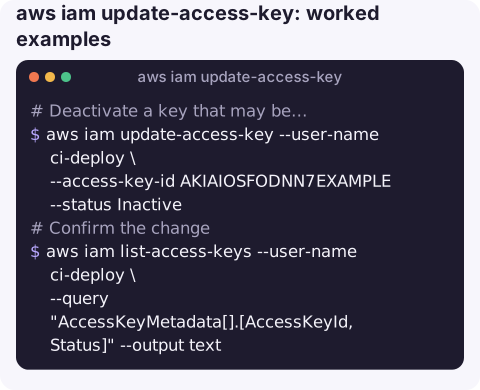
Deactivate a key that may be compromised:
aws iam update-access-key --user-name ci-deploy \
  --access-key-id AKIAIOSFODNN7EXAMPLE --status Inactive
Confirm the change:
aws iam list-access-keys --user-name ci-deploy \
  --query "AccessKeyMetadata[].[AccessKeyId,Status]" --output text
Reactivate if a forgotten integration turns out to need it:
aws iam update-access-key --user-name ci-deploy \
  --access-key-id AKIAIOSFODNN7EXAMPLE --status Active
Delete once you are sure (irreversible):
aws iam delete-access-key --user-name ci-deploy \
  --access-key-id AKIAIOSFODNN7EXAMPLE
Responding to a leaked key
- Deactivate it now with the command above. Do not wait to find out who uses it.
- Find the owner and what it could do.
aws iam get-access-key-last-usedgives the user; their policies define the blast radius. - Look for misuse in CloudTrail. Filter events by the key ID to see what was called, from where, and whether new users, keys or roles were created.
- Issue a replacement with create-access-key for the legitimate workload, or better, move it to a role.
- Delete the old key once the replacement is in place, and revoke anything an attacker may have created.
Deciding what is safe to switch off
Before deactivating a key that is merely suspected to be unused, check its last-used date and service. A key last used yesterday by S3 in eu-west-2 is clearly live; one with no recorded use since creation is a strong candidate. Tell the owner of the user before you act if you can, and record the time you deactivated it: if a nightly job fails a few hours later, that timestamp is what connects the two.
Rotation, step by step
| Step | Command |
|---|---|
| Create second key | aws iam create-access-key --user-name ci-deploy |
| Deploy the new key everywhere | (your secret store / CI settings) |
| Check the old key stopped being used | aws iam get-access-key-last-used --access-key-id <old> |
| Deactivate the old key | aws iam update-access-key ... --status Inactive |
| Wait a safe period, then delete | aws iam delete-access-key ... |
Gotchas
- Temporary credentials are not covered. Session credentials already issued by STS to that user (for example via
get-session-token) are separate; to cut those off, attach a deny policy conditioned on token issue time, as the IAM console's revoke-sessions feature does for roles. - Status values are case-sensitive:
ActiveandInactive. - You can lock yourself out. Deactivating the key your own CLI uses ends your session immediately. Make sure you have another way in.
- Omitting
--user-nametargets the calling IAM user's own key.
Questions
Is deactivating an access key reversible?
Yes. Set --status Active again and the same key works. Deleting is not reversible.
How quickly does deactivating a key take effect?
Within seconds in practice, though IAM is eventually consistent, so a request or two may still succeed right after the change.
What happens to applications using an inactive key?
Their requests fail with an authentication error, typically InvalidClientTokenId or a security-token error, until you reactivate the key or give them a new one.
Leaked-key alerts arrive at any hour and the first move is time-critical. CloudConsole is built to bring AWS alarms and resource details to a phone, with guardrails around production changes.
About the app → · Download on the App Store