 CloudConsole
How to set up IAM Identity Center
Enable IAM Identity Center from the management account of your AWS Organization, in the Region you want as its home. Choose an identity source (the built-in directory, Active Directory or an external IdP), create groups, create permission sets such as AdministratorAccess and ReadOnlyAccess, then assign groups to accounts with those permission sets. Users sign in at the access portal URL or with aws sso login. There is no additional charge for Identity Center itself.
Before you start
- Organization instance vs account instance. Enabled from an AWS Organizations management account, you get an organisation instance that can grant access to every account. A standalone account can create an account instance, which is limited to applications in that account and can't assign AWS account access.
- Pick the Region deliberately. Identity data and the access portal live in the Region you enable it in. Additional Regions can be added to an instance for resilience, subject to requirements in the user guide, but the primary Region is effectively permanent.
- Delegated administration. You can register a member account as delegated administrator so day-to-day work doesn't happen in the management account.
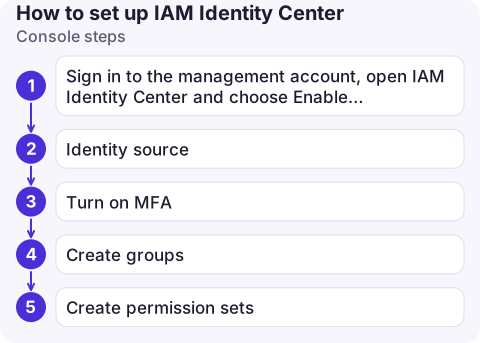
Console steps
- Sign in to the management account, open IAM Identity Center and choose Enable.
- Identity source: keep the Identity Center directory to create users there, or connect Active Directory or an external IdP (Okta, Microsoft Entra ID, Google Workspace and others) via SAML, with SCIM to sync users and groups.
- Turn on MFA requirements in the authentication settings if you use the built-in directory.
- Create groups (for example
platform-admins,developers) and add users. - Create permission sets: start with AWS managed job-function policies (
AdministratorAccess,PowerUserAccess,ReadOnlyAccess) and set the session duration. - Assign: under AWS accounts, select accounts, choose groups, choose permission sets. Identity Center creates the matching roles in each account.
- Copy the AWS access portal URL (like
https://d-1234567890.awsapps.com/start, or a custom subdomain) and share it.
The same with the CLI
INSTANCE=$(aws sso-admin list-instances --query 'Instances[0].InstanceArn' --output text)
STORE=$(aws sso-admin list-instances --query 'Instances[0].IdentityStoreId' --output text)

PS=$(aws sso-admin create-permission-set --instance-arn "$INSTANCE" \
  --name ReadOnly --session-duration PT8H \
  --query 'PermissionSet.PermissionSetArn' --output text)
aws sso-admin attach-managed-policy-to-permission-set --instance-arn "$INSTANCE" \
  --permission-set-arn "$PS" --managed-policy-arn arn:aws:iam::aws:policy/ReadOnlyAccess

GROUP=$(aws identitystore get-group-id --identity-store-id "$STORE" \
  --alternate-identifier '{"UniqueAttribute":{"AttributePath":"displayName","AttributeValue":"developers"}}' \
  --query GroupId --output text)
aws sso-admin create-account-assignment --instance-arn "$INSTANCE" \
  --target-id 123456789012 --target-type AWS_ACCOUNT \
  --permission-set-arn "$PS" --principal-type GROUP --principal-id "$GROUP"
After editing a permission set that's already assigned, run aws sso-admin provision-permission-set (or choose to update accounts in the console) so the roles in each account pick up the change.
Identity Center vs IAM users
| IAM Identity Center | IAM users | |
|---|---|---|
| Scope | One login for many accounts | Per account |
| Credentials | Short-lived, issued at sign-in | Long-lived passwords and access keys |
| Joiners and leavers | Handled in one place, or by your IdP | Repeated in every account |
| Good for | People | Rare cases that need long-term keys |
Developers then configure the CLI with aws configure sso; see logging in with the CLI.
Common mistakes
- Assigning permission sets to individual users instead of groups, which doesn't scale.
- Keeping a break-glass path only through Identity Center. Keep a documented emergency route (such as a secured root user or IAM user with MFA) in case the IdP is down.
- Editing the roles Identity Center created in member accounts by hand; changes are overwritten. Change the permission set.
Questions
Is IAM Identity Center free?
Yes, there is no additional charge for IAM Identity Center. You pay only for other AWS services you use.
Can IAM Identity Center work in multiple Regions?
An instance has a primary Region chosen when you enable it. Additional Regions can be added to the instance for replication, if your setup meets the requirements described in the IAM Identity Center documentation.
What is the IAM Identity Center login URL?
The AWS access portal URL shown on the Identity Center dashboard, in the form https://d-xxxxxxxxxx.awsapps.com/start unless you set a custom subdomain.

Once everyone signs in through Identity Center, the question becomes which account you are looking at. CloudConsole, a phone app for AWS, is built to make account and role context obvious on a small screen.
About the app → · Download on the App Store