 CloudConsole
aws logs filter-log-events
aws logs filter-log-events --log-group-name /aws/lambda/my-function --filter-pattern "ERROR" --start-time $(date -d "1 hour ago" +%s)000 searches every stream in a log group for matching events. Times are in milliseconds since the epoch, patterns are case-sensitive, and the CLI follows pagination until the time range is exhausted.
What the command does
filter-log-events scans a log group's streams over a time range and returns events matching a filter pattern, the same syntax used by metric filters and subscription filters. Each event in events[] has logStreamName, timestamp, message, ingestionTime and eventId.
It is a good fit for quick searches of recent logs. For aggregation, parsing or large time ranges, CloudWatch Logs Insights (start-query) is faster and far more capable.
Syntax
aws logs filter-log-events \
  --log-group-name /aws/lambda/my-function \
  [--filter-pattern '...'] \
  [--start-time <epoch ms>] [--end-time <epoch ms>] \
  [--log-stream-names s1 s2 | --log-stream-name-prefix 2026/11/16] \
  [--max-items 100] [--query "events[].message"]
Worked examples
Errors in the last hour, messages only (GNU date; on macOS use date -v-1H +%s):
aws logs filter-log-events --log-group-name /aws/lambda/my-function \
  --start-time $(date -d '1 hour ago' +%s)000 \
  --filter-pattern 'ERROR' \
  --query "events[].message" --output text
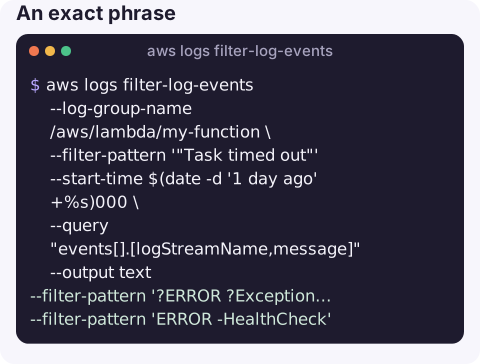
An exact phrase (quote it inside the pattern):
aws logs filter-log-events --log-group-name /aws/lambda/my-function \
  --filter-pattern '"Task timed out"' --start-time $(date -d '1 day ago' +%s)000 \
  --query "events[].[logStreamName,message]" --output text
Any of several terms, and excluding noise:
--filter-pattern '?ERROR ?Exception ?panic'
--filter-pattern 'ERROR -HealthCheck'
Structured JSON logs, matching on fields:
aws logs filter-log-events --log-group-name /ecs/orders-api \
  --filter-pattern '{ $.level = "error" && $.status >= 500 }' \
  --start-time $(date -d '30 minutes ago' +%s)000 \
  --query "events[].message" --output text
Everything for one request ID:
aws logs filter-log-events --log-group-name /aws/lambda/my-function \
  --filter-pattern '"3f1c2b9e-8f7a-4c1e-9d2a-0b6e5a4c3d21"'
Count matches (JSON output, so the count covers every page):
aws logs filter-log-events --log-group-name /aws/lambda/my-function \
  --filter-pattern 'ERROR' --start-time $(date -d '1 hour ago' +%s)000 \
  --query "length(events)" --output json
Filter pattern cheat sheet
| Pattern | Matches |
|---|---|
ERROR | Events containing the term ERROR (case-sensitive) |
ERROR timeout | Both terms |
?ERROR ?WARN | Either term |
"connection refused" | The exact phrase |
ERROR -retrying | ERROR but not retrying |
{ $.level = "error" } | JSON field equals a value |
{ $.latencyMs > 1000 } | Numeric comparison on a JSON field |
%[Ee]rror% | Regular expression match (newer pattern syntax) |
Gotchas
- Milliseconds, not seconds. Passing a 10-digit epoch silently searches 1970. Append
000or multiply by 1,000. - No start time means everything. Without
--start-time, the command scans the full retention period, which is slow on busy groups and can be throttled. - Case-sensitive terms.
errordoes not matchERROR; use?error ?ERRORor a regex pattern. - Empty pages are normal. The API may return pages with no events and a next token while it keeps scanning; let the CLI paginate rather than stopping at the first empty page.
- Just want to watch live?
aws logs tail --followis simpler; see aws logs tail.
Questions
How do I filter CloudWatch logs from the CLI?
Use aws logs filter-log-events with --log-group-name, a --filter-pattern and --start-time in epoch milliseconds, and --query "events[].message" for readable output.
Is the CloudWatch Logs filter pattern case-sensitive?
Yes, term matching is case-sensitive. Combine variants with ?, or in Logs Insights use a case-insensitive regex such as /(?i)error/.
Can aws logs tail use a filter pattern?
Yes. aws logs tail accepts --filter-pattern with the same syntax as filter-log-events.
Searching logs is most of incident response, and it is awkward on a small screen with only a terminal. CloudConsole, a phone app for AWS, is built to make log search and alarms usable on a phone.
About the app → · Download on the App Store