 CloudConsole
aws logs get-log-events
aws logs get-log-events --log-group-name /aws/lambda/my-function --log-stream-name "<stream>" returns events from one log stream, newest page first by default. You must know the stream name (get it from describe-log-streams), and unlike most list commands it does not paginate automatically, so you loop on nextForwardToken yourself.
What the command does
get-log-events reads a single stream in time order. A response holds up to 1 MB or 10,000 events in events[] (each with timestamp, message and ingestionTime), plus nextForwardToken and nextBackwardToken for moving through the stream.
By default the first page is the most recent events. With --start-from-head you start at the oldest. To search across all streams in a group, use filter-log-events or Logs Insights instead.
Syntax
aws logs get-log-events \
  --log-group-name /aws/lambda/my-function \
  --log-stream-name '2026/11/16/[$LATEST]0123456789abcdef0123456789abcdef' \
  [--start-from-head] [--start-time <ms>] [--end-time <ms>] \
  [--limit 100] [--next-token <token>]
Quote Lambda stream names in single quotes: they contain $LATEST and square brackets, which the shell would otherwise mangle.
Worked examples
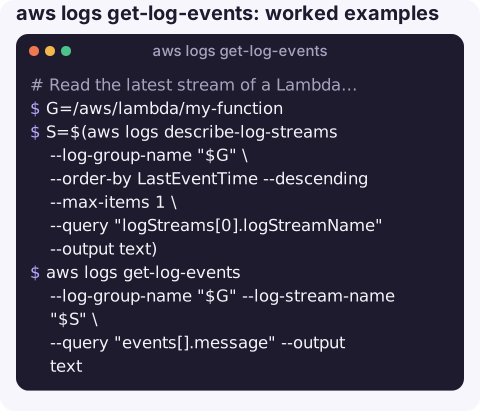
Read the latest stream of a Lambda function:
G=/aws/lambda/my-function
S=$(aws logs describe-log-streams --log-group-name "$G" \
  --order-by LastEventTime --descending --max-items 1 \
  --query "logStreams[0].logStreamName" --output text)
aws logs get-log-events --log-group-name "$G" --log-stream-name "$S" \
  --query "events[].message" --output text
The last 20 lines:
aws logs get-log-events --log-group-name "$G" --log-stream-name "$S" \
  --limit 20 --query "events[].message" --output text
Read a whole stream from the start, looping until the forward token stops changing (that is how the end is signalled):
TOKEN=""
while :; do
  if [ -z "$TOKEN" ]; then
    R=$(aws logs get-log-events --log-group-name "$G" --log-stream-name "$S" --start-from-head )
  else
    R=$(aws logs get-log-events --log-group-name "$G" --log-stream-name "$S" --next-token "$TOKEN")
  fi
  echo "$R" | jq -r '.events[].message'
  NEXT=$(echo "$R" | jq -r '.nextForwardToken')
  [ "$NEXT" = "$TOKEN" ] && break
  TOKEN=$NEXT
done
An ECS task's container log. With the awslogs driver the stream is named prefix/container-name/task-id:
aws logs get-log-events --log-group-name /ecs/orders-api \
  --log-stream-name ecs/web/0123456789abcdef0123456789abcdef \
  --start-from-head --query "events[].message" --output text
Which log command to use
| Need | Command |
|---|---|
| One stream, in order (a single task, instance or Lambda environment) | get-log-events |
| Search a whole group for a term | filter-log-events |
| Follow new events live | aws logs tail --follow or start-live-tail |
| Aggregate, parse, count | start-query (Logs Insights) |
Gotchas
- No automatic pagination. One call returns one page. Scripts that expect the whole stream silently miss events.
- Empty pages do not mean the end. A page can be partially full or empty while more data exists; only a repeated forward token means you have reached the end.
- Lambda spreads logs over many streams, one per execution environment. The "latest" stream is only one concurrent instance's output.
ResourceNotFoundExceptionusually means a typo in the stream name or that retention has already deleted the stream.- Times are milliseconds.
--start-timeand--end-timetake epoch milliseconds, the same asfilter-log-eventsand unlike Logs Insights, which uses seconds.
Questions
How do I get CloudWatch logs from the AWS CLI?
For one stream use get-log-events; to search a log group use filter-log-events; to follow live use aws logs tail --follow.
How do I get Lambda logs with the CLI?
Lambda writes to /aws/lambda/<function-name>. Run aws logs tail /aws/lambda/my-function --since 1h, or find the latest stream with describe-log-streams and read it with get-log-events.
How do I get EC2 instance logs?
Instance logs only reach CloudWatch if the CloudWatch agent ships them. For boot problems, aws ec2 get-console-output shows the serial console without any agent.
Reading one task's or function's log is often the fastest route to a cause. CloudConsole, a phone app for AWS, is built to show those logs next to the alarm that fired, on a phone.
About the app → · Download on the App Store