 CloudConsole
How to search CloudWatch logs
For a quick text search, open the log group in the CloudWatch console and use Search all log streams with a filter pattern, or run aws logs filter-log-events --log-group-name with --filter-pattern and a start time. For anything involving counting, parsing or several log groups, use CloudWatch Logs Insights, which runs a query over a time range and charges by data scanned.
Which tool?
| Need | Use |
|---|---|
| Find lines containing a word or request ID in one log group | Console search or filter-log-events |
| Count errors per minute, top values, percentiles | Logs Insights |
| Search several log groups at once | Logs Insights (select multiple groups) |
| Watch new matching lines as they arrive | tail or Live Tail |
Console steps
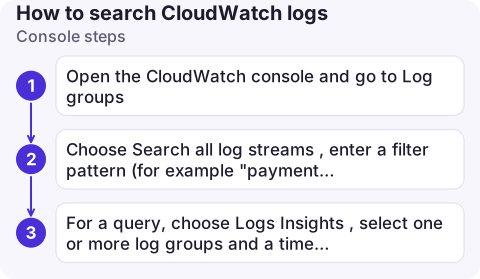
- Open the CloudWatch console and go to Log groups. Select the group.
- Choose Search all log streams, enter a filter pattern (for example
"payment failed"or{ $.statusCode = 500 }), and set the time range. - For a query, choose Logs Insights, select one or more log groups and a time range, and run something like the query below.
fields @timestamp, @logStream, @message
| filter @message like /payment failed/
| sort @timestamp desc
| limit 100
CLI: filter-log-events
# Last hour, lines containing ERROR (GNU date; times are in MILLISECONDS)
aws logs filter-log-events \
  --log-group-name /aws/lambda/checkout \
  --start-time $(date -d '1 hour ago' +%s000) \
  --filter-pattern "ERROR" \
  --query 'events[].[timestamp,logStreamName,message]' --output text

# Find one request across all streams
aws logs filter-log-events --log-group-name /ecs/orders-api \
  --start-time $(date -d '6 hours ago' +%s000) \
  --filter-pattern '"7f3c2a9e-4b1d-4c55-9a0e-1e2b3c4d5e6f"'
The CLI pages through results automatically; on a large group without a start time this can run for a long time. Always give a time window.
CLI: Logs Insights
# Times here are in SECONDS
QID=$(aws logs start-query \
  --log-group-names /aws/lambda/checkout /aws/lambda/payments \
  --start-time $(date -d '3 hours ago' +%s) --end-time $(date +%s) \
  --query-string 'filter @message like /ERROR/ | stats count(*) by bin(5m)' \
  --output text --query queryId)
sleep 5
aws logs get-query-results --query-id "$QID"
Results are ready when status is Complete; poll again if it says Running. See Logs Insights query examples for more.
Gotchas
- Milliseconds vs seconds.
filter-log-eventstakes epoch milliseconds;start-querytakes seconds. Mixing them up returns nothing, with no error. - Case-sensitive patterns.
ERRORdoesn't matcherror. Use?ERROR ?error, or in Logs Insights a case-insensitive regex such as/(?i)error/. - Special characters. Put terms with spaces or punctuation in double quotes inside the pattern.
- Cost. Logs Insights bills per GB scanned, so a 30-day query over a busy group costs real money. Narrow the time range and log groups first.
- Retention. You can only search what is still retained; see log retention.
- Stop runaway queries. A Logs Insights query scans until it finishes or times out. If you started one over the wrong range, cancel it with
aws logs stop-query --query-idand the query ID.
Questions
How do I search CloudWatch logs from the AWS CLI?
Use aws logs filter-log-events with --log-group-name, --filter-pattern and --start-time in epoch milliseconds, or start a Logs Insights query with aws logs start-query and fetch it with get-query-results.
Can I search all log groups at once?
Logs Insights can query many log groups in one query, selected by name or prefix in the console. filter-log-events works on one log group per call.
Why does my CloudWatch search return no results?
Check the time range (and units on the CLI), the Region, case in the pattern, and that the events are still within the group's retention period.

Searching logs is the first thing you do when an alarm fires, and the last thing a phone browser is good at. CloudConsole, a phone app for AWS, is built to make log search usable on a phone.
About the app → · Download on the App Store