 CloudConsole
aws logs start-query
aws logs start-query --log-group-name /aws/lambda/my-function --start-time $(date -d "1 hour ago" +%s) --end-time $(date +%s) --query-string "fields @timestamp, @message | filter @message like /ERROR/ | limit 20" starts a Logs Insights query and returns a queryId. It does not return results: poll aws logs get-query-results with that ID until the status is Complete.
What the command does
start-query submits a CloudWatch Logs Insights query and returns immediately with {"queryId": "..."}. The query runs asynchronously, and you collect results with get-query-results. Insights can parse, filter, aggregate and sort across many log groups, which makes it the right tool for anything beyond a simple text search.
Unlike most CloudWatch Logs APIs, the times here are in seconds since the epoch, not milliseconds.
Syntax
aws logs start-query \
  (--log-group-name G | --log-group-names G1 G2 | --log-group-identifiers ARN1 ...) \
  --start-time <epoch seconds> --end-time <epoch seconds> \
  --query-string '<Logs Insights query>' \
  [--limit 1000] [--query-language CWLI|PPL|SQL]
Do not confuse --query-string (the Insights query) with the global --query option (JMESPath on the CLI output). You can use both in one command.
Worked examples
Start a query and wait for results in a script:
QID=$(aws logs start-query \
  --log-group-name /aws/lambda/my-function \
  --start-time $(date -d '1 hour ago' +%s) --end-time $(date +%s) \
  --query-string 'fields @timestamp, @message | filter @message like /ERROR/ | sort @timestamp desc | limit 50' \
  --query queryId --output text)

while :; do
  STATUS=$(aws logs get-query-results --query-id "$QID" --query status --output text)
  case "$STATUS" in Complete|Failed|Cancelled|Timeout) break;; esac
  sleep 2
done
aws logs get-query-results --query-id "$QID" \
  --query "results[*][?field!='@ptr'].value" --output text
Error count per five minutes across several services:
aws logs start-query \
  --log-group-names /ecs/orders-api /ecs/payments-api \
  --start-time $(date -d '6 hours ago' +%s) --end-time $(date +%s) \
  --query-string 'filter level = "error" | stats count(*) as errors by bin(5m), @log'
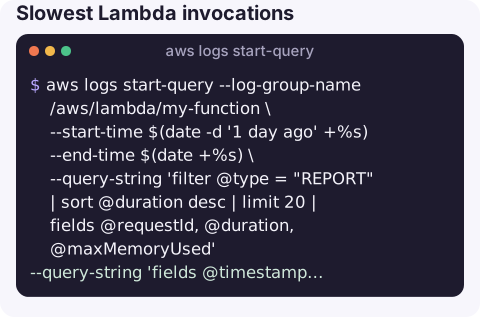
Slowest Lambda invocations:
aws logs start-query --log-group-name /aws/lambda/my-function \
  --start-time $(date -d '1 day ago' +%s) --end-time $(date +%s) \
  --query-string 'filter @type = "REPORT" | sort @duration desc | limit 20 | fields @requestId, @duration, @maxMemoryUsed'
Case-insensitive search with a regex flag:
--query-string 'fields @timestamp, @message | filter @message like /(?i)timeout/'Limits and cost
| Item | Detail |
|---|---|
| Log groups per query | Up to 50 with --log-group-names or identifiers. |
| Rows returned | Set with | limit in the query or --limit; large result sets need paging in get-query-results. |
| Run time | Queries that run too long time out (60 minutes at the time of writing). |
| Concurrency | A limited number of queries can run at once per account; extra ones queue or fail. |
| Cost | Charged per GB of log data scanned, so narrow the time range and log groups. |
Gotchas
- Seconds, not milliseconds. A 13-digit value sends the start time thousands of years into the future and the query matches nothing.
- Shell quoting. Wrap the query string in single quotes; Insights uses double quotes and
/regex/internally. - Results expire. Results are kept for a limited time (days, not forever), so store anything you need.
- Stop runaway queries with
aws logs stop-query --query-id "$QID"; you are billed for data already scanned.
Questions
How do I run a CloudWatch Logs Insights query from the CLI?
Call start-query with log groups, start and end times in epoch seconds and a --query-string, then poll get-query-results with the returned queryId.
Does Logs Insights have a starts-with filter?
Use a regex anchored at the start, for example filter @message like /^ERROR/.
Why does my start-query return no results?
Most often the times are in milliseconds instead of seconds, the time range does not cover the events, or the query has not finished yet.
Insights queries are powerful, but typing them on a phone is painful. CloudConsole, a phone app for AWS, is built to make logs and the alarms around them easier to read away from a laptop.
About the app → · Download on the App Store