 CloudConsole
aws logs get-query-results
aws logs get-query-results --query-id <id> returns the status and rows of a Logs Insights query started with start-query. Poll until status is Complete; each row is a list of {field, value} pairs, which --query "results[*][?field!='@ptr'].value" --output text turns into tab-separated lines.
What the command does
The response has three parts:
status:Scheduled,Running,Complete,Failed,Cancelled,TimeoutorUnknown.results: a list of rows, each a list of{"field": "...", "value": "..."}objects. Every row also includes an@ptrfield, an internal pointer you can pass toget-log-recordto fetch the full event.statistics:recordsMatched,recordsScannedandbytesScanned, which is what you are billed on.
While a query is still running, partial results may already be present. Only trust them once status is Complete.
Syntax
aws logs get-query-results --query-id 12ab3456-12ab-123a-789e-1234567890abRaw shape of one row:
[
  { "field": "@timestamp", "value": "2026-11-16 09:41:07.512" },
  { "field": "@message",   "value": "ERROR payment declined order=4821" },
  { "field": "@ptr",       "value": "CmAKJgoiMTIzNDU2Nzg5MDEyOi9hd3MvbGFtYmRh..." }
]
Worked examples
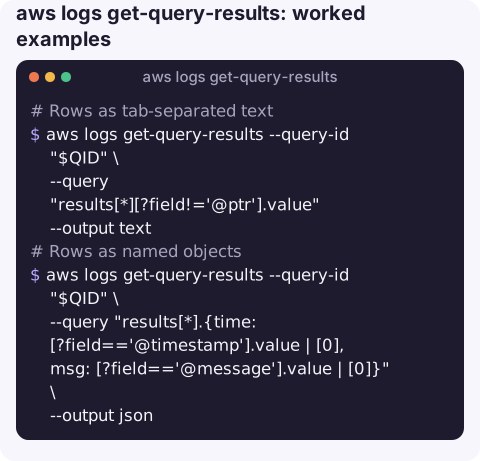
Rows as tab-separated text, dropping the pointer:
aws logs get-query-results --query-id "$QID" \
  --query "results[*][?field!='@ptr'].value" --output text
Rows as named objects, handy for piping to jq or a spreadsheet:
aws logs get-query-results --query-id "$QID" \
  --query "results[*].{time: [?field=='@timestamp'].value | [0], msg: [?field=='@message'].value | [0]}" \
  --output json
Status and cost of the query:
aws logs get-query-results --query-id "$QID" \
  --query "[status, statistics.recordsMatched, statistics.bytesScanned]" --output text
Convert to CSV with jq:
aws logs get-query-results --query-id "$QID" --output json \
  | jq -r '.results[] | map(select(.field != "@ptr") | .value) | @csv' > results.csv
Fetch the full event behind a row:
aws logs get-log-record --log-record-pointer "CmAKJgoiMTIzNDU2Nzg5MDEyOi9hd3MvbGFtYmRh..."Find a query ID you lost:
aws logs describe-queries --status Running \
  --query "queries[].[queryId,logGroupName,queryString]" --output text
Status values
| Status | What to do |
|---|---|
Scheduled / Running | Wait and poll again; a couple of seconds between calls is plenty. |
Complete | Read results. |
Failed | Usually a syntax error or an inaccessible log group; re-run in the console to see the message. |
Timeout | Narrow the time range or add filters early in the query. |
Cancelled | Someone ran stop-query. |
Gotchas
- Use
results[*], notresults[]. The flatten operator merges all rows into one list of field objects, so per-row projections return nulls. - Select fields by name rather than by position when it matters, so a change to the query's
fieldsclause does not shift your columns. - Values are strings. Numbers from
statscome back as text; convert before maths. - Row limit. One call returns at most 10,000 rows; see getting more than 10,000 results.
- Poll at a sensible rate. Calling every second or two is plenty; tight loops across many queries can be throttled and do not make results arrive sooner.
- Stop queries you no longer need with
aws logs stop-query --query-id. A stopped query reportsCancelledhere, and the data it had already scanned is still billed.
Questions
Why does get-query-results return an empty results list?
The query may still be Running, or it completed with no matches. Check status and statistics.recordsMatched.
How do I get CloudWatch logs with the CLI as a table?
Run the query, then use --query "results[*][?field!='@ptr'].value" --output table on get-query-results.
How long are Logs Insights results kept?
For a limited period after the query runs, measured in days. Save results you need to keep.
Query output that is hard to read on a laptop is harder still on a phone. CloudConsole, a phone app for AWS, is built to present logs and alarms in a form you can scan on a small screen.
About the app → · Download on the App Store