 CloudConsole
aws logs start-live-tail
aws logs start-live-tail --log-group-identifiers arn:aws:logs:eu-west-2:123456789012:log-group:/ecs/orders-api streams new log events to your terminal as they arrive. Log groups must be given as ARNs (up to 10), you can narrow it with --log-event-filter-pattern, and the session runs until you press Ctrl+C or it times out.
What the command does
start-live-tail opens a streaming session to CloudWatch Logs Live Tail. Instead of polling, the server pushes events from the chosen log groups shortly after ingestion, together with periodic session updates. It is the API behind the Live Tail view in the console.
Live Tail is billed by session time, so close sessions you are not watching.
Syntax
aws logs start-live-tail \
  --log-group-identifiers <log-group-ARN> [<log-group-ARN> ...] \
  [--log-stream-names s1 s2 | --log-stream-name-prefixes p1 p2] \
  [--log-event-filter-pattern '<pattern>']
Use the log group ARN without a trailing :*. You can get it from describe-log-groups:
aws logs describe-log-groups --log-group-name-prefix /ecs/orders-api \
  --query "logGroups[0].logGroupArn" --output text
Worked examples
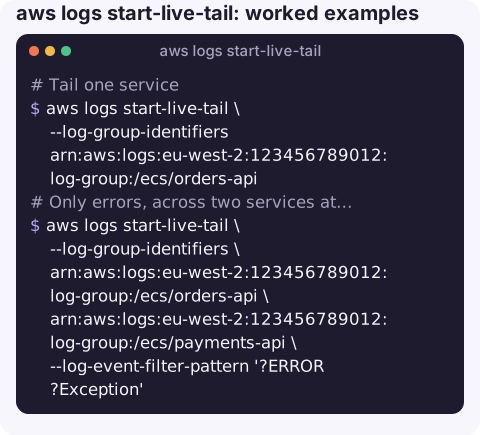
Tail one service:
aws logs start-live-tail \
  --log-group-identifiers arn:aws:logs:eu-west-2:123456789012:log-group:/ecs/orders-api
Only errors, across two services at once:
aws logs start-live-tail \
  --log-group-identifiers \
    arn:aws:logs:eu-west-2:123456789012:log-group:/ecs/orders-api \
    arn:aws:logs:eu-west-2:123456789012:log-group:/ecs/payments-api \
  --log-event-filter-pattern '?ERROR ?Exception'
Watch a single ECS task during a deploy, by stream prefix:
aws logs start-live-tail \
  --log-group-identifiers arn:aws:logs:eu-west-2:123456789012:log-group:/ecs/orders-api \
  --log-stream-name-prefixes ecs/web/0123456789abcdef0123456789abcdef
Follow structured logs for one customer:
aws logs start-live-tail \
  --log-group-identifiers arn:aws:logs:eu-west-2:123456789012:log-group:/aws/lambda/checkout \
  --log-event-filter-pattern '{ $.customerId = "c-4821" }'
A practical deploy-watching routine
Live Tail is most useful for the ten minutes around a change. A routine that works well:
- Before deploying, start a session on the service's log group with an error-only pattern such as
?ERROR ?Exception ?Traceback, so the screen stays quiet while things are healthy. - Deploy. New task or function versions usually log a start-up line; if you also want to see those, open a second session without a filter, narrowed to the new task's stream prefix.
- Watch for a few minutes after the deployment reports steady state, because some failures only appear on the first real requests.
- Close the sessions with Ctrl+C so you stop paying for them, and if anything looked odd, follow up with a Logs Insights query over the same window to see the full picture rather than a sample.
When several services are involved, putting them in one session (up to ten log groups) shows the order in which errors appear, which often points at the service that failed first.
Live Tail vs aws logs tail
start-live-tail | aws logs tail --follow | |
|---|---|---|
| Mechanism | Server-pushed stream | CLI polls FilterLogEvents |
| Log groups | Up to 10, as ARNs | One, by name |
| History | New events only | Can start in the past with --since |
| Cost model | Per minute of session | API requests only |
| Output formatting | Fixed | --format short, json and others |
For a quick look at a single group with some history, aws logs tail is usually more convenient.
Gotchas
- Names are rejected. Passing
/ecs/orders-apiinstead of the ARN fails validation. - Stream names and prefixes are exclusive. Use one or the other.
- Sessions end on their own after a time limit, and very busy groups may be sampled; for complete records, query afterwards with Logs Insights.
- Permissions. You need
logs:StartLiveTailon each log group; read-only roles often lack it even when they can runfilter-log-events. - Older CLI versions do not have the command; upgrade if you see
Invalid choice.
Questions
How do I tail CloudWatch logs in real time?
Use aws logs start-live-tail with the log group ARN for a pushed stream, or aws logs tail <group> --follow for a simpler polling tail.
Can Live Tail filter by text?
Yes. --log-event-filter-pattern accepts the same filter pattern syntax as metric filters and filter-log-events.
How do I run a Logs Insights query from the CLI instead?
Use aws logs start-query with epoch-second times and a --query-string, then read results with get-query-results.
Watching logs live while a deploy rolls out is hard to do from a phone with a terminal app. CloudConsole, a phone app for AWS, is built to make logs and alarms readable on a small screen.
About the app → · Download on the App Store