 CloudConsole
CloudWatch Logs Insights syntax cheat sheet
Logs Insights queries are commands joined by the pipe character |, each transforming the results of the one before. The core commands are fields, filter, stats, sort, limit, parse, display, dedup and pattern; system fields start with @, strings go in double quotes and regular expressions between slashes.
Commands
| Command | What it does | Example |
|---|---|---|
fields | Choose fields and create computed ones with as | fields @timestamp, @duration / 1000 as seconds |
filter | Keep events matching a condition | filter status >= 500 |
stats | Aggregate, optionally by one or more fields | stats count(*) by bin(5m) |
sort | Order by a field, asc or desc | sort @timestamp desc |
limit | Cap the number of rows returned | limit 100 |
parse | Extract fields from text with a glob or regex | parse @message "user=* " as user |
display | Show only these fields in the output | display @timestamp, user |
dedup | Keep the first row for each unique value | dedup userId |
pattern | Cluster similar messages into patterns | pattern @message |
unmask() | A function rather than a command: reveals data masked by a data protection policy, if you have the permission | fields unmask(@message) |
Operators and matching
- Comparison:
=,!=,<,<=,>,>=. - Boolean:
and,or,not, with parentheses for grouping. - Arithmetic:
+ - * / ^ %. - Set membership:
status in [500, 502, 503]. - Substring:
@message like "Timeout"(case-sensitive). - Regex:
@message like /time(d)? ?out/or@message =~ /.../; prefix the pattern with(?i)for case-insensitive. - Field names containing characters other than letters, digits,
_and.go in backticks:`user-agent`.
Aggregation functions for stats
| Function | Returns |
|---|---|
count(*), count(field) | Number of events, or of events where the field exists |
count_distinct(field) | Unique values; approximate when cardinality is very high |
sum, avg, min, max | The usual numeric aggregates |
pct(field, 99) | Percentile, e.g. p99 |
stddev(field) | Standard deviation |
earliest(field), latest(field) | Value from the oldest or newest event in each group |
Group with by: stats avg(@duration) by bin(1h), @log. Time buckets come from bin(5m), using units such as s, m, h and d.
Useful non-aggregate functions
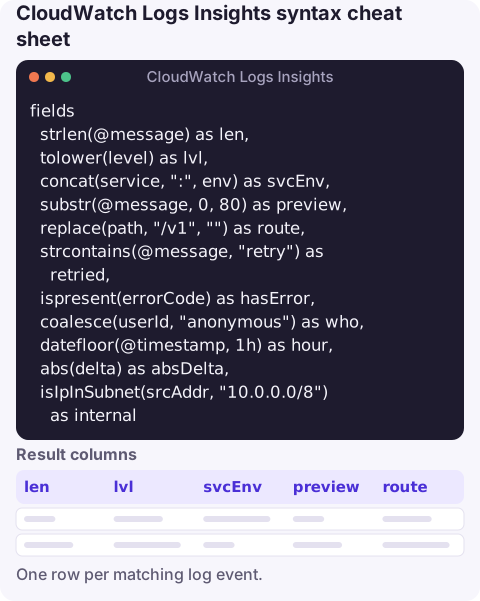
fields
  strlen(@message) as len,
  tolower(level) as lvl,
  concat(service, ":", env) as svcEnv,
  substr(@message, 0, 80) as preview,
  replace(path, "/v1", "") as route,
  strcontains(@message, "retry") as retried,
  ispresent(errorCode) as hasError,
  coalesce(userId, "anonymous") as who,
  datefloor(@timestamp, 1h) as hour,
  abs(delta) as absDelta,
  isIpInSubnet(srcAddr, "10.0.0.0/8") as internal
strcontains and ispresent return 1 or 0, so they can be summed in stats to count matches. datefloor and bin both round timestamps down to a bucket.
System fields and gotchas
Every event has @timestamp, @message, @logStream, @log (the log group, prefixed with the account ID) and @ingestionTime. Lambda logs add @requestId, @type, @duration, @billedDuration, @memorySize, @maxMemoryUsed and @initDuration.
- Results are capped at 10,000 rows per query.
- Pricing is per GB scanned, so narrow the time range before anything else.
sortafterstatssorts by the aggregated alias you named withas.- The console also accepts other query languages (OpenSearch PPL and SQL); the syntax here is the Logs Insights query language.
Questions
What is the syntax for filtering in Logs Insights?
filter followed by a condition, for example filter level = "ERROR" and status >= 500, or filter @message like /(?i)timeout/ for a regex.
Is Logs Insights syntax the same as CloudWatch metric math?
No. Metric math and Metrics Insights use their own expressions; Logs Insights is a separate pipe-based language for log events.
How do I comment a Logs Insights query?
Start a line with #. Commented lines are ignored, which is handy for toggling filters on and off.
Syntax is the part you forget when you're away from your usual tools. CloudConsole, a phone app for AWS, is built to let you look at logs from your phone when an alarm needs a quick check.
About the app → · Download on the App Store