 CloudConsole
aws rds create-db-snapshot
aws rds create-db-snapshot --db-instance-identifier my-db --db-snapshot-identifier my-db-before-upgrade takes a manual, storage-level snapshot of an RDS instance. Manual snapshots are kept until you delete them, unlike automated backups, so take one before risky changes such as engine upgrades or schema migrations.
What the command does
It starts a snapshot of the whole DB instance's storage volume and returns straight away with the snapshot in creating state. The first snapshot of an instance is a full copy; later ones are incremental at the block level, although each snapshot can still be restored on its own.
This command is for RDS instances only. For Aurora, snapshots are taken at the cluster level with aws rds create-db-cluster-snapshot.
Syntax
aws rds create-db-snapshot \
  --db-instance-identifier <instance> \
  --db-snapshot-identifier <new-snapshot-name> \
  [--tags Key=<k>,Value=<v> ...]
Worked examples
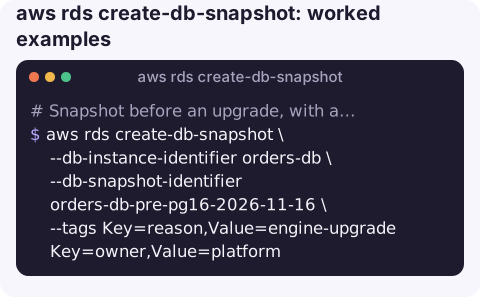
Snapshot before an upgrade, with a dated name and tags:
aws rds create-db-snapshot \
  --db-instance-identifier orders-db \
  --db-snapshot-identifier orders-db-pre-pg16-2026-11-16 \
  --tags Key=reason,Value=engine-upgrade Key=owner,Value=platform
Wait for it to complete before you start the change:
aws rds wait db-snapshot-available \
  --db-snapshot-identifier orders-db-pre-pg16-2026-11-16
Watch progress on a large database:
aws rds describe-db-snapshots \
  --db-snapshot-identifier orders-db-pre-pg16-2026-11-16 \
  --query "DBSnapshots[0].[Status,PercentProgress,AllocatedStorage]" \
  --output text
List the manual snapshots of an instance, newest first:
aws rds describe-db-snapshots \
  --db-instance-identifier orders-db --snapshot-type manual \
  --query "reverse(sort_by(DBSnapshots,&SnapshotCreateTime))[].[DBSnapshotIdentifier,SnapshotCreateTime]" \
  --output text
What comes back
The call returns the new snapshot record immediately. The useful fields are DBSnapshot.Status (creating, then available), PercentProgress, SnapshotType (manual), Engine and EngineVersion, Encrypted and KmsKeyId. Note the engine version: it decides what you can restore the snapshot to, and it is easy to lose track of once the source instance has been upgraded.
To print just the ARN for a later copy or share step:
aws rds create-db-snapshot \
  --db-instance-identifier orders-db \
  --db-snapshot-identifier orders-db-manual-1 \
  --query "DBSnapshot.DBSnapshotArn" --output text
Key options
| Option | Notes |
|---|---|
--db-instance-identifier | Source instance. It must be in available state. |
--db-snapshot-identifier | Name for the new snapshot: letters, digits and hyphens, starting with a letter, with no double or trailing hyphen. Must be unique in the account and Region. |
--tags | Tags on the snapshot itself. Handy for lifecycle scripts that clean up old manual snapshots. |
Gotchas
- Single-AZ instances pause I/O briefly. While the snapshot starts, writes on a Single-AZ instance can stall for a moment. Multi-AZ instances take the snapshot from the standby, so the primary is not affected in the same way.
- Manual snapshots cost money until deleted. They are billed as backup storage and are not removed when you delete the instance. Put a cleanup step in your runbook.
- The snapshot is not a running database. To check its contents, you restore it to a new instance with restore-db-instance-from-db-snapshot.
- Encryption follows the source. A snapshot of an encrypted instance is encrypted with the same KMS key; sharing it with another account means granting that account use of the key too.
- Do not fire it from several scripts at once. The instance has to be
available, and while one snapshot is starting it may briefly reportbacking-up, which makes a second request fail.
Questions
How long does an RDS snapshot take?
It depends on how much data has changed since the previous snapshot. The first one copies everything and can take a long time on a big volume; later incremental ones are usually much faster. PercentProgress in describe-db-snapshots shows where it is.
What is the difference between a manual snapshot and an automated backup?
Automated backups are taken daily and expire after the retention period, and they enable point-in-time restore. Manual snapshots are taken on demand and stay until you delete them, even after the instance is deleted.
How do I create a snapshot of an Aurora cluster?
Use aws rds create-db-cluster-snapshot --db-cluster-identifier my-cluster --db-cluster-snapshot-identifier my-snap. Instance-level snapshots are not supported for Aurora.
A pre-change snapshot is the step people forget when a fix is rushed. CloudConsole, a phone app for AWS, is built to show RDS resources and recent activity from your phone, with guardrails for production.
About the app → · Download on the App Store