 CloudConsole
aws rds failover-db-cluster
aws rds failover-db-cluster --db-cluster-identifier my-cluster promotes a reader in an Aurora cluster (or a readable standby in a Multi-AZ DB cluster) to be the new writer. Add --target-db-instance-identifier to choose which instance takes over; writes are interrupted for a short period, typically well under a minute.
What the command does
A failover moves the writer role to another instance in the same cluster. The old writer restarts and comes back as a reader. The cluster (writer) endpoint is updated to point at the new writer, so applications that connect through the cluster endpoint follow it once they reconnect and their DNS lookup refreshes.
People run it for three reasons: to test that applications survive a real failover, to move the writer to a larger instance before scaling down the old one, and to get off an instance that is misbehaving.
Syntax
aws rds failover-db-cluster \
  --db-cluster-identifier <cluster> \
  [--target-db-instance-identifier <reader-instance>]
Worked examples
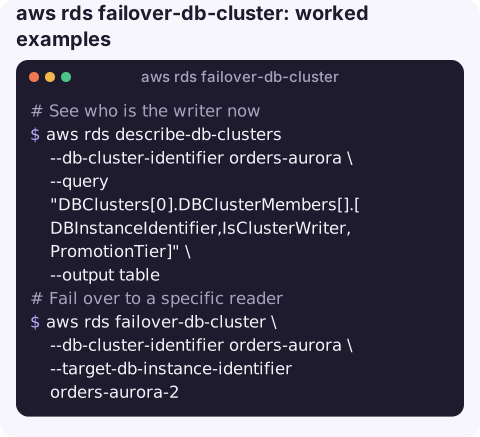
See who is the writer now:
aws rds describe-db-clusters --db-cluster-identifier orders-aurora \
  --query "DBClusters[0].DBClusterMembers[].[DBInstanceIdentifier,IsClusterWriter,PromotionTier]" \
  --output table
Fail over to a specific reader:
aws rds failover-db-cluster \
  --db-cluster-identifier orders-aurora \
  --target-db-instance-identifier orders-aurora-2
Follow progress through the cluster events:
aws rds describe-events --source-type db-cluster \
  --source-identifier orders-aurora --duration 30 \
  --query "Events[].[Date,Message]" --output text
You will see messages about the failover starting and completing. Re-run the first command to confirm the writer flag has moved.
Resize the writer with minimal downtime: add a reader of the new size, fail over to it, then remove or resize the old instance.
aws rds create-db-instance --db-instance-identifier orders-aurora-big \
  --db-cluster-identifier orders-aurora --engine aurora-postgresql \
  --db-instance-class db.r6g.2xlarge
aws rds wait db-instance-available --db-instance-identifier orders-aurora-big
aws rds failover-db-cluster --db-cluster-identifier orders-aurora \
  --target-db-instance-identifier orders-aurora-big
Running a failover test
- Pick a quiet period and tell the application owners; it is a real interruption to writes.
- Start a simple write loop from an application host against the cluster endpoint, logging timestamps and errors.
- Run the failover and note how long writes fail and whether the loop recovers on its own without a restart.
- If it does not recover, look at connection-pool validation settings and client DNS caching before blaming Aurora.
How the target is chosen
| You pass | What happens |
|---|---|
| Nothing | Aurora picks a reader, preferring the lowest promotion tier number (tier 0 first) and, within a tier, the largest instance. |
--target-db-instance-identifier | That reader becomes the writer. It must be in the same cluster and available. |
| A cluster with no readers | There is no one to promote; the call fails rather than recreating the writer for you. |
Gotchas
- Connections drop. Every open connection to the old writer is closed. Connection pools need to detect dead connections and retry; this is exactly what a test failover should prove.
- DNS caching hides the switch. The cluster endpoint is a DNS name with a short TTL. Clients that cache DNS longer keep talking to the old writer, which is now read-only, and get errors on writes.
- Instance endpoints do not move. If your application connects to an instance endpoint instead of the cluster endpoint, it will not follow the writer.
- Not for plain RDS Multi-AZ instances. For a classic Multi-AZ DB instance, use reboot-db-instance with
--force-failover. - Global databases are separate. Moving the primary Region of an Aurora global database uses
aws rds failover-global-clusterorswitchover-global-cluster, not this command.
Questions
How long does an Aurora failover take?
Typically well under a minute for the writer role to move. Applications usually see a slightly longer gap while they detect dropped connections and refresh DNS.
Does failover-db-cluster cause data loss?
No. Aurora readers share the same storage volume as the writer, so committed data is already there. In-flight transactions on the old writer are rolled back.
How do I make sure a particular reader is promoted on automatic failover?
Give it the lowest promotion tier with aws rds modify-db-instance --promotion-tier 0, and keep it the same size as the writer.
Writer failovers tend to page someone even when they are planned. CloudConsole, a phone app for AWS, is built to show the cluster, its alarms and recent events on your phone, with guardrails around production actions.
About the app → · Download on the App Store