 CloudConsole
aws rds stop-db-instance
aws rds stop-db-instance --db-instance-identifier my-db shuts an RDS instance down so you stop paying for instance hours, while keeping its storage, endpoint and configuration. RDS starts it again automatically after seven days, and storage and backups are still billed while it is stopped.
What the command does
Stopping releases the compute behind the instance and keeps everything else: the storage volume, the endpoint name, the parameter and option groups, and the transaction logs needed for point-in-time restore. Status goes stopping then stopped. To bring it back you run aws rds start-db-instance, which takes a few minutes.
It is meant for development and test databases that sit idle overnight or at weekends. It is not a long-term parking option because of the seven-day limit.
Syntax
aws rds stop-db-instance \
  --db-instance-identifier <name> \
  [--db-snapshot-identifier <snapshot-name>]
Worked examples
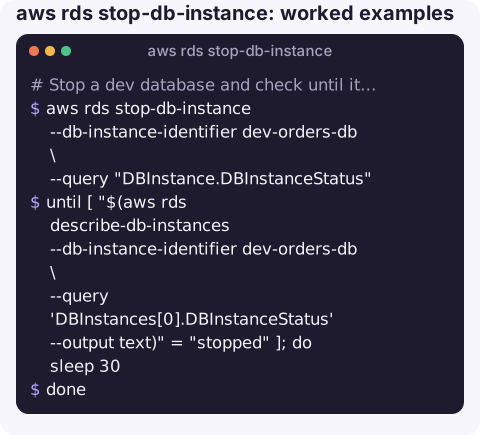
Stop a dev database and check until it is down. There is no built-in waiter for the stopped state, so poll the status:
aws rds stop-db-instance --db-instance-identifier dev-orders-db \
  --query "DBInstance.DBInstanceStatus"
until [ "$(aws rds describe-db-instances --db-instance-identifier dev-orders-db \
    --query 'DBInstances[0].DBInstanceStatus' --output text)" = "stopped" ]; do
  sleep 30
done
Take a snapshot as part of the stop, so you have a restore point from exactly that moment:
aws rds stop-db-instance --db-instance-identifier dev-orders-db \
  --db-snapshot-identifier dev-orders-db-stop-2026-11-16
Stop every available instance tagged env=dev (review the list before removing the echo):
for db in $(aws rds describe-db-instances \
  --query "DBInstances[?DBInstanceStatus=='available' && TagList[?Key=='env' && Value=='dev']].DBInstanceIdentifier" \
  --output text); do
  echo aws rds stop-db-instance --db-instance-identifier "$db"
done
Start it again:
aws rds start-db-instance --db-instance-identifier dev-orders-db
aws rds wait db-instance-available --db-instance-identifier dev-orders-db
For a regular office-hours schedule, put the stop and start calls in a scheduled job (an EventBridge Scheduler target, a Lambda function or a CI pipeline) rather than relying on someone remembering. Have the job log which instances it touched, so a database that is unexpectedly off can be traced back to the schedule rather than investigated as an outage.
What you still pay for
| Cost | While stopped? |
|---|---|
| Instance hours | No |
| Allocated storage and provisioned IOPS | Yes |
| Backup storage, including manual snapshots | Yes |
| Instance hours after the automatic restart | Yes, until you stop it again |
Gotchas
- The seven-day auto-start. RDS starts a stopped instance automatically after seven days so it can apply required maintenance. If you want it to stay off, schedule a stop (for example an EventBridge rule on the RDS start event, or a nightly job), or snapshot and delete it instead.
- Not every instance can be stopped. Aurora instances are stopped at cluster level with
aws rds stop-db-cluster, and read replica relationships and some engine features restrict stopping; RDS returnsInvalidDBInstanceStateor a descriptive error if yours is one of them. - Start-up can fail for capacity. RDS does not hold hardware for you while the instance is stopped, so a start can occasionally wait for, or fail on, capacity for that instance class in that Availability Zone.
- The endpoint stays, connections do not. Applications see connection errors while it is stopped; disable jobs and alarms that will page someone about it.
- Reserved instances do not pause. A reservation keeps billing whether or not the matching instance is running.
Questions
How do I stop an Aurora cluster from the CLI?
Use aws rds stop-db-cluster --db-cluster-identifier my-cluster. It stops all instances in the cluster together, and the same seven-day automatic restart applies.
How long can an RDS instance stay stopped?
Up to seven days at a time. After that RDS starts it automatically, so you need a scheduled stop or a snapshot-and-delete if you want it off for longer.
Does stopping RDS lose data?
No. Storage is kept and point-in-time restore still works within the retention period. Only the compute is released.
A database that restarted itself after a week shows up as a cost surprise, not an alert. CloudConsole is built to show resources and costs on your phone so idle databases are easier to spot.
About the app → · Download on the App Store