 CloudConsole
aws s3 mv
aws s3 mv copies an object to a new location and then deletes the original, which is how you "rename" or move files in S3: aws s3 mv s3://my-bucket/old.csv s3://my-bucket/new.csv. With --recursive it moves everything under a prefix; moving a local file to S3 deletes the local file after upload.
What the command does
S3 has no rename operation. mv performs a copy followed by a delete, object by object. For S3-to-S3 moves the copy happens server-side, so data does not travel through your machine, but each object still costs a copy request and a delete request, and very large objects are copied in parts.
Syntax
aws s3 mv <source> <destination> \
  [--recursive] [--exclude "<pattern>"] [--include "<pattern>"] \
  [--sse aws:kms] [--storage-class <class>] [--dryrun]
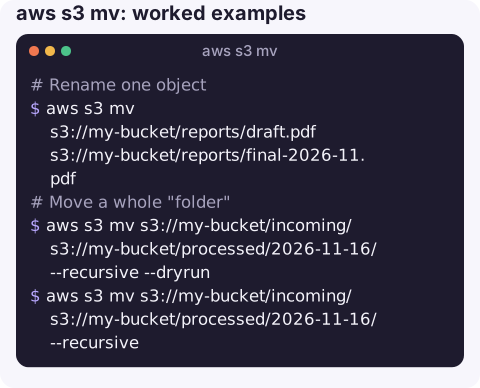
Worked examples
Rename one object:
aws s3 mv s3://my-bucket/reports/draft.pdf s3://my-bucket/reports/final-2026-11.pdfMove a whole "folder" to a new prefix, previewing first:
aws s3 mv s3://my-bucket/incoming/ s3://my-bucket/processed/2026-11-16/ --recursive --dryrun
aws s3 mv s3://my-bucket/incoming/ s3://my-bucket/processed/2026-11-16/ --recursive
Move only some files, here CSVs, leaving the rest:
aws s3 mv s3://my-bucket/incoming/ s3://my-bucket/csv/ --recursive \
  --exclude "*" --include "*.csv"
Upload and remove the local copy, for example log shipping on a small disk:
aws s3 mv /var/log/app/archive/ s3://my-bucket/logs/host-a/ --recursiveMove to another bucket in a different storage class:
aws s3 mv s3://my-bucket/old-exports/ s3://archive-bucket/exports/ --recursive \
  --storage-class DEEP_ARCHIVE
Before a large move
Count what you are about to move with aws s3 ls --recursive --summarize, run the move with --dryrun and compare the line count, and check whether anything consumes events from the source prefix. Afterwards, list both prefixes again to confirm the source is empty and the destination total matches.
What happens under the hood
| Situation | Effect |
|---|---|
| Source bucket unversioned | Original is deleted permanently after the copy |
| Source bucket versioned | A delete marker is added; the old version stays and keeps costing storage |
| Object Lock on source | Delete fails for retained versions; the copy exists at the destination and the original remains |
| Interrupted move | Some objects moved, some not; rerun the same command to finish |
Gotchas
- Not atomic. For a moment both copies exist, and a failure mid-way leaves a partial move. Readers listing the prefix during a move can see either state.
- Local files are deleted.
aws s3 mv ./file s3://...removes the local file once the upload succeeds. Use cp if you want to keep it. - Permissions on both ends. You need get on the source, put on the destination and
s3:DeleteObjecton the source; KMS keys on either side add their own permissions. - Event triggers fire. The copy generates
ObjectCreatedevents at the destination and the deleteObjectRemovedevents at the source, which may start Lambda functions or replication you did not think about. - Cost of large renames. Renaming a prefix with millions of objects is millions of requests; design key names so you rarely need to.
Questions
How do I rename a folder in S3 with the CLI?
aws s3 mv s3://bucket/old-prefix/ s3://bucket/new-prefix/ --recursive. It copies and deletes every object under the prefix, so it can take a while for large prefixes.
Does aws s3 mv keep the original if the copy fails?
Yes for that object: the delete only happens after a successful copy. A failure part-way through a recursive move leaves the remaining objects in place.
Is aws s3 mv free?
Each object costs copy and delete requests, plus data transfer when moving across Regions. Within a Region there is no data transfer charge for the copy.
Moving data in a production bucket is easy to start and awkward to undo. CloudConsole, a phone app for AWS, is built with production guardrails and to show S3 resources and their alarms.
About the app → · Download on the App Store