 CloudConsole
aws s3 ls
aws s3 ls lists your buckets; aws s3 ls s3://my-bucket/path/ lists the objects and "folders" (prefixes) under a path. Add --recursive to list every object below it and --human-readable --summarize for sizes and a total.
What the command does
aws s3 ls is a convenience command built on the S3 API, not an API operation itself. Its output is plain text in a fixed format, one line per item:
                           PRE logs/
2026-11-15 17:02:44      48213 index.html
2026-11-16 08:10:05    1048576 data/export.csv
PRE marks a common prefix, which the console shows as a folder. Dates are in your local time zone. Because the format is fixed, --output json and --query have no useful effect; for structured output use s3api list-objects-v2.
Syntax
aws s3 ls [s3://bucket[/prefix]] \
  [--recursive] [--human-readable] [--summarize] \
  [--page-size <n>] [--request-payer requester]
Worked examples
All buckets in the account:
aws s3 lsOne level under a prefix. The trailing slash matters: without it, logs also matches logs-archive/:
aws s3 ls s3://my-bucket/logs/Everything below a prefix, with sizes and a total:
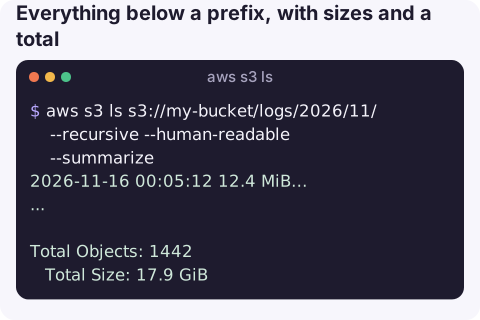
aws s3 ls s3://my-bucket/logs/2026/11/ --recursive --human-readable --summarize2026-11-16 00:05:12 12.4 MiB logs/2026/11/16/app-00.gz
...
Total Objects: 1442
Total Size: 17.9 GiBNewest five objects (sorting the text output):
aws s3 ls s3://my-bucket/uploads/ --recursive | sort | tail -n 5A public bucket, without any AWS credentials:
aws s3 ls s3://some-public-dataset/ --no-sign-requestCounting and sizing a prefix
The --summarize footer is the quickest way to answer "how much is in here?" for a prefix of modest size. Pipe the recursive listing through standard tools for other questions, such as how many objects were written on a given day:
aws s3 ls s3://my-bucket/uploads/ --recursive | grep -c '^2026-11-16'Remember that each line is a separate object and the listing reflects the moment it ran; objects written while it pages through a big prefix may or may not appear.
Errors you will meet
| Message | Fix |
|---|---|
Unable to locate credentials | No credentials in this shell. Configure a profile or log in; see unable to locate credentials. |
An error occurred (AccessDenied) when calling the ListObjectsV2 operation | You need s3:ListBucket on the bucket ARN (arn:aws:s3:::my-bucket, without /*). See S3 AccessDenied. |
AccessDenied calling ListBuckets | Plain aws s3 ls needs s3:ListAllMyBuckets. Name the bucket directly instead. |
NoSuchBucket | Typo or deleted bucket; see NoSuchBucket. |
Gotchas
- Big prefixes are slow and cost requests. A recursive listing of millions of objects makes one LIST request per 1,000 keys. For bucket-wide sizes, use the CloudWatch
BucketSizeBytesmetric or S3 Storage Lens; see finding the largest buckets. - Only current versions. Previous versions and delete markers are not shown; use s3api list-object-versions.
- Empty "folders" appear only if a zero-byte object with a trailing slash exists. Prefixes are not real directories.
- Bucket listing is global, objects are regional. If listing a bucket in another Region fails, add
--regionwith the bucket's Region.
Questions
How do I get JSON output from aws s3 ls?
You cannot; s3 ls always prints text. Use aws s3api list-objects-v2 --bucket my-bucket --prefix path/ with --query and --output json for structured results.
How do I use aws s3 ls without credentials?
Add --no-sign-request. It works only for buckets that allow anonymous listing.
Why does aws s3 ls give access denied when I can read objects?
Listing needs s3:ListBucket on the bucket itself, while reading needs s3:GetObject on objects. Policies often grant one but not the other.
Checking whether a file landed in a bucket is a common quick question. CloudConsole, a phone app for AWS, is built to show resources, alarms and costs on a phone.
About the app → · Download on the App Store