 CloudConsole
aws sso logout
aws sso logout removes the cached IAM Identity Center access tokens on this machine, and the temporary role credentials the CLI obtained with them, across all profiles. Afterwards any SSO profile needs aws sso login again; credentials you already exported elsewhere stay valid until they expire.
What the command does
The CLI keeps two caches for SSO profiles: the Identity Center token in ~/.aws/sso/cache/, and the short-lived role credentials derived from it in ~/.aws/cli/cache/. Logging out clears both, so the next command for any SSO profile fails with a token error until you sign in again. It takes no profile-specific options: it signs out every SSO session the CLI has cached on this machine.
Your profiles in ~/.aws/config are untouched; only cached tokens and credentials go.
Syntax
aws sso logoutWorked examples
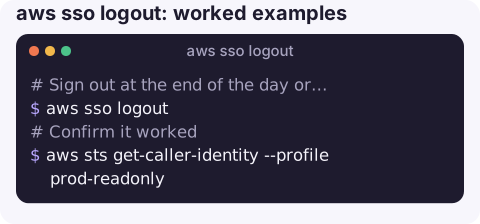
Sign out at the end of the day or before handing over a shared machine:
aws sso logoutConfirm it worked: a call with an SSO profile should now fail with a token error:
aws sts get-caller-identity --profile prod-readonlySwitch Identity Center user or start URL cleanly, for example after being added to a new permission set or moving between organisations:
aws sso logout
aws sso login --sso-session acme
Fix a confused token cache when Error loading SSO Token persists: log out, then log in again. If it still fails, check that the profile's sso_session name matches an [sso-session] block.
When to use it
- Shared or borrowed machines, including jump hosts and pairing sessions, where the next person should not inherit your access.
- Before a demo or screen share, if you want to be sure nothing runs against production by accident.
- After a permission change, so the next login picks up new accounts or roles instead of serving cached credentials for the old ones.
- When the cache is in a bad state, as a reset before logging in again.
On a personal laptop it is optional; tokens expire on their own when the Identity Center session ends.
What logout does not do
| Still valid after logout | Why and what to do |
|---|---|
| Credentials exported to environment variables | They are standalone temporary keys. Unset AWS_ACCESS_KEY_ID, AWS_SECRET_ACCESS_KEY and AWS_SESSION_TOKEN, or close the shell. |
| Credentials copied from the access portal | Same: they work until their expiry time. |
| Your browser session in the access portal | That is a separate web session; sign out in the browser. |
Static keys in ~/.aws/credentials | Not SSO at all; logout ignores them. |
| Other machines | Each machine has its own cache. |
Gotchas
- All SSO profiles are affected. If you are logged in to several organisations or start URLs, you lose them all.
- Lost laptop? Logging out remotely is not possible. An Identity Center administrator can disable the user or revoke their active sessions, and role credentials already issued expire on their own schedule.
- CLI version 2 only, like the rest of the SSO commands.
Questions
Does aws sso logout log me out of the AWS access portal in my browser?
No. It clears the CLI's cached tokens and credentials. Sign out of the portal separately in the browser.
How do I log out of only one SSO profile?
The command has no per-profile option; it clears all cached SSO tokens. Log in again afterwards to the sessions you still need.
Where are SSO tokens stored?
In JSON files under ~/.aws/sso/cache/, with derived role credentials under ~/.aws/cli/cache/. Treat both directories as sensitive.
Shared machines and on-call laptops are where stale credentials linger. CloudConsole is built to show AWS alarms and resources on a phone with production guardrails in mind.
About the app → · Download on the App Store