 CloudConsole
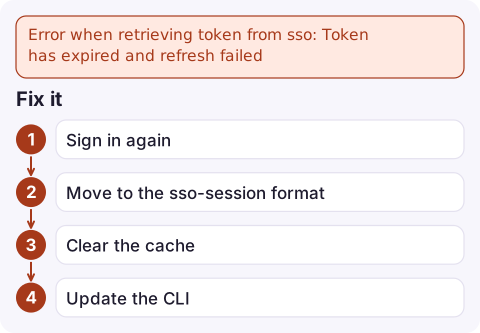
Error when retrieving token from sso: Token has expired and refresh failed
Your IAM Identity Center sign-in has ended and the CLI could not renew it silently. Run aws sso login --profile <name> (or --sso-session <name>) to sign in again. If it keeps happening every hour, convert the profile to the sso-session format with aws configure sso so the CLI can use refresh tokens.
What has expired
An SSO profile involves two layers of credentials. The SSO access token, cached under ~/.aws/sso/cache/, proves you signed in to IAM Identity Center. The CLI exchanges it for short-lived role credentials whenever it needs them. This error means the access token is past its expiry and the CLI's attempt to refresh it failed, so it can't obtain role credentials either:
Error when retrieving token from sso: Token has expired and refresh failedHow long you stay signed in is set by your Identity Center administrator's session duration, so it varies between organisations.
Why the refresh failed
| Cause | Sign |
|---|---|
| The Identity Center session reached its maximum duration | Happens at the same time each day; only a browser sign-in fixes it |
Legacy profile format (sso_start_url directly in the profile) | The legacy format has no refresh token, so it fails as soon as the access token expires |
| Corrupt or stale cache files | aws sso login succeeds but the next command still fails |
| Session revoked by an administrator, or your password or MFA changed | Started failing mid-day after a security change |
| Old AWS CLI v2 or SDK that predates sso-session support | aws --version is well behind current |
Fix it
- Sign in again with the profile that failed:
If several profiles share oneaws sso login --profile prod-admin aws sts get-caller-identity --profile prod-admin[sso-session], one login covers them all:aws sso login --sso-session my-org. - Move to the sso-session format if your config looks like the legacy one. Run
aws configure ssoand give the session a name; the result looks like:[profile prod-admin] sso_session = my-org sso_account_id = 123456789012 sso_role_name = AdministratorAccess region = eu-west-2 [sso-session my-org] sso_start_url = https://my-org.awsapps.com/start sso_region = eu-west-2 sso_registration_scopes = sso:account:access - Clear the cache if login appears to work but commands still fail, then log in again:
aws sso logout rm -f ~/.aws/sso/cache/*.json ~/.aws/cli/cache/*.json aws sso login --profile prod-admin - Update the CLI if
aws configure ssodoesn't ask for a session name.
Terraform, SDKs and other tools
Tools using the AWS SDK read the same ~/.aws/sso/cache, but they cannot open a browser to sign you in. When Terraform or a Python script reports a similar SSO token error, run aws sso login in the same user account and rerun the tool with the same AWS_PROFILE. Older SDK versions that don't understand sso_session may need upgrading, or you can hand them short-lived keys with aws configure export-credentials --profile prod-admin --format env.
For headless machines or SSH sessions where a browser can't open, see SSO login without a browser.
Questions
How do I renew an AWS CLI SSO token?
Run aws sso login --profile <name>. With the sso-session configuration the CLI also refreshes the token silently until your Identity Center session reaches its maximum length.
Why does my AWS SSO token expire so often?
Either your profile uses the legacy format without refresh tokens, or your organisation set a short session duration in IAM Identity Center. Switching to sso-session fixes the first; the second is an administrator setting.
Is this the same as Error loading SSO Token?
No. That error means no cached token exists for the profile at all; this one means a token exists but has expired and could not be refreshed.

An expired SSO session is a common snag when you get paged in the evening and your laptop session from the morning is gone. CloudConsole, a phone app for AWS, is built so you can check alarms and logs on your phone while you sign back in.
Did it start after a deploy? What changed? on the app’s alarm screen lists the deploys and configuration changes from the hour before the alarm fired.
About the app → · Download on the App Store