 CloudConsole
Error loading SSO Token: Token for <profile> does not exist
The CLI looked in ~/.aws/sso/cache for a sign-in token matching this profile's SSO session or start URL and found none. Run aws sso login with the same profile that failed; if the error persists, the profile points at a different sso-session or start URL from the one you logged in with, or the tool runs as another user or in a container that can't see your cache.
What the CLI is looking for
When you run aws sso login, the CLI saves a token file in ~/.aws/sso/cache/. The file name is derived from the sso-session name (or, for legacy profiles, the sso_start_url). Later commands recompute that name from the profile and open the file. If it isn't there you get:
Error loading SSO Token: Token for my-org does not existThe name after "Token for" is the sso-session name or start URL the CLI used for the lookup, which is a useful clue: compare it with what you logged in to.
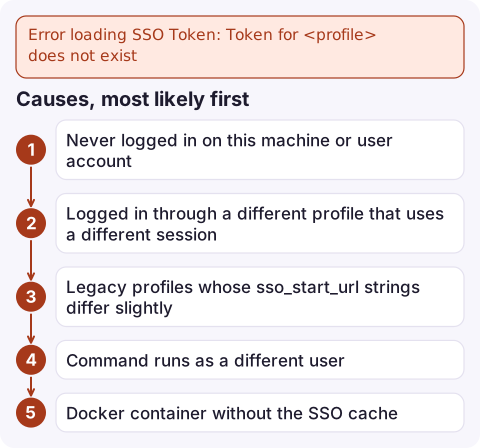
Causes, most likely first
| Cause | Example |
|---|---|
| Never logged in on this machine or user account | New laptop, fresh container, or the cache was cleared by aws sso logout |
| Logged in through a different profile that uses a different session | dev uses [sso-session dev-org], prod uses [sso-session my-org] |
Legacy profiles whose sso_start_url strings differ slightly | One has https://my-org.awsapps.com/start, another adds #/ or a trailing slash, so each hashes to a different file |
| Command runs as a different user | Using sudo, a service account, or a CI agent user |
| Docker container without the SSO cache | Only ~/.aws/config was copied in, not ~/.aws/sso/cache |
Fix it
- Log in with exactly the profile that failed:
aws sso login --profile prod-admin aws sts get-caller-identity --profile prod-admin - Check the profile's session if that doesn't stick:
Point related profiles at one sharedaws configure get sso_session --profile prod-admin grep -A4 '^\[sso-session' ~/.aws/configsso_sessionso a single login covers them. - Normalise legacy start URLs, or better, run
aws configure ssoto move profiles to the sso-session format. - Give containers the whole directory (read-only is fine, but a refresh then can't be written back):
docker run --rm -v "$HOME/.aws:/root/.aws:ro" \ -e AWS_PROFILE=prod-admin amazon/aws-cli sts get-caller-identity - Check the cache exists for your user:
ls -la ~/.aws/sso/cache/
Related mistakes
- Running
aws sso loginwithout--profilewhileAWS_PROFILEis unset logs in thedefaultprofile, which may not be an SSO profile at all. - Deleting
~/.aws/sso/cacheas a fix and then not logging in again. That reliably produces this error. - Setting
AWS_PROFILEin one terminal tab and running the command in another. Each shell has its own environment, so the second tab falls back to whatever profile it had. - If the message instead says the token has expired and refresh failed, the cache file exists but is stale; see that page.
Questions
Where does the AWS CLI store SSO tokens?
In ~/.aws/sso/cache as JSON files named from a hash of the sso-session name or start URL. Role credentials obtained with them are cached separately under ~/.aws/cli/cache.
Why does aws sso login work but other commands say the token does not exist?
You logged in with one profile and are running commands with another that resolves to a different sso-session or start URL. Log in with the failing profile, or make both use the same sso_session.
Do I need to log in separately for each SSO profile?
Not if they share an sso-session block. One aws sso login for that session covers every profile that references it.

This is mainly a local setup problem, but it tends to appear on a fresh machine just when you need access quickly. CloudConsole, a phone app for AWS, is built to let you read alarms and logs on your phone in the meantime.
Did it start after a deploy? What changed? on the app’s alarm screen lists the deploys and configuration changes from the hour before the alarm fired.
About the app → · Download on the App Store