 CloudConsole
No 'Access-Control-Allow-Origin' header with API Gateway
The browser blocked the response because it carried no Access-Control-Allow-Origin header for your page's origin. With API Gateway the usual reasons are a Lambda proxy integration that does not return CORS headers itself, a preflight OPTIONS request that hits an authorizer, or an API Gateway error (403, 502, 504) whose response has no CORS headers and so hides the real problem.
What the browser is telling you
Access to fetch at 'https://abc123.execute-api.eu-west-2.amazonaws.com/prod/orders'
from origin 'http://localhost:3000' has been blocked by CORS policy:
Response to preflight request doesn't pass access control check:
No 'Access-Control-Allow-Origin' header is present on the requested resource.
CORS is enforced by the browser, not by API Gateway. The request often did reach your API; the browser just refused to hand the response to your JavaScript. That is why the same call works from curl or Postman. First find out what status the API really returned: if it is not 2xx, the CORS message is a symptom and the real error is elsewhere.
Reproduce with curl
Send the preflight the browser sends:
curl -i -X OPTIONS https://abc123.execute-api.eu-west-2.amazonaws.com/prod/orders \
  -H 'Origin: http://localhost:3000' \
  -H 'Access-Control-Request-Method: POST' \
  -H 'Access-Control-Request-Headers: content-type,authorization'
You need a 2xx with Access-Control-Allow-Origin, -Methods and -Headers covering what was requested. Then send the real request with an Origin header and check the actual response carries Access-Control-Allow-Origin too.
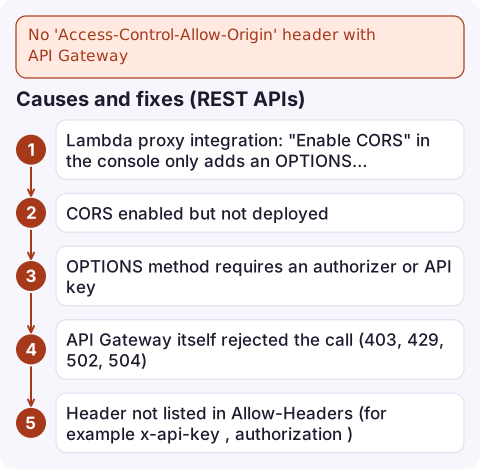
Causes and fixes (REST APIs)
| Cause | Fix |
|---|---|
| Lambda proxy integration: "Enable CORS" in the console only adds an OPTIONS method; actual responses come straight from your function | Return Access-Control-Allow-Origin (and -Credentials if used) in the function's headers on every response, including errors |
| CORS enabled but not deployed | Deploy the API to the stage |
| OPTIONS method requires an authorizer or API key | Set OPTIONS authorisation to NONE and API key required to false; browsers never send credentials on preflight |
| API Gateway itself rejected the call (403, 429, 502, 504) | Add CORS headers to the DEFAULT_4XX and DEFAULT_5XX gateway responses |
Header not listed in Allow-Headers (for example x-api-key, authorization) | Add it to the OPTIONS response |
Using * with credentials (cookies) | Echo the specific origin and send Access-Control-Allow-Credentials: true |
Add CORS headers to API Gateway's own error responses so real errors become visible to the browser, then redeploy:
aws apigateway put-gateway-response --rest-api-id abc123 \
  --response-type DEFAULT_4XX \
  --response-parameters "{\"gatewayresponse.header.Access-Control-Allow-Origin\":\"'https://app.example.com'\"}"
aws apigateway create-deployment --rest-api-id abc123 --stage-name prod
HTTP APIs and Lambda function URLs
HTTP APIs have a built-in CORS setting. When it is configured, API Gateway answers preflight requests itself and ignores CORS headers returned by your integration, so set everything there:
aws apigatewayv2 update-api --api-id a1b2c3d4 \
  --cors-configuration 'AllowOrigins=https://app.example.com,http://localhost:3000,AllowMethods=GET,POST,AllowHeaders=content-type,authorization'
Lambda function URLs also have their own CORS configuration on the function URL; do not add the same headers in code as well, or the browser sees duplicate values and rejects them.
Mistakes to avoid
- Debugging CORS for an hour when the real response was a 502 from a crashed function. Check the status code first.
- Setting
Access-Control-Allow-Origin: *in production for an authenticated API. List your real origins. - Fixing the success path only; error responses from your function need the header too.
- Testing with a cached preflight; browsers cache preflight results per
Access-Control-Max-Age, so hard-reload or use a private window after a change.
Questions
Why does my API work in Postman but fail in the browser with a CORS error?
Postman and curl do not enforce CORS. Only browsers check Access-Control-Allow-Origin, so a missing header only breaks browser calls.
How do I fix a CORS error from localhost with API Gateway?
Allow http://localhost:3000 (or your port) as an origin: in the HTTP API CORS configuration, in your Lambda proxy response headers, or in the REST API OPTIONS method, and redeploy.
How do I fix a CORS error from an S3 bucket?
Add a CORS configuration to the bucket with aws s3api put-bucket-cors listing your origins and methods. Bucket CORS is separate from any API Gateway settings.

CORS errors are usually a development problem, but after a front-end release they can lock every browser user out. CloudConsole, a phone app for AWS, is built to show the API's error alarms on your phone so a sudden drop in successful requests is visible.
Did it start after a deploy? What changed? on the app’s alarm screen lists the deploys and configuration changes from the hour before the alarm fired.
About the app → · Download on the App Store