 CloudConsole
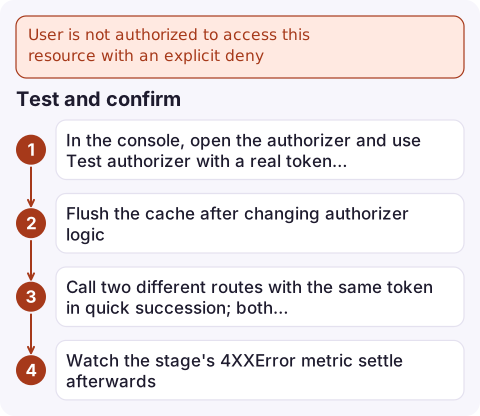
User is not authorized to access this resource with an explicit deny
A policy evaluated by API Gateway for this request contains a Deny that matches it. Most often that's your Lambda authorizer returning Effect: Deny, or, very commonly, an authorizer that returned an Allow scoped to one method ARN which API Gateway then cached and applied to a different path, so the second request is denied. It can also come from the API's resource policy. Check which, then return a broader resource in the policy or fix the caching key.
Three different messages
| Message (HTTP 403) | Meaning |
|---|---|
User is not authorized to access this resource with an explicit deny | A policy (authorizer output or resource policy) denies this request |
User is not authorized to access this resource | The authorizer's Allow doesn't cover this method/path (no explicit deny) |
Unauthorized (401) | The authorizer returned or threw Unauthorized, or the identity source header was missing |
Enable execution logs on the stage to see the policy the authorizer returned and whether it came from cache.
The caching trap
Many authorizer examples return a policy for event.methodArn, the single method being called:
{ "Effect": "Allow", "Action": "execute-api:Invoke",
  "Resource": "arn:aws:execute-api:eu-west-2:123456789012:a1b2c3d4e5/prod/GET/orders" }
With authorizer caching on (the console default TTL is 300 seconds), API Gateway caches that policy by the token. The same user's next call to GET /customers reuses the cached policy, which doesn't cover it, so it's denied without the authorizer even running. It looks random: the first request after the cache expires works.
Fix: return a policy that covers everything the caller may access, for example arn:aws:execute-api:eu-west-2:123456789012:a1b2c3d4e5/prod/* or .../*/*, and do fine-grained checks in the backend. Or turn caching off (TTL 0), or add the path to the identity sources so the cache key differs per route.
Other causes
- The authorizer really denied: expired or invalid token, wrong audience, a group check. Log the decision inside the authorizer function.
- Resource policy: a
Denyonaws:SourceIporaws:SourceVpcein the API's resource policy. Remember that resource policy changes only apply after you redeploy the API to the stage. - Private APIs: requests through a VPC endpoint not listed in the resource policy.
- Resource ARN built wrongly: a policy that uses the wrong API ID, stage or Region never matches, and a deny-by-default authorizer then denies.
Test and confirm
- In the console, open the authorizer and use Test authorizer with a real token to see the returned policy.
- Flush the cache after changing authorizer logic:
aws apigateway flush-stage-authorizers-cache --rest-api-id a1b2c3d4e5 --stage-name prod. - Call two different routes with the same token in quick succession; both should succeed if the policy covers them.
- Watch the stage's
4XXErrormetric settle afterwards.
Questions
Why does my Lambda authorizer allow the first request and deny the next one?
Authorizer caching reused a policy scoped to the first method's ARN. Return a wildcard resource covering all allowed routes, or disable or re-key the cache.
What is the difference between explicit deny and not authorized in API Gateway?
Explicit deny means a policy statement denied the request; plain not authorized means no Allow statement covered it.
How do I clear the API Gateway authorizer cache?
Run aws apigateway flush-stage-authorizers-cache with the REST API ID and stage name, or set the authorizer TTL to 0.

Intermittent 403s get reported by users long before they look like a pattern. CloudConsole, a phone app for AWS, is being built to show API Gateway error metrics and logs on your phone, which makes the pattern easier to see.
Did it start after a deploy? What changed? on the app’s alarm screen lists the deploys and configuration changes from the hour before the alarm fired.
About the app → · Download on the App Store