 CloudConsole
Could not connect to the endpoint URL
The AWS CLI or SDK built a service URL but couldn't open a TCP or TLS connection to it, so the request never reached AWS. The usual causes are a misspelt or wrong Region (which produces a hostname that doesn't exist), a service that isn't offered in that Region, or a machine with no route out: a private subnet without a NAT gateway or VPC endpoint, a firewall or proxy, or a local emulator that isn't running.
What the error tells you
Could not connect to the endpoint URL: "https://ec2.eu-west-2a.amazonaws.com/"This is a client-side connection failure (botocore's EndpointConnectionError), not an AWS error code. No credentials were checked and nothing was logged in CloudTrail. Read the hostname in the message first: it shows exactly which Region and service the client was aiming at, and most of the time that alone gives the answer.
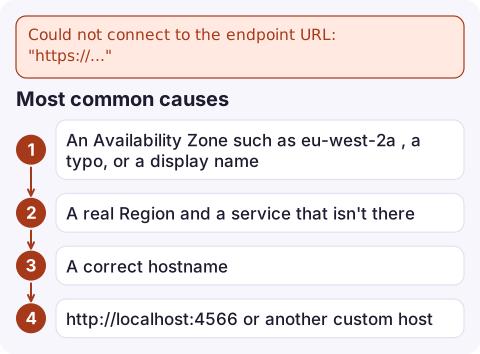
Most common causes
| What you see in the URL | Cause |
|---|---|
An Availability Zone such as eu-west-2a, a typo, or a display name | The Region is set to something that isn't a Region code. Use eu-west-2, not eu-west-2a or London. |
| A real Region and a service that isn't there | Not every service runs in every Region. Check the service's endpoints page. |
| A correct hostname | Network: no internet route, blocked port 443, a proxy that needs HTTPS_PROXY, or DNS that can't resolve AWS names. |
http://localhost:4566 or another custom host | An --endpoint-url or AWS_ENDPOINT_URL setting points at an emulator or proxy that isn't listening. |
How to fix it
- Check the Region the CLI resolved.
Environment variables beat the config file, so a staleaws configure list aws configure get region --profile prod env | grep -E 'AWS_(DEFAULT_)?REGION|AWS_ENDPOINT_URL'AWS_REGIONin your shell or CI job overrides the profile. - Test the network path directly.
If DNS fails or the connection times out, the problem is the network, not AWS.nslookup sts.eu-west-2.amazonaws.com curl -sv https://sts.eu-west-2.amazonaws.com/ -o /dev/null 2>&1 | grep -E 'Connected|SSL|timed out' - On EC2, ECS or Lambda in a VPC, a private subnet needs a route to a NAT gateway, or an interface VPC endpoint for that service (with private DNS enabled) or a gateway endpoint for S3 and DynamoDB. Check the subnet's route table and the endpoint's security group, which must allow inbound 443 from your workload.
- Behind a corporate proxy, set
HTTPS_PROXYand, for internal hosts,NO_PROXY. Add--debugto see which proxy and URL the CLI is using. - With LocalStack or another emulator, confirm the container is running and the port is published; inside Docker Compose, use the service name instead of
localhost.
Gotchas
- ECR in a private subnet needs both the
ecr.apiandecr.dkrinterface endpoints plus the S3 gateway endpoint, because image layers come from S3. Missing one gives this error fromapi.ecr.<region>.amazonaws.comor a pull timeout. - Global services such as IAM sign requests to a fixed endpoint; a Region typo there may not show up until you call a Regional service.
- Timeouts that look like this:
Connect timeout on endpoint URLis the same family of problem (no route), while Read timeout on endpoint URL means the connection worked but the response was too slow.
Questions
Why does the AWS CLI say it could not connect to the endpoint URL?
The client couldn't open a connection to the hostname it built from the service and Region. Check the Region spelling first, then DNS and network access to port 443.
How do I fix could not connect to the endpoint URL localhost 4566?
Port 4566 is LocalStack's default. Start the LocalStack container, make sure the port is published, and from another container use the Compose service name rather than localhost.
Does a VPC endpoint fix this error in a private subnet?
Yes, if the subnet has no NAT route. Create an interface endpoint for the service with private DNS enabled, or a gateway endpoint for S3 or DynamoDB, and allow 443 in the endpoint's security group.

This error usually turns up in a failing deploy job or a container that can't reach AWS. CloudConsole, a phone app for AWS, is being built to show alarms, logs and resources on your phone, which helps you see which workload is affected while you're away from a terminal.
Did it start after a deploy? What changed? on the app’s alarm screen lists the deploys and configuration changes from the hour before the alarm fired.
About the app → · Download on the App Store