 CloudConsole
Read timeout on endpoint URL
The connection to AWS succeeded, but the response didn't arrive within the client's read timeout, which is 60 seconds by default in botocore and the AWS CLI. It happens most with synchronous Lambda invokes of long functions, long model calls such as Bedrock, and big transfers on slow links. Raise the read timeout to fit the real work, and watch out: the SDK retries timed-out calls, so the work may run more than once.
What it looks like
botocore.exceptions.ReadTimeoutError: Read timeout on endpoint URL:
"https://lambda.eu-west-2.amazonaws.com/2015-03-31/functions/report-builder/invocations"
Compare with Could not connect to the endpoint URL or Connect timeout on endpoint URL, which mean the connection never opened. A read timeout means AWS received the request and was still working on it, or the response was stuck somewhere on the way back.
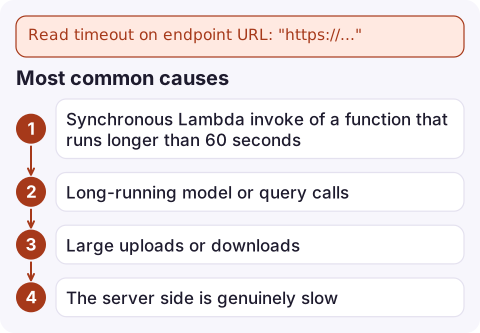
Most common causes
- Synchronous Lambda invoke of a function that runs longer than 60 seconds. The function can run for up to 15 minutes; the client gives up after one.
- Long-running model or query calls, such as Bedrock
InvokeModel/Conversewith large outputs, or Athena-style workloads called synchronously. - Large uploads or downloads over a slow or congested connection, a VPN, or a proxy that buffers.
- The server side is genuinely slow: an API Gateway backend or service that's degraded. Check the service's own latency metrics.
How to fix it
boto3: set the timeout to just above the longest legitimate call, and control retries:
import boto3
from botocore.config import Config

cfg = Config(read_timeout=900, connect_timeout=10,
             retries={"max_attempts": 1, "mode": "standard"})
lam = boto3.client("lambda", region_name="eu-west-2", config=cfg)
AWS CLI: use the global option (0 means no timeout):
aws lambda invoke --function-name report-builder \
  --cli-read-timeout 900 --cli-connect-timeout 10 out.json
Better design for long work: invoke Lambda asynchronously (--invocation-type Event) and collect the result from a queue, a table or a Step Functions execution, rather than holding an HTTP connection open for minutes.
The retry trap
botocore treats a read timeout as retryable. With the default retry settings a slow synchronous Lambda invoke can be sent again after the first attempt times out, while the first invocation is still running. The result is duplicate side effects: two reports, two emails, two charges.
- Check the function's
Invocationsmetric or its logs for twoSTART RequestIdlines close together. - For non-idempotent calls, set
max_attemptsto 1 or make the operation idempotent with a request key. - Inside Lambda, the caller's own timeout also matters: a function calling another function synchronously must have a longer timeout than the callee.
Questions
What is the default read timeout in boto3?
60 seconds. Change it with botocore.config.Config(read_timeout=...), or with --cli-read-timeout on the AWS CLI.
Why is my Lambda function invoked twice after a read timeout?
The SDK retried the timed-out synchronous invoke while the first invocation was still running. Raise the read timeout above the function timeout and limit retries for non-idempotent calls.
How do I fix read timeout on endpoint URL with Bedrock?
Long generations can exceed 60 seconds. Increase read_timeout in the client Config, or use the streaming APIs so data starts arriving before the timeout.

Duplicate work caused by timed-out retries tends to surface as an odd spike in invocations or errors. CloudConsole, a phone app for AWS, is being built to show Lambda metrics, logs and alarms on your phone, so you can spot the doubled invocations early.
Did it start after a deploy? What changed? on the app’s alarm screen lists the deploys and configuration changes from the hour before the alarm fired.
About the app → · Download on the App Store