 CloudConsole
Query condition missed key schema element
A DynamoDB Query must include an equality condition on the partition key of the table, or of the index named in IndexName. You are querying on an attribute that is not that key, often because you forgot --index-name for a GSI or put the key condition in a FilterExpression. Add the partition key condition, query the right index, or create a GSI for the access pattern.
What it means
An error occurred (ValidationException) when calling the Query operation:
Query condition missed key schema element: pk
The attribute named at the end is the partition key DynamoDB expected. A Query reads one partition key value at a time, so the KeyConditionExpression has to say which one, with =. You can then narrow by the sort key (=, <, BETWEEN, begins_with and so on). Any other attribute belongs in a FilterExpression, which is applied after the read and does not reduce the capacity consumed.
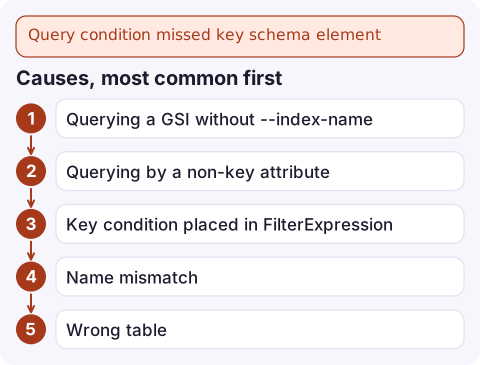
Causes, most common first
- Querying a GSI without
--index-name. The condition uses the index's key (sayemail), but without the index name DynamoDB checks it against the table's key. - Querying by a non-key attribute such as
status, expecting it to work like SQLWHERE. - Key condition placed in
FilterExpressionwhileKeyConditionExpressiononly mentions the sort key. - Name mismatch: wrong case, or a placeholder in
ExpressionAttributeNamesthat maps to the wrong attribute. - Wrong table in this environment, with a different key schema.
Check the keys you can query
aws dynamodb describe-table --table-name orders \
  --query 'Table.{table:KeySchema,gsis:GlobalSecondaryIndexes[].{name:IndexName,keys:KeySchema}}'
Then write the query against one of those key sets. On the table (partition key pk, sort key sk):
aws dynamodb query --table-name orders \
  --key-condition-expression 'pk = :pk AND begins_with(sk, :prefix)' \
  --expression-attribute-values '{":pk":{"S":"CUSTOMER#42"},":prefix":{"S":"ORDER#"}}'
On a GSI keyed by email:
aws dynamodb query --table-name orders --index-name email-index \
  --key-condition-expression 'email = :e' \
  --expression-attribute-values '{":e":{"S":"[email protected]"}}'
If no key fits your access pattern
Add a GSI whose partition key is the attribute you need to look up by. On a provisioned table you also give the index its own throughput; on on-demand tables you omit it:
aws dynamodb update-table --table-name orders \
  --attribute-definitions AttributeName=status,AttributeType=S AttributeName=createdAt,AttributeType=S \
  --global-secondary-index-updates '[{"Create":{"IndexName":"status-createdAt-index","KeySchema":[{"AttributeName":"status","KeyType":"HASH"},{"AttributeName":"createdAt","KeyType":"RANGE"}],"Projection":{"ProjectionType":"ALL"}}}]'
The index backfills in the background; wait until its status is ACTIVE before querying it. Be careful with low-cardinality keys like status: a handful of values means a handful of very hot partitions, so consider a composite key such as status plus a date bucket.
For a one-off investigation, a Scan with a filter works without any index, but it reads the whole table and consumes capacity accordingly; see aws dynamodb scan.
Mistakes to avoid
- Using
begins_withor a range comparison on the partition key. Only equality is allowed there. - Replacing a Query with a Scan in production code to make the error go away; it works on small tables and becomes slow and expensive later.
- Expecting a GSI query to return attributes that were not projected into the index.
Questions
Can I query DynamoDB without the partition key?
No. Query always needs an equality condition on the partition key of the table or the index you name. Without one, use a Scan or add a GSI keyed on the attribute you want.
How do I query a global secondary index from the AWS CLI?
Pass --index-name with the GSI's name and use the index's partition key in --key-condition-expression.
Why can't I filter on a non-key attribute in KeyConditionExpression?
KeyConditionExpression only accepts the partition key and sort key. Other attributes go in FilterExpression, which is applied after items are read.

This error is usually a code path that never worked rather than a new failure, but it can still page you after a deploy. CloudConsole, a phone app for AWS, is built to show the error alarm and the log lines behind it on your phone so you can tell which release introduced it.
Did it start after a deploy? What changed? on the app’s alarm screen lists the deploys and configuration changes from the hour before the alarm fired.
About the app → · Download on the App Store