 CloudConsole
ValidationException: The provided key element does not match the schema
The Key you passed to GetItem, UpdateItem, DeleteItem or BatchGetItem is not exactly the table's primary key. You either left out the sort key, used the wrong attribute name or case, sent the wrong type (string instead of number), or included extra non-key attributes. Compare your Key object with the table's KeySchema and AttributeDefinitions.
What the error means
An error occurred (ValidationException) when calling the GetItem operation:
The provided key element does not match the schema
Single-item operations identify an item by its full primary key and nothing else. If the table has a partition key pk (string) and a sort key sk (string), the Key must contain exactly those two attributes with exactly those types. DynamoDB validates the shape before looking anything up, so this error says nothing about whether the item exists; a correct key for a missing item simply returns no Item.
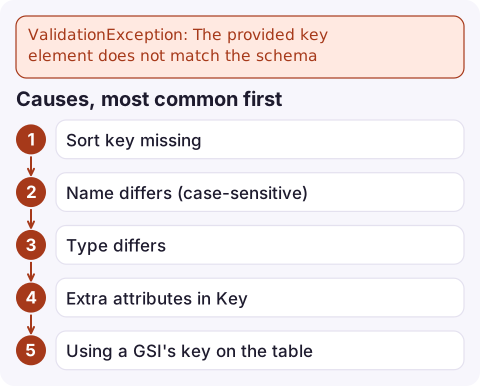
Causes, most common first
| Mistake | Example |
|---|---|
| Sort key missing | Table key is pk + sk, request sends only pk |
| Name differs (case-sensitive) | Id or userId instead of id |
| Type differs | {"S":"42"} when the attribute is defined as N; a numeric string from a URL path passed straight through |
| Extra attributes in Key | Passing the whole item as Key to DeleteItem |
| Using a GSI's key on the table | GetItem by email, which is only a GSI key; GetItem cannot use indexes |
| Wrong table | Environment variable points at a table with a different schema |
| Pagination key reused elsewhere | An ExclusiveStartKey taken from a different table or index |
Compare your key with the schema
aws dynamodb describe-table --table-name orders \
  --query 'Table.{keys:KeySchema,types:AttributeDefinitions}'
Typical output:
{
  "keys": [
    {"AttributeName": "pk", "KeyType": "HASH"},
    {"AttributeName": "sk", "KeyType": "RANGE"}
  ],
  "types": [
    {"AttributeName": "pk", "AttributeType": "S"},
    {"AttributeName": "sk", "AttributeType": "S"}
  ]
}
A correct request for that table:
aws dynamodb get-item --table-name orders \
  --key '{"pk":{"S":"CUSTOMER#42"},"sk":{"S":"ORDER#1001"}}'
Log the exact Key your code sends next to this output; the mismatch is usually obvious once both are on screen.
Fixes by situation
- You only know the partition key: use
Querywithpk = :vinstead ofGetItem; it returns every item with that partition key. - You are looking up by a non-key attribute: query a GSI with
--index-name, then fetch by full key if you need attributes not projected into the index. - Numbers from strings: convert before building the key. With the DocumentClient (JavaScript) or the boto3 resource layer, pass a real number for
Nattributes. - Deleting or updating from a full item: build the Key from just the key attributes.
- Different schemas per environment: check the table in each account; a renamed key in one stack is a classic cause of "works in dev, fails in prod".
Related ValidationExceptions
A query that does not supply the partition key fails with a different message, covered in Query condition missed key schema element. Writes whose item lacks a key attribute, or has the wrong type for it, fail with a message about missing or mismatched key attributes rather than this one.
Questions
Can I call GetItem with only the partition key?
Only if the table has no sort key. With a composite key, GetItem needs both; use Query to fetch by partition key alone.
Does this error mean the item does not exist?
No. It means the key's shape is wrong. A well-formed key for a missing item returns an empty response, not an error.
Can GetItem use a global secondary index?
No. GetItem only works on the table's primary key. Use Query with IndexName to read from a GSI.

This one is a code bug rather than an outage, but it often appears right after a deploy as a jump in DynamoDB user errors. CloudConsole, a phone app for AWS, is built to show that alarm and the matching log lines on your phone so you can link it to the release quickly.
Did it start after a deploy? What changed? on the app’s alarm screen lists the deploys and configuration changes from the hour before the alarm fired.
About the app → · Download on the App Store