 CloudConsole
How to log in to AWS SSO from the CLI
Run aws configure sso once to create a profile from your IAM Identity Center start URL, then aws sso login --profile my-profile (or --sso-session name) whenever your session expires. The CLI opens a browser to approve the login, caches a token under ~/.aws/sso/cache, and every profile that shares the same sso-session uses it. Use --use-device-code or --no-browser on machines without a browser.
First-time set-up
aws configure sso
# SSO session name (Recommended): acme
# SSO start URL [None]: https://acme.awsapps.com/start
# SSO region [None]: eu-west-2
# SSO registration scopes [sso:account:access]:
# (browser opens; approve) then choose an account and role from the list
# Default client Region [None]: eu-west-2
# CLI default output format [None]: json
# Profile name [Developer-111122223333]: acme-dev
This writes an [sso-session acme] section and a [profile acme-dev] section to ~/.aws/config. Run it again to add profiles for other accounts or roles; reuse the same session name. The start URL is the AWS access portal URL your administrator gives you, and the SSO Region is where Identity Center runs, which may differ from where your workloads are.
Daily login
aws sso login --profile acme-dev        # or: aws sso login --sso-session acme
aws sts get-caller-identity --profile acme-dev

# Signing out removes cached tokens and credentials
aws sso logout| Option | Use it when |
|---|---|
--no-browser | You want the URL printed instead of a browser opening automatically |
--use-device-code | The browser that approves the login isn't on the same machine as the CLI (SSH, containers, remote desktops) |
--sso-session | Log in once for every profile that references that session |
Recent CLI v2 releases use an authorisation-code flow with PKCE by default, which returns to a local address on your machine after approval; older releases and --use-device-code use a code you confirm in the browser.
How long a login lasts
With an sso-session configuration, the CLI refreshes its token automatically until the Identity Center session expires; the length is set by your administrator in Identity Center. Role credentials for each profile are short-lived and renewed from that token behind the scenes. When the session finally ends you'll see the SSO token expired / refresh failed error; just log in again.
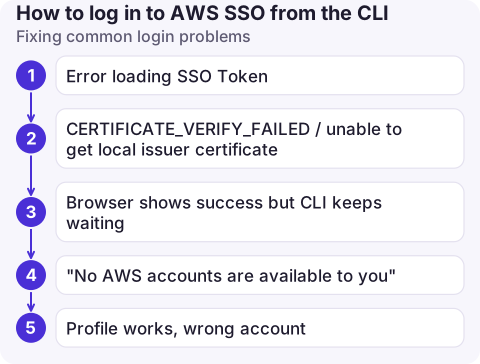
Fixing common login problems
| Problem | Fix |
|---|---|
| Error loading SSO Token | Cached token missing or expired: run aws sso login for that profile or session |
CERTIFICATE_VERIFY_FAILED / unable to get local issuer certificate | A corporate proxy is intercepting TLS. Point ca_bundle in the profile, or AWS_CA_BUNDLE, at your company's root certificate; see SSL validation failed |
| Browser shows success but CLI keeps waiting | The browser is on another machine; use --use-device-code |
| "No AWS accounts are available to you" | Your user or group has no account assignment; ask the Identity Center administrator |
| Profile works, wrong account | Check sso_account_id and sso_role_name in that profile |
Good habits
- Use the
sso-sessionformat rather than the legacy one withsso_start_urlin each profile; it supports token refresh and one login for many profiles. - Don't copy files from
~/.aws/sso/cachebetween machines; log in on each. - Tools that can't read SSO profiles can be fed with
aws configure export-credentials --profile acme-dev --format env.
Questions
What is the AWS SSO login URL?
It is your organisation's AWS access portal start URL, usually https://d-xxxxxxxxxx.awsapps.com/start or a custom subdomain. It is shown on the IAM Identity Center dashboard.
Can I log in to AWS SSO without a browser?
You still need a browser somewhere, but not on the same machine: aws sso login --use-device-code --no-browser prints a URL and code you can complete on your phone or laptop.
How do I log in to all my SSO profiles at once?
Put them under one sso-session and run aws sso login --sso-session with its name. All profiles using that session share the token.

Signing in on a phone is a different problem from signing in on a laptop. CloudConsole, a phone app for AWS, is built around short-lived sign-ins and clear account context for the times you are away from your terminal.
About the app → · Download on the App Store