 CloudConsole
How to roll back an ECS deployment
Point the service back at the previous task definition revision: aws ecs update-service --cluster CLUSTER --service SERVICE --task-definition FAMILY:REVISION, or Update service in the console and choose the earlier revision. ECS then does a normal rolling deployment back. Check that the old revision's image is a fixed tag or digest; if it uses a moving tag like latest, rolling back the revision won't roll back the code.
Find the revision to go back to
# What's running now, and the previous deployments
aws ecs describe-services --cluster prod --services web \
  --query 'services[0].deployments[].[status,taskDefinition,rolloutState,createdAt]' --output table

# Recent revisions of the family, newest first
aws ecs list-task-definitions --family-prefix web --sort DESC --max-items 5

# Which image does a revision use?
aws ecs describe-task-definition --task-definition web:41 \
  --query 'taskDefinition.containerDefinitions[].[name,image]' --output table
The service events also show which revision last reached a steady state; see check ECS service events.
Roll back
Console: ECS > Clusters > prod > Services > web > Update service, choose the earlier Revision under the task definition family, leave other settings alone, and choose Update.
CLI:
aws ecs update-service --cluster prod --service web --task-definition web:41

aws ecs wait services-stable --cluster prod --services web
The waiter polls until the deployment is stable or gives up after about ten minutes; for slower services, watch describe-services instead.
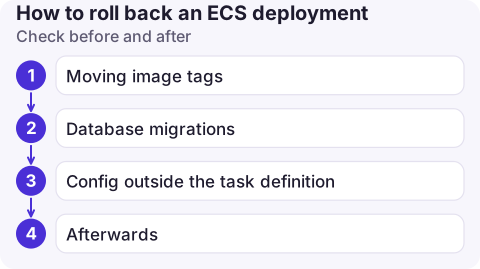
Check before and after
- Moving image tags: if revision 41 says
web:latest, tasks will pull whateverlatestis now, which is the broken build. Roll back by registering a new revision that points at the old image digest (...@sha256:...) or the old version tag. - Database migrations: if the bad release changed the schema, the old code may not work against it. Check before rolling back.
- Config outside the task definition: secrets, parameters and feature flags aren't rolled back with the revision.
- Afterwards: confirm
runningCountequalsdesiredCounton the PRIMARY deployment and error alarms have cleared.
Automate it
- Deployment circuit breaker with rollback returns automatically to the last completed deployment when new tasks fail to start or fail health checks:
--deployment-configuration "deploymentCircuitBreaker={enable=true,rollback=true}". See circuit breaker. - CloudWatch alarm-based rollback: the deployment configuration's
alarmssetting rolls back when a named alarm (5xx rate, latency) goes into ALARM during the deployment. - Blue/green deployments roll back by switching traffic back to the old task set.
Common mistakes
- Using
--force-new-deploymentto "roll back": it redeploys the current revision. - Rolling back the service while the CloudFormation or Terraform stack still references the new revision: the next infrastructure deploy rolls forward again. Revert in code as well.
- Deregistering the bad revision first; that doesn't stop running tasks and only makes debugging harder.
Questions
How do I roll back an ECS service to a previous task definition?
Run aws ecs update-service with --task-definition set to the earlier FAMILY:REVISION, or choose that revision in Update service in the console.
Does ECS roll back automatically?
Only if the deployment circuit breaker with rollback, or alarm-based rollback, is enabled on the service.
Why did my ECS rollback still run the new code?
The previous revision references a moving image tag such as latest, which now points at the new image. Use an image digest or version tag.

Rolling back is usually the fastest way to stop an incident caused by a release. CloudConsole, a phone app for AWS, is being built to show ECS deployments, service events and alarms on your phone, so you can see when a rollback is needed and whether it settled.
About the app → · Download on the App Store