 CloudConsole
failed to assign an IP address to container (Amazon VPC CNI)
The Amazon VPC CNI gives every pod a real VPC IP address, and it couldn't get one for the new pod. Either the node's subnet has run out of free addresses, the instance type has hit its ENI and IP-per-ENI limit, or the CNI's warm pool settings are too low to keep up. Check free IPs in the node subnets first; then consider prefix delegation, larger or additional subnets, or a secondary CIDR for pods.
What it looks like
Warning  FailedCreatePodSandBox  kubelet  Failed to create pod sandbox: rpc error: ...
plugin type="aws-cni" name="aws-cni" failed (add): add cmd: failed to assign an IP address to container
Pods sit in ContainerCreating. Run kubectl describe pod to see the event. A related symptom, 0/3 nodes are available: 3 Too many pods, is the scheduler refusing to place pods because nodes have hit their max-pods, which on EKS is derived from the same ENI limits.
Find which limit you hit
# Free IPs per node subnet
aws ec2 describe-subnets --filters Name=tag:kubernetes.io/role/internal-elb,Values=1 \
  --query 'Subnets[].{id:SubnetId,az:AvailabilityZone,free:AvailableIpAddressCount,cidr:CidrBlock}' --output table

# Pods per node versus allocatable
kubectl get nodes -o custom-columns=NAME:.metadata.name,PODS:.status.allocatable.pods
Adjust the subnet filter to however your node subnets are tagged. On the node, the CNI's IP address management log at /var/log/aws-routed-eni/ipamd.log says why it couldn't allocate: no free addresses in the subnet, ENI limit reached, or an EC2 API error.
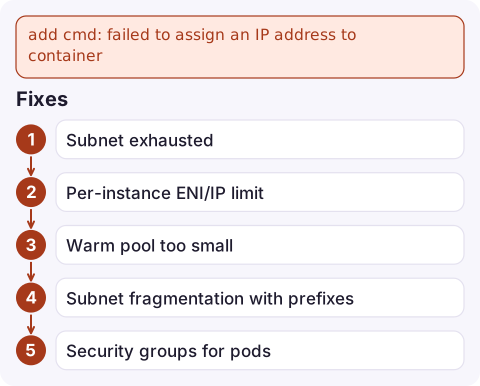
Fixes
| Cause | Fix |
|---|---|
| Subnet exhausted | Add subnets with larger CIDRs to the node group, or add a secondary VPC CIDR (for example from 100.64.0.0/10) and use CNI custom networking for pods |
| Per-instance ENI/IP limit | Enable prefix delegation (ENABLE_PREFIX_DELEGATION=true on the aws-node DaemonSet) so each ENI slot holds a /28 prefix; needs Nitro instances and new nodes |
| Warm pool too small | If WARM_IP_TARGET or MINIMUM_IP_TARGET are set very low, bursts outrun the CNI. Raise them, or remove them to use the default WARM_ENI_TARGET |
| Subnet fragmentation with prefixes | Prefix delegation needs contiguous /28 blocks. Use a subnet CIDR reservation for prefixes, or fresh subnets |
| Security groups for pods | Branch ENIs have their own per-instance limit; check the instance type supports enough |
Mistakes to avoid
- Raising max-pods without more IPs. The scheduler then places pods that the CNI can't address, turning "Too many pods" into this error.
- Large warm pools on big clusters. The default keeps a spare ENI's worth of IPs per node, which can hold thousands of unused addresses; that's often what drains the subnet.
- Forgetting existing nodes. CNI setting changes like prefix delegation apply to newly launched nodes; roll the node group.
- Ignoring the cluster subnets. Control plane ENIs also need a few free IPs in the cluster subnets for upgrades.
Questions
Why are my EKS pods stuck in ContainerCreating with failed to assign an IP address?
The VPC CNI couldn't get a VPC IP for the pod, usually because the subnet is out of free addresses or the node has reached its ENI limit.
What does Too many pods mean on EKS?
The node has reached its max-pods value, which EKS bases on the instance type's ENI and IP limits. Use larger instances, prefix delegation, or more nodes.
Does prefix delegation fix IP exhaustion in EKS?
It raises the number of pods per node, but each prefix still uses 16 addresses from the subnet. If the subnet itself is full, you need more address space.

IP exhaustion tends to hit during a scale-out, when pods pile up and nothing starts. CloudConsole, a phone app for AWS, is being built to show alarms and resources on your phone, so you can catch pending capacity before users notice.
Did it start after a deploy? What changed? on the app’s alarm screen lists the deploys and configuration changes from the hour before the alarm fired.
About the app → · Download on the App Store