 CloudConsole
error: You must be logged in to the server (Unauthorized)
The EKS API server received a valid AWS token from kubectl, but the IAM identity behind it isn't mapped to anything in the cluster. Check which identity you're using with aws sts get-caller-identity, then give that exact role or user access: an EKS access entry (the current method) or a mapping in the aws-auth ConfigMap (the older method). The other common cause is a kubeconfig generated for a different profile or role.
What Unauthorized means here
EKS authenticates kubectl with a short-lived token signed by your AWS credentials. Unauthorized (HTTP 401) means EKS couldn't turn that token into a known Kubernetes user. It's different from Forbidden (403), where the user is known but RBAC denies the action. A 401 is an IAM-to-cluster mapping problem; a 403 is a Kubernetes RBAC problem.
$ kubectl get pods
error: You must be logged in to the server (Unauthorized)
Diagnose in three commands
# 1. Who am I to AWS?
aws sts get-caller-identity

# 2. Which identity does kubeconfig use?
kubectl config view --minify --output jsonpath='{.users[0].user.exec.args}{"\n"}{.users[0].user.exec.env}'

# 3. What does the cluster know about? (needs someone with access)
aws eks list-access-entries --cluster-name prod
The ARN in step 1 must match a principal in step 3 (or in aws-auth). For an assumed role, compare the role ARN (arn:aws:iam::123456789012:role/Platform), not the session ARN.
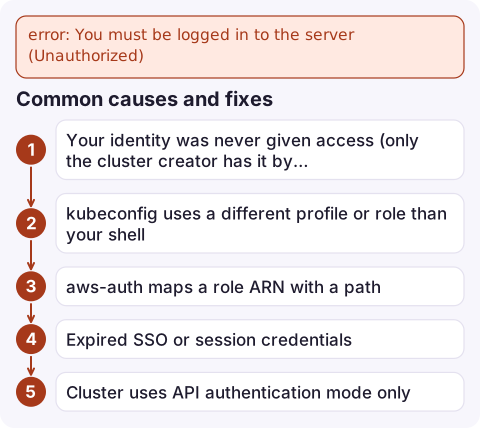
Common causes and fixes
| Cause | Fix |
|---|---|
| Your identity was never given access (only the cluster creator has it by default) | Create an access entry and associate a policy (below) |
| kubeconfig uses a different profile or role than your shell | Regenerate: aws eks update-kubeconfig --name prod --region eu-west-2 --profile prod |
| aws-auth maps a role ARN with a path | In aws-auth, remove the path: Identity Center roles under /aws-reserved/sso.amazonaws.com/ must be mapped as role/AWSReservedSSO_... |
| Expired SSO or session credentials | aws sso login --profile prod; an expired session can show as Unauthorized |
Cluster uses API authentication mode only | aws-auth edits are ignored; use access entries |
Grant access with an access entry
aws eks create-access-entry --cluster-name prod \
  --principal-arn arn:aws:iam::123456789012:role/Platform

aws eks associate-access-policy --cluster-name prod \
  --principal-arn arn:aws:iam::123456789012:role/Platform \
  --policy-arn arn:aws:eks::aws:cluster-access-policy/AmazonEKSClusterAdminPolicy \
  --access-scope type=cluster
Use a narrower policy such as AmazonEKSViewPolicy or a namespace scope where you can. These calls need EKS API permissions, not cluster access, so an account admin can recover a cluster even when nobody can run kubectl. If the cluster is still on CONFIG_MAP mode, switch it to API_AND_CONFIG_MAP first in the cluster's Access tab.
Questions
Why do I get Unauthorized from kubectl on EKS when I'm an AWS admin?
AWS permissions don't give Kubernetes access by themselves. Your IAM role or user also needs an EKS access entry or an aws-auth mapping.
What is the difference between Unauthorized and Forbidden in EKS?
Unauthorized means EKS couldn't map your IAM identity to a Kubernetes user. Forbidden means it could, but RBAC doesn't allow the action.
How do I regain access to an EKS cluster?
Using an IAM identity with EKS API permissions, create an access entry for your role and associate AmazonEKSClusterAdminPolicy. This works without kubectl access.

Losing kubectl access mid-incident is stressful. CloudConsole, a phone app for AWS, is being built to show alarms, logs and resources on your phone, so you can follow what's happening while someone with the right role restores access.
Did it start after a deploy? What changed? on the app’s alarm screen lists the deploys and configuration changes from the hour before the alarm fired.
About the app → · Download on the App Store