 CloudConsole
NodeCreationFailure: Instances failed to join the kubernetes cluster
The EC2 instances in your node group launched, but kubelet never registered them with the cluster in time. The usual causes are networking (the nodes can't reach the EKS API endpoint, ECR or STS from their subnets), a node IAM role that isn't allowed into the cluster or lacks the worker node policies, or a custom AMI or launch template whose bootstrap doesn't point at the right cluster. Run the AWSSupport-TroubleshootEKSWorkerNode runbook against one instance to narrow it down quickly.
Where you see it
On a managed node group that goes to CREATE_FAILED or DEGRADED, the Health issues tab shows NodeCreationFailure: Instances failed to join the kubernetes cluster with the instance IDs. The instances themselves are usually running fine in EC2, which makes this confusing: the problem is between kubelet and the API server.
aws eks describe-nodegroup --cluster-name prod --nodegroup-name general \
  --query 'nodegroup.{status:status,issues:health.issues}'
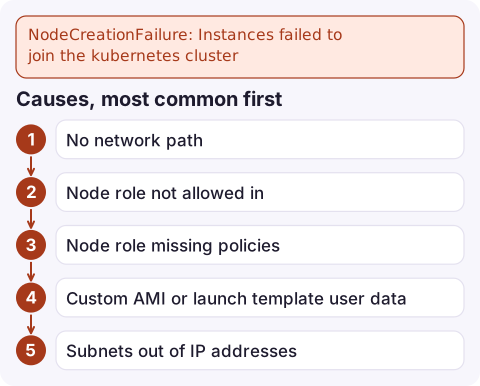
Causes, most common first
- No network path. Nodes in private subnets need a NAT gateway or VPC endpoints for
ecr.api,ecr.dkr, S3 (gateway),sts,ec2and CloudWatch Logs if used. With a private-only API endpoint, the cluster security group must allow 443 from the nodes, and the VPC needs DNS hostnames and DNS resolution enabled. - Node role not allowed in. With access entries, managed node groups get an
EC2_LINUXentry automatically; self-managed nodes need one. With theaws-authConfigMap, the node role must be mapped tosystem:bootstrappersandsystem:nodes. A mistake here shows up in kubelet logs asUnauthorized. - Node role missing policies:
AmazonEKSWorkerNodePolicy,AmazonEC2ContainerRegistryReadOnly, andAmazonEKS_CNI_Policy(on the node role or via IRSA/Pod Identity for the VPC CNI). - Custom AMI or launch template user data that doesn't run the bootstrap with the right cluster name, endpoint and CA, or an AMI for a different Kubernetes version.
- Subnets out of IP addresses, or instances that can't get an IP for the VPC CNI.
How to diagnose
aws ssm start-automation-execution \
  --document-name AWSSupport-TroubleshootEKSWorkerNode \
  --parameters 'ClusterName=prod,WorkerID=i-0123456789abcdef0'
The runbook checks security groups, route tables, NACLs, endpoints, the IAM role and the kubelet status, and reports what's wrong. Without it, connect to an instance with Session Manager and read journalctl -u kubelet; look for Unauthorized (access), i/o timeout or dial tcp (network), or certificate errors (bootstrap).
After fixing
- Failed managed node groups don't heal by themselves after you fix the cause. Delete and recreate the node group, or update it to a new launch template version so new instances are launched.
- EKS reports NodeCreationFailure after a fixed wait; if nodes eventually join late (slow bootstrap), the node group can show failed while nodes are Ready. Check
kubectl get nodesbefore tearing anything down. - Keep node subnets with plenty of free IPs; pods use VPC addresses too, see failed to assign an IP address.
Questions
How do I fix NodeCreationFailure in EKS?
Check that the nodes can reach the cluster endpoint, ECR and STS from their subnets, that the node role has the worker node policies and cluster access, and that a custom AMI's bootstrap targets the right cluster. The AWSSupport-TroubleshootEKSWorkerNode runbook checks most of this.
Why do EKS nodes fail to join a private cluster?
Private subnets without a NAT gateway need VPC endpoints for ECR, S3, STS and EC2, and the cluster security group must allow HTTPS from the nodes.
Where are kubelet logs on an EKS node?
Connect with Session Manager and run journalctl -u kubelet. On Bottlerocket, use the admin container instead.

Nodes that don't join leave pods pending and capacity short at the worst time. CloudConsole, a phone app for AWS, is being built to show alarms and resources on your phone, so you can see the failed node group early.
Did it start after a deploy? What changed? on the app’s alarm screen lists the deploys and configuration changes from the hour before the alarm fired.
About the app → · Download on the App Store