 CloudConsole
Lambda was unable to configure your environment variables: exceeded the 4KB limit
The total size of all environment variables on a Lambda function, keys and values together, can't exceed 4 KB, and the limit can't be raised. Move large or numerous values out: put configuration in AWS Systems Manager Parameter Store or AppConfig, secrets in Secrets Manager, and read them at start-up (cached for the life of the execution environment). Keep only small values, such as parameter names, in environment variables.
What it looks like
An error occurred (InvalidParameterValueException) when calling the UpdateFunctionConfiguration operation:
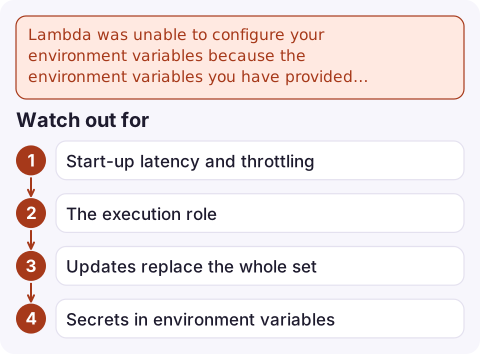
Lambda was unable to configure your environment variables because the environment variables you have
provided exceeded the 4KB limit. String measured: {"DB_HOST":"...","FEATURE_FLAGS":"..."}
The String measured part shows how Lambda counts: it serialises all variables as JSON and measures that, so quotes, colons and commas count too. It's a hard quota, not something Service Quotas can increase.
Find what's using the space
aws lambda get-function-configuration --function-name orders-api \
  --query Environment.Variables --output json \
| python3 -c 'import json,sys; v=json.load(sys.stdin); [print(len(k)+len(x), k) for k,x in sorted(v.items(), key=lambda i: -len(i[1]))]' | head
Typical culprits: certificates or keys pasted as values, JSON blobs of feature flags or routing tables, long connection strings, and tooling that injects many variables (some frameworks and deploy plugins add a dozen or more).
Move values out
| Value type | Where to put it |
|---|---|
| Secrets (passwords, API keys) | Secrets Manager; read with the SDK or the AWS Parameters and Secrets Lambda Extension, which caches |
| Plain configuration, per environment | Parameter Store (Standard parameters up to 4 KB each, Advanced up to 8 KB); store one JSON parameter instead of many variables |
| Feature flags, frequently changed config | AWS AppConfig with its Lambda extension |
| Large static data | A file in the deployment package or a layer, or an S3 object read once per cold start |
Then leave a pointer in the environment, for example CONFIG_PARAM=/orders-api/prod/config, and load it outside the handler so it's fetched once per execution environment, not per invocation.
Watch out for
- Start-up latency and throttling: fetching parameters on every invocation is slow and can hit Parameter Store throughput limits. Cache in a global variable or use the extension.
- The execution role now needs
ssm:GetParameterorsecretsmanager:GetSecretValue(andkms:Decryptfor customer managed keys). Without it you'll get AccessDenied at runtime instead of a deploy error. - Updates replace the whole set:
update-function-configuration --environmentreplaces all variables, so scripts that set one variable can delete the rest. See update Lambda environment variables. - Secrets in environment variables are visible to anyone with
lambda:GetFunctionConfiguration; moving them out is worth doing anyway.
Questions
What is the Lambda environment variable size limit?
4 KB in total for all of a function's environment variables, measured as the serialised keys and values. It can't be increased.
How do I store more configuration for a Lambda function?
Keep it in Parameter Store, AppConfig or Secrets Manager and load it at start-up, leaving only the parameter name in an environment variable.
Does the 4 KB limit include the variable names?
Yes. Keys, values and the JSON punctuation Lambda uses to measure them all count.

Configuration changes that fail mid-deploy can leave functions on old settings. CloudConsole, a phone app for AWS, is being built to show Lambda errors, logs and alarms on your phone, so you can confirm a release landed cleanly.
Did it start after a deploy? What changed? on the app’s alarm screen lists the deploys and configuration changes from the hour before the alarm fired.
About the app → · Download on the App Store