 CloudConsole
The provided execution role does not have permissions to call CreateNetworkInterface on EC2
You attached a Lambda function to a VPC, and Lambda checks that the function's execution role can create and manage the network interfaces it needs in your subnets. The role lacks ec2:CreateNetworkInterface (and its companions). Attach the AWS managed policy AWSLambdaVPCAccessExecutionRole to the execution role, wait a few seconds for IAM to propagate, and save the VPC configuration again.
When it appears
An error occurred (InvalidParameterValueException) when calling the UpdateFunctionConfiguration operation:
The provided execution role does not have permissions to call CreateNetworkInterface on EC2
It's raised on CreateFunction or UpdateFunctionConfiguration with a VpcConfig, from the console's Configuration > VPC page, and from CloudFormation, SAM, CDK or Terraform. The check runs against the function's execution role, not your own permissions.
Lambda does this check up front because VPC functions reach your subnets through Hyperplane elastic network interfaces that the Lambda service creates and manages using the execution role's permissions. The interfaces are shared by functions with the same subnet and security group combination, and appear in the EC2 console with a description starting with AWS Lambda VPC ENI. If the role can't create them, the function could never run, so Lambda rejects the configuration instead.
Fix it
ROLE=$(aws lambda get-function-configuration --function-name orders-api \
  --query Role --output text | awk -F/ '{print $NF}')

aws iam attach-role-policy --role-name "$ROLE" \
  --policy-arn arn:aws:iam::aws:policy/service-role/AWSLambdaVPCAccessExecutionRole

aws lambda update-function-configuration --function-name orders-api \
  --vpc-config SubnetIds=subnet-0a1b2c3d4e5f60718,subnet-0f1e2d3c4b5a69788,SecurityGroupIds=sg-0123456789abcdef0
The managed policy grants the network interface actions Lambda needs (create, describe, delete, and assign/unassign private IPs) plus CloudWatch Logs writes. If your role has a path, take the role name from the ARN after the last slash, as above.
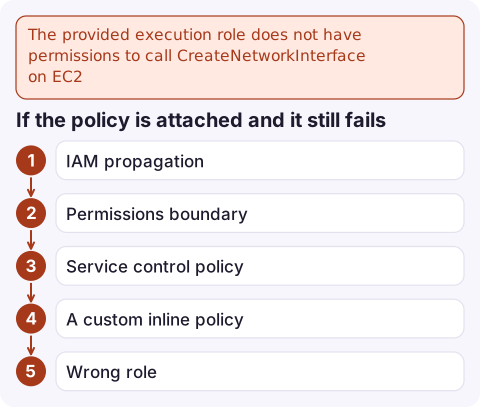
If the policy is attached and it still fails
- IAM propagation: a role or attachment created seconds ago may not be visible yet. In templates this shows up as a race; add a dependency on the policy attachment, or retry.
- Permissions boundary on the role that doesn't include the EC2 network interface actions.
- Service control policy in AWS Organizations denying
ec2:CreateNetworkInterface, often with conditions on subnets or tags. Check with your organisation's admins; see explicit deny in an SCP. - A custom inline policy scoped to specific resources:
ec2:DescribeNetworkInterfacesdoesn't support resource-level permissions, so it must use"Resource": "*". - Wrong role: the function's role isn't the one you edited. Read it from
get-function-configuration.
After the function is in the VPC
- Internet and AWS APIs: a function in private subnets has no internet access. Calls to S3, DynamoDB, Secrets Manager and others need a NAT gateway or VPC endpoints, or they time out (often surfacing as Task timed out).
- Don't use public subnets expecting internet access; Lambda's interfaces don't get public IPs.
- Deleting the VPC later: Lambda's managed interfaces can take a while to be released, which can block subnet or security group deletion with a DependencyViolation.
Questions
Which policy does a Lambda function need to run in a VPC?
The AWS managed policy AWSLambdaVPCAccessExecutionRole on the function's execution role, which includes the EC2 network interface permissions and CloudWatch Logs access.
Why do I still get the CreateNetworkInterface error after attaching the policy?
Wait for IAM propagation and retry. If it persists, a permissions boundary or service control policy is probably denying the EC2 actions.
Does a Lambda function in a VPC have internet access?
Not by default. It needs private subnets routed to a NAT gateway, or VPC endpoints for the AWS services it calls.

This error blocks a deploy rather than paging you, but the VPC change that follows can cause timeouts in production. CloudConsole, a phone app for AWS, is being built to show Lambda errors, logs and alarms on your phone so you can watch the rollout.
Did it start after a deploy? What changed? on the app’s alarm screen lists the deploys and configuration changes from the hour before the alarm fired.
About the app → · Download on the App Store