 CloudConsole
How to reboot an RDS instance
In the RDS console select the database, then Actions, Reboot. From the CLI run aws rds reboot-db-instance --db-instance-identifier my-db, adding --force-failover on a Multi-AZ instance to switch to the standby. The database is unavailable while it restarts, typically for a few minutes, and the instance must be in the available state first.
Why reboot (and why not)
The usual good reasons are applying a static parameter group change (the parameter shows pending-reboot), recovering an engine that has stopped responding, or testing a Multi-AZ failover. A reboot does not fix storage that is full, too many connections from a misbehaving client, or slow queries; those come straight back. See too many connections and storage full first.
Console and CLI
Console: open the Amazon RDS console, choose Databases, select the DB instance (for Aurora, a specific writer or reader instance), choose Actions > Reboot. For Multi-AZ instances you can tick the option to reboot with failover.
CLI:
# Plain reboot
aws rds reboot-db-instance --db-instance-identifier my-db

# Multi-AZ instance: restart by failing over to the standby
aws rds reboot-db-instance --db-instance-identifier my-db --force-failover

# Wait until it is available again
aws rds wait db-instance-available --db-instance-identifier my-db

# What happened, in RDS's own words (last 60 minutes)
aws rds describe-events --source-type db-instance \
  --source-identifier my-db --duration 60 \
  --query 'Events[].[Date,Message]' --output text
Aurora and Multi-AZ DB clusters
| Deployment | How to reboot |
|---|---|
| Single-AZ or Multi-AZ DB instance | reboot-db-instance (optionally with --force-failover) |
| Aurora cluster | Reboot each instance with reboot-db-instance. To move the writer role, use a cluster failover instead. |
| Multi-AZ DB cluster (non-Aurora, one writer and two readers) | aws rds reboot-db-cluster --db-cluster-identifier my-cluster |
For Aurora, rebooting readers one at a time keeps reads available. Rebooting the writer interrupts writes for the duration.
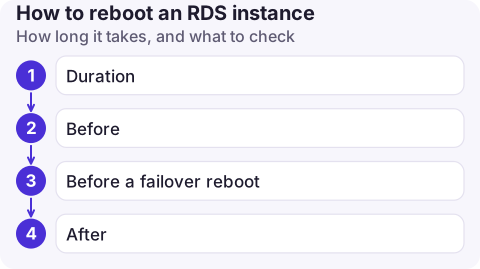
How long it takes, and what to check
- Duration: mostly crash-recovery time. An idle database comes back in a minute or two; one with a lot of uncommitted work or a large buffer pool can take longer.
- Before: check the status is
available; a reboot is refused while the instance is modifying or backing up. Check whether other modifications are pending withdescribe-db-instances --query 'DBInstances[0].PendingModifiedValues'; a reboot doesn't apply those, only pending parameter changes. - Before a failover reboot: make sure applications reconnect on errors and don't cache DNS indefinitely, because the endpoint's DNS changes to the new primary.
- After: confirm parameter groups show
in-sync, connection counts recover, and the RDS event log shows the reboot completed.
Common mistakes
- Rebooting production in business hours to apply a parameter that could wait for the maintenance window.
- Expecting
--force-failoveron a Single-AZ instance; it only applies to Multi-AZ. - Rebooting repeatedly when the engine is hung on storage: check
FreeStorageSpacebefore trying again. - Rebooting a read replica to "clear" replica lag; lag comes from write volume or long transactions on the source, which a reboot doesn't change.
- Forgetting the application: connection pools that don't validate connections can keep failing after the database is back, until the app is restarted.
Questions
How long does it take to reboot an RDS instance?
Usually a few minutes, most of which is database crash recovery. A failover reboot on Multi-AZ is often faster from the client's point of view, because the standby is already running.
Does rebooting RDS cause downtime?
Yes. The instance is unavailable while it restarts. With Multi-AZ and --force-failover the interruption is shorter, but connections still drop.
How do I reboot an RDS cluster?
For Aurora, reboot the individual instances. For a non-Aurora Multi-AZ DB cluster, use aws rds reboot-db-cluster.

A database that needs a kick rarely waits for office hours. CloudConsole, a phone app for AWS, is built to show RDS status, events and alarms on your phone, with guardrails around production changes.
About the app → · Download on the App Store