 CloudConsole
RRSet of type CNAME with DNS name example.com. is not permitted at apex in zone
DNS doesn't allow a CNAME at the zone apex (example.com itself), because the apex must hold the zone's SOA and NS records. In Route 53, create an alias A record (and AAAA for IPv6) instead, pointing at your load balancer, CloudFront distribution, API Gateway custom domain, S3 website endpoint or another record in the same zone. For targets outside AWS, use the provider's IP addresses or redirect the apex to www.
What it means
An error occurred (InvalidChangeBatch) when calling the ChangeResourceRecordSets operation:
[RRSet of type CNAME with DNS name example.com. is not permitted at apex in zone example.com.]
A CNAME says "this name is an alias for another name" and can't coexist with other records at the same name. The apex always has SOA and NS records, so the DNS standard forbids a CNAME there. It's not a Route 53 restriction; every standards-compliant DNS provider has it. Subdomains like www.example.com can have CNAMEs.
Fix: use an alias record
In the console: Route 53 > Hosted zones > example.com > Create record, leave the name blank, type A, switch on Alias, and choose the target. CLI:
aws route53 change-resource-record-sets --hosted-zone-id Z0123456789ABCDEFGHIJ \
  --change-batch '{
  "Changes": [{
    "Action": "UPSERT",
    "ResourceRecordSet": {
      "Name": "example.com.",
      "Type": "A",
      "AliasTarget": {
        "HostedZoneId": "Z2FDTNDATAQYW2",
        "DNSName": "d111111abcdef8.cloudfront.net.",
        "EvaluateTargetHealth": false
      }
    }
  }]}'
Z2FDTNDATAQYW2 is the fixed hosted zone ID for all CloudFront aliases. Load balancers, API Gateway and S3 website endpoints each have their own Regional hosted zone ID: read it from aws elbv2 describe-load-balancers (CanonicalHostedZoneId) or the endpoint's documentation. Add a matching AAAA alias if the target supports IPv6.
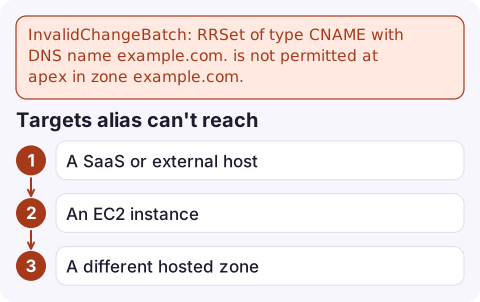
Targets alias can't reach
- A SaaS or external host (a website builder, a PaaS app) that only gives you a hostname: use the provider's published apex IPs as plain A records if they offer them, or point
wwwat the CNAME and redirect the apex towww(for example with an S3 website redirect bucket or CloudFront function behind an alias). - An EC2 instance: alias can't target an instance. Use an Elastic IP in an A record, or put a load balancer in front.
- A different hosted zone: alias to a record works only within the same zone.
Related mistakes
- Tried to create an alias that targets ..., but the alias target name does not lie within the target zone: the
HostedZoneIdinAliasTargetis wrong for that target type or Region. - Creating a CNAME alongside other records for a subdomain gives a similar conflict error; a name with a CNAME can have nothing else.
- Deleting and recreating instead of UPSERT leaves a gap where the name doesn't resolve; see InvalidChangeBatch already exists for safe updates.
- Alias queries to AWS resources aren't charged, unlike CNAME queries, which is another reason to prefer them.
Questions
Can I use a CNAME for the root domain in Route 53?
No. The zone apex can't have a CNAME. Use an alias A or AAAA record pointing at the AWS resource.
What is the difference between a CNAME and an alias record in Route 53?
A CNAME maps a name to another name and isn't allowed at the apex. An alias is a Route 53 feature that answers with the target's addresses directly, works at the apex, and can target AWS resources or records in the same zone.
How do I point my apex domain at a non-AWS hostname?
Use the provider's apex IP addresses as A records if available, or point www at their CNAME and redirect the apex to www.

DNS changes made in a hurry are where outages start. CloudConsole, a phone app for AWS, is being built to show resources and alarms on your phone, including health checks, so you can see quickly whether a DNS change broke anything.
Did it start after a deploy? What changed? on the app’s alarm screen lists the deploys and configuration changes from the hour before the alarm fired.
About the app → · Download on the App Store