 CloudConsole
PermanentRedirect: The bucket you are attempting to access must be addressed using the specified endpoint
The bucket lives in a different region from the endpoint your request went to, and S3 is telling you where to send it instead. Find the bucket's region with aws s3api get-bucket-location and configure your client, endpoint URL or tool for that region. The AWS CLI usually handles this automatically, so seeing it often means a pinned endpoint or a non-AWS-SDK client.
What the error means
<Error>
  <Code>PermanentRedirect</Code>
  <Message>The bucket you are attempting to access must be addressed using the specified endpoint.
  Please send all future requests to this endpoint.</Message>
  <Endpoint>my-bucket.s3.eu-west-2.amazonaws.com</Endpoint>
  <Bucket>my-bucket</Bucket>
</Error>
The HTTP status is 301. The Endpoint element names the endpoint you should have used, which also tells you the bucket's region. The response often includes an x-amz-bucket-region header as well.
Related S3 errors with the same root cause:
AuthorizationHeaderMalformed: … the region 'us-east-1' is wrong; expecting 'eu-west-2': the request was signed for the wrong region.IllegalLocationConstraintException: onCreateBucket, the location constraint doesn't match the endpoint.
Why your client hit the wrong region
| Situation | Typical cause |
|---|---|
| Custom code or SDK client | Client created with a default region (often us-east-1) while the bucket is elsewhere |
--endpoint-url or an SDK endpoint override | A fixed regional endpoint disables the SDK's automatic region handling |
Hadoop/Spark s3a, backup tools, rclone | Endpoint or region set once in config, then used for buckets in other regions |
Plain HTTP clients using s3.amazonaws.com | The global endpoint without a region can't serve buckets outside us-east-1 directly |
| Cross-region code paths | One client reused for a source bucket in one region and a destination in another |
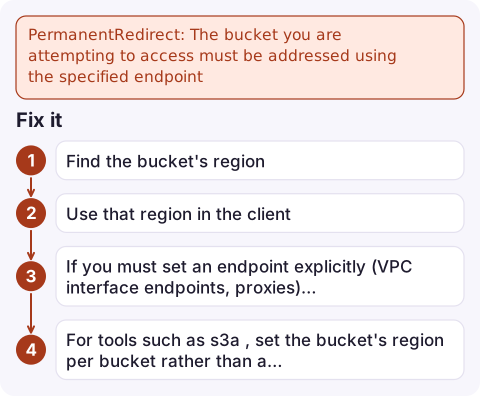
Fix it
- Find the bucket's region:
aws s3api get-bucket-location --bucket my-bucket --output textNone(or an empty value) meansus-east-1; anything else is the region code. Note that the call itself needss3:GetBucketLocation. - Use that region in the client:
In code, create a separate S3 client per region, e.g.aws s3 ls s3://my-bucket --region eu-west-2boto3.client("s3", region_name="eu-west-2"). - If you must set an endpoint explicitly (VPC interface endpoints, proxies), use the regional one that matches the bucket, for example
https://s3.eu-west-2.amazonaws.com. - For tools such as
s3a, set the bucket's region per bucket rather than a single global endpoint.
Mistakes to avoid
- Following the 301 by hand in an HTTP client. The redirected request must be signed for the new region, so a simple redirect follow fails with a signature error.
- Copying buckets between regions with one client. Use the CLI, which handles source and destination regions, or one client per region.
- Assuming the bucket was moved. Buckets never change region; the configuration around them did.
- Hard-coding region per environment when one environment reads buckets from several regions, such as a shared artefacts bucket in
us-east-1. Store the bucket's region next to its name in configuration.
If you get NoSuchBucket after fixing the region, the name itself is wrong; see NoSuchBucket.
Questions
How do I find which region an S3 bucket is in?
Run aws s3api get-bucket-location --bucket <name>. A null or empty LocationConstraint means us-east-1; otherwise it returns the region code.
Why do I only see PermanentRedirect in my application, not the CLI?
The AWS CLI and current SDKs detect the bucket's region and retry automatically in most cases. A pinned endpoint, an old SDK or a non-AWS client skips that logic.
Is PermanentRedirect a permissions problem?
No. It's a 301 telling you the bucket is in a different region. Point the client at the right region and the request will be authorised as normal.

Region mismatches typically appear after a new bucket or a new deployment target is added, as errors from one integration. CloudConsole, a phone app for AWS, is built to show alarms and logs across regions on your phone so these cross-region slips are easier to see.
Did it start after a deploy? What changed? on the app’s alarm screen lists the deploys and configuration changes from the hour before the alarm fired.
About the app → · Download on the App Store