 CloudConsole
SignatureDoesNotMatch: The request signature we calculated does not match the signature you provided
AWS recognised your access key ID but computed a different signature from the one you sent, so either the secret access key is wrong or the request changed after it was signed. Check the secret for typos or trailing whitespace first; for S3 presigned URLs, make sure the HTTP method and signed headers such as Content-Type match exactly what was signed.
What the error tells you
Every AWS request is signed with your secret key over a canonical form of the request: method, path, query string, selected headers and a hash of the body. AWS rebuilds that canonical request on its side and compares signatures. A mismatch means the access key ID was found (otherwise you'd see InvalidAccessKeyId or InvalidClientTokenId) but something else differs.
An error occurred (SignatureDoesNotMatch) when calling the PutObject operation:
The request signature we calculated does not match the signature you provided.
Check your key and signing method.
S3 helps more than most services: its XML error body includes <StringToSign> and <CanonicalRequest>, which you can diff against what your client signed.
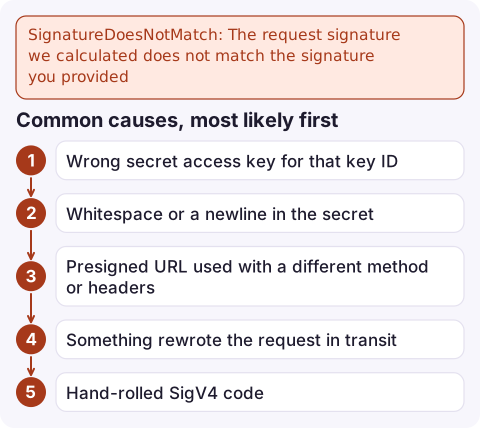
Common causes, most likely first
| Cause | Typical situation |
|---|---|
| Wrong secret access key for that key ID | Secret pasted from the wrong row, or a rotated key's old secret still in a file |
| Whitespace or a newline in the secret | Secret stored in a CI variable, Kubernetes secret (echo without -n before base64) or .env file |
| Presigned URL used with a different method or headers | URL generated for get_object but used for a PUT, or browser upload sends a Content-Type that wasn't signed |
| Something rewrote the request in transit | A proxy, CDN or load balancer changed the host, path encoding or a signed header |
| Hand-rolled SigV4 code | Object keys with spaces, + or Unicode encoded differently from AWS's rules |
How to fix it
- Test the key pair in isolation. If this fails with the same error, the secret is wrong:
AWS_PROFILE=ci aws sts get-caller-identity - Look for invisible characters. Print the length of the secret (it is 40 characters for IAM user keys) and check for a trailing newline:
printf '%s' "$AWS_SECRET_ACCESS_KEY" | wc -c grep -n ' $' ~/.aws/credentials - For presigned PUT URLs, sign for
put_objectand include the exactContentTypethe client will send. If the browser adds a differentContent-Type, the signature breaks. - Inspect the signing input. Run the failing command with
--debugand compare the loggedCanonicalRequestwith the one in S3's error response; the first differing line is your bug.aws s3api put-object --bucket my-bucket --key 'reports/q3 summary.pdf' \ --body summary.pdf --debug 2>&1 | grep -A12 'CanonicalRequest' - If nothing else works, create a new access key, update the stored secret, and deactivate the old key once the new one is confirmed.
Mistakes people make next
- Regenerating keys repeatedly while the real fault is a proxy or an unsigned header. If the CLI works from your laptop with the same keys, the keys are fine.
- Confusing this with clock problems. A skewed clock produces
RequestTimeTooSkewedor "Signature expired", not this error; see signature expired. - Using an old SDK that defaults to Signature Version 2 against regions or buckets that only accept SigV4. Upgrade the SDK rather than forcing the signature version.
Questions
What causes S3 error 403 SignatureDoesNotMatch?
Most often a wrong or whitespace-damaged secret access key, or a presigned URL used with a different HTTP method or Content-Type than the one it was signed for.
How do I debug an S3 signature mismatch?
Compare the CanonicalRequest S3 returns in the error body with the one your client signed; with the CLI, add --debug to see it. The first line that differs shows what changed.
Is SignatureDoesNotMatch caused by the wrong region?
Not usually. A wrong signing region for S3 normally produces AuthorizationHeaderMalformed with a hint naming the expected region.

Signature errors usually show up as a spike of 4xx responses from an upload feature rather than a page. CloudConsole, a phone app for AWS, is built to put those alarms and the related log lines on your phone so you can tell a broken release from a broken key.
Did it start after a deploy? What changed? on the app’s alarm screen lists the deploys and configuration changes from the hour before the alarm fired.
About the app → · Download on the App Store