 CloudConsole
InvalidSignatureException: Signature expired
AWS rejected the request because its signing timestamp is more than about five minutes away from AWS's own clock. Almost always the machine's clock has drifted (common in WSL, Docker Desktop and resumed VMs) or the request was signed and then held in a queue; sync the clock with NTP or chrony and retry.
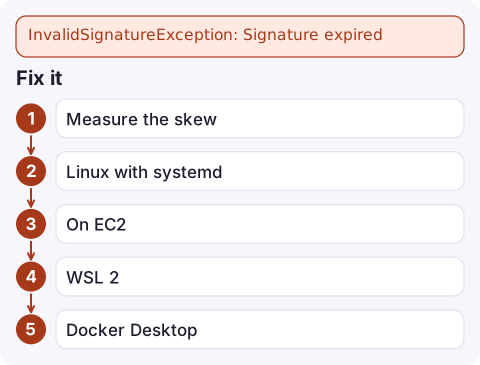
What the message looks like
The full text spells out the times involved, which tells you how far off you are:
An error occurred (InvalidSignatureException) when calling the PutItem operation:
Signature expired: 20261116T094107Z is now earlier than 20261116T095621Z
(20261116T100121Z - 5 min.)
The first timestamp is the time your client put in the signature; the one in brackets is AWS's current time. Here the client is about 20 minutes slow. S3 reports the same problem differently, as RequestTimeTooSkewed: The difference between the request time and the current time is too large. If the client clock is ahead, some services reply "Signature not yet current" instead.
Why clocks drift
| Environment | What happens |
|---|---|
| WSL 2 on Windows | The Linux VM's clock stops while the laptop sleeps and may not catch up on resume |
| Docker Desktop / Podman / Colima on a laptop | Same pattern: the hidden VM lags after sleep, so every container inherits a stale clock |
| VMs restored from snapshot or suspended | Clock resumes from the snapshot time |
| Servers with NTP blocked by firewall | Drift accumulates slowly until requests cross the five-minute window |
| Signed requests held in a retry queue | The clock is correct but the signature was created long before sending |
Fix it
- Measure the skew against an AWS endpoint:
date -u curl -sI https://sts.amazonaws.com | grep -i '^date' - Linux with systemd: turn on time sync and check it reports a synchronised clock.
timedatectl status sudo timedatectl set-ntp true chronyc tracking - On EC2, point chrony at the Amazon Time Sync Service, which is reachable from every instance on
169.254.169.123; recent Amazon Linux images use it by default.server 169.254.169.123 prefer iburst minpoll 4 maxpoll 4 - WSL 2: resync the clock from the hardware clock after resuming, or restart WSL with
wsl --shutdownfrom Windows.sudo hwclock -s - Docker Desktop: restarting Docker Desktop resets the VM clock; containers pick it up immediately.
- Retry queues: sign at send time. Store the unsigned request (or the parameters) and let the SDK sign each attempt.
Confirm and prevent
Once date -u matches the Date header within a second or two, aws sts get-caller-identity should succeed. On servers, monitor clock offset as part of host health; chrony exposes it through chronyc tracking, and drift creeping up is an early warning before AWS calls start failing.
Don't "fix" it by setting the clock by hand without enabling sync: it will drift again. And don't confuse this with presigned URL expiry, where the clock is fine but the URL's own lifetime ran out (see Request has expired).
Questions
How much clock skew does AWS allow?
Signed requests are accepted when the timestamp is within roughly five minutes of AWS's time. Beyond that you get Signature expired, Signature not yet current or RequestTimeTooSkewed.
Why does my AWS CLI in WSL say signature expired?
WSL 2's clock often falls behind after the PC sleeps. Run sudo hwclock -s, or wsl --shutdown from Windows, then retry.
Can SDK retries cause signature expired errors?
The AWS SDKs re-sign each retry, so not by themselves. Custom code that signs once and replays the same request later can trigger it.

Clock skew on a fleet tends to show up as a slow rise in failed AWS calls from one host. CloudConsole, a phone app for AWS, is built to show alarms and logs on your phone, which helps you spot that only one instance is affected.
Did it start after a deploy? What changed? on the app’s alarm screen lists the deploys and configuration changes from the hour before the alarm fired.
About the app → · Download on the App Store