 CloudConsole
The request must contain the parameter MessageGroupId
You sent a message to a FIFO queue (its name ends in .fifo) without a MessageGroupId, which FIFO queues always require. Add a group ID to every SendMessage or SendMessageBatch entry: messages with the same group ID are delivered in order, one at a time; different groups are processed in parallel. You'll also need a MessageDeduplicationId unless the queue has content-based deduplication turned on.
What it looks like
An error occurred (MissingParameter) when calling the SendMessage operation:
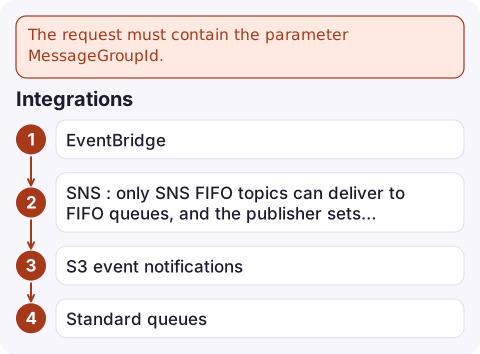
The request must contain the parameter MessageGroupId.
Common triggers: code written for a standard queue pointed at a FIFO queue, an SNS FIFO topic or EventBridge rule targeting the queue without a group ID configured, and a batch where only some entries have the field. The next error people hit is The queue should either have ContentBasedDeduplication enabled or MessageDeduplicationId provided explicitly.
Fix it
aws sqs send-message \
  --queue-url https://sqs.eu-west-2.amazonaws.com/123456789012/orders.fifo \
  --message-body '{"orderId":"1001","event":"paid"}' \
  --message-group-id customer-42 \
  --message-deduplication-id order-1001-paid
sqs.send_message(
QueueUrl=url,
MessageBody=json.dumps(event),
MessageGroupId=f"customer-{event['customerId']}",
MessageDeduplicationId=f"{event['orderId']}-{event['type']}",
)Or turn on content-based deduplication so SQS hashes the body for you: aws sqs set-queue-attributes --queue-url ... --attributes ContentBasedDeduplication=true. Two identical bodies within the five-minute deduplication interval are then treated as one message.
For send-message-batch, every entry needs its own MessageGroupId (and a deduplication ID if content-based deduplication is off); there is no batch-level default. Whatever the cause, always check the Failed list in a batch response rather than assuming every entry was accepted.
Choosing a group ID
| Choice | Effect |
|---|---|
| One constant group ID for everything | Strict global order, but only one message in flight at a time: throughput collapses and one failing message blocks the whole queue |
| Per entity (customer, order, account) | Order is kept where it matters; many groups process in parallel. The usual choice |
| Random per message | No ordering at all; you probably wanted a standard queue |
With Lambda, the event source mapping processes different groups concurrently and keeps each group in order, so the number of active groups caps your parallelism.
Integrations
- EventBridge: the SQS target for a FIFO queue needs a message group ID set in the target configuration.
- SNS: only SNS FIFO topics can deliver to FIFO queues, and the publisher sets the group ID on
Publish. - S3 event notifications can't target FIFO queues directly; route them through EventBridge.
- Standard queues: SQS now also accepts
MessageGroupIdon standard queues for fair-queue behaviour, but there it's optional and doesn't give ordering. If you didn't mean to use FIFO semantics, recreate the queue as standard (you can't convert a queue between types).
Questions
Is MessageGroupId required for SQS FIFO queues?
Yes. Every message sent to a FIFO queue must have a MessageGroupId; messages in the same group are delivered in order.
What should I use as the SQS message group ID?
Usually the ID of the entity whose events must stay in order, such as a customer or order ID. A single constant group serialises the whole queue.
Can I convert a standard SQS queue to FIFO?
No. Create a new queue whose name ends in .fifo and move producers and consumers to it.

A FIFO queue blocked by one bad message group can look like a slow consumer. CloudConsole, a phone app for AWS, is being built to show queue depth, message age and alarms on your phone, so a stalled group is easier to notice.
Did it start after a deploy? What changed? on the app’s alarm screen lists the deploys and configuration changes from the hour before the alarm fired.
About the app → · Download on the App Store