 CloudConsole
AWS SSO login without a browser
On a machine with no browser, run aws sso login --use-device-code --no-browser. The CLI prints a verification URL and a code; open the URL on your laptop or phone, sign in, confirm the code, and the CLI on the headless machine receives its token. --no-browser on its own isn't enough with recent CLI versions, because the default login flow redirects back to a local address on the machine running the browser.
The command
aws sso login --profile acme-dev --use-device-code --no-browserExpected output is a line telling you to open a URL (on the identity provider's device page) and a code made of letters, such as ABCD-EFGH. Open the URL anywhere, check the code matches, sign in to your identity provider, and allow access. The waiting CLI then reports a successful login, and aws sts get-caller-identity --profile acme-dev works on that machine.
Why --no-browser alone fails
Recent AWS CLI v2 versions default to the authorisation-code flow with PKCE. After you approve in the browser, the browser is redirected to a callback on 127.0.0.1, meaning the computer the browser is running on. If that isn't the machine running the CLI (an SSH session, a dev container, a CI runner), the redirect lands nowhere and the CLI keeps waiting. The device-code flow has no redirect: the CLI polls the service until you confirm the code, so it works from any device.
| Where the CLI runs | Best option |
|---|---|
| Your laptop | Plain aws sso login |
| Remote host over SSH | --use-device-code --no-browser |
| Dev container / Codespace | --use-device-code --no-browser, or mount ~/.aws from the host |
| CI pipeline, cron job | Don't use SSO at all: use an IAM role (OIDC federation for CI, instance or task role on AWS) |
Alternative: export credentials from your laptop
# On the laptop (already logged in)
aws configure export-credentials --profile acme-dev --format env
# prints export AWS_ACCESS_KEY_ID=... AWS_SECRET_ACCESS_KEY=... AWS_SESSION_TOKEN=... AWS_CREDENTIAL_EXPIRATION=...
Paste the output into the remote shell. These are temporary role credentials: they expire (the lifetime depends on the permission set), can't be refreshed on the remote side, and anyone who sees them can use them until then. Fine for a quick task; device-code login is better for a working session.
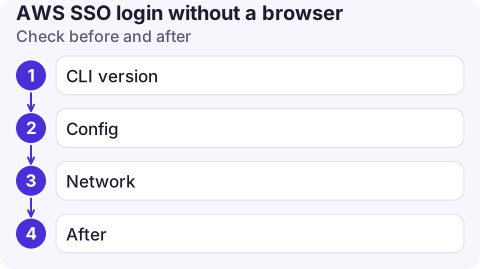
Check before and after
- CLI version:
aws --version. The--use-device-codeoption arrived in the same releases that made PKCE the default; older v2 releases already use device codes, so--no-browseralone works there. - Config: the profile should reference an
sso_session. Legacy profiles also work, but don't refresh tokens. - Network: the headless machine must reach the Identity Center endpoints in your SSO Region over HTTPS. A TLS-inspecting proxy causes
CERTIFICATE_VERIFY_FAILED; setAWS_CA_BUNDLE. - After: the token is cached in
~/.aws/sso/cacheon that machine. Runaws sso logoutwhen you're done on shared hosts.
Common mistakes
- Copying
~/.aws/sso/cachebetween machines. It may work briefly but is fragile and spreads tokens around. - Approving a device code you didn't request. If a code appears that you didn't start, don't confirm it: device-code phishing relies on exactly that.
- Using personal SSO logins on shared servers that other people can sudo on.
Questions
How do I run aws sso login on a remote server?
Use aws sso login --use-device-code --no-browser on the server, then open the printed URL on your own device and confirm the code.
Why does aws sso login hang after I approve in the browser?
With the default PKCE flow, the browser redirects to a local callback on the machine it runs on. If the CLI is on another machine, it never receives it. Use --use-device-code.
Can I use AWS SSO in a CI pipeline?
Not sensibly, since it needs a person to approve. Use OIDC federation from the CI system to an IAM role instead.

Approving a sign-in from your phone for a machine somewhere else is already routine. CloudConsole, a phone app for AWS, is built with the same idea of short-lived, clearly scoped access when you are away from a laptop.
About the app → · Download on the App Store