 CloudConsole
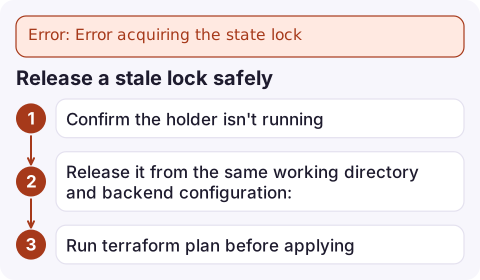
Error: Error acquiring the state lock
Another Terraform run holds the lock on this state, or a previous run was killed before it released it. The error prints the lock's ID, who took it and when. If that run is still going, wait. If it's definitely dead (a cancelled CI job, a closed laptop), release it with terraform force-unlock LOCK_ID. If the error mentions ResourceNotFoundException or AccessDenied instead, the lock table or lock file permissions are misconfigured rather than locked.
Read the lock info
Error: Error acquiring the state lock

Error message: operation error DynamoDB: PutItem, https response error StatusCode: 400,
ConditionalCheckFailedException: The conditional request failed
Lock Info:
  ID:        6f1c2a9e-2b7d-4c1e-9a55-0d3e8b1f4a21
  Path:      my-tf-state/prod/network.tfstate
  Operation: OperationTypeApply
  Who:       runner@ip-10-0-1-23
  Version:   1.9.8
  Created:   2026-11-17 09:12:44.123 +0000 UTC
Who and Created tell you whether this is a colleague's apply in progress, a CI job, or a stale lock from hours ago. With S3 native locking the message refers to a .tflock object instead of DynamoDB, but the Lock Info block is the same.
Release a stale lock safely
- Confirm the holder isn't running: check the CI job, ask the person named in
Who. - Release it from the same working directory and backend configuration:
terraform force-unlock 6f1c2a9e-2b7d-4c1e-9a55-0d3e8b1f4a21 - Run
terraform planbefore applying. A run killed mid-apply may have changed resources without writing state, so expect drift.
As a last resort when Terraform itself can't unlock, the DynamoDB lock is an item whose LockID is the bucket/key path; deleting that item releases it. Do this only with the same certainty as force-unlock.
When it isn't really locked
| Error message contains | Cause |
|---|---|
ResourceNotFoundException: Requested resource not found | The dynamodb_table named in the backend doesn't exist in that Region, or the backend's Region is wrong |
AccessDeniedException on dynamodb:PutItem | The role lacks GetItem, PutItem and DeleteItem on the lock table |
AccessDenied on the .tflock object | With use_lockfile, the role needs s3:PutObject and s3:DeleteObject on the lock file key as well as the state key |
ExpiredToken or credential errors | Credentials expired; see no valid credential sources |
The lock table needs a partition key named LockID of type String.
DynamoDB locking or S3 lockfile
Since Terraform 1.10 the S3 backend can lock with a lock file in the same bucket (use_lockfile = true), using S3 conditional writes, and DynamoDB-based locking is deprecated in newer versions. You can enable both during migration. Either way:
- Don't run applies against the same state concurrently from CI and laptops; serialise pipeline runs per state.
- Use
-lock-timeout=5min CI so a short overlap waits instead of failing. - Never use
-lock=falseon shared state; two concurrent writes can corrupt it. Keep bucket versioning on so you can recover an older state version.
Questions
How do I unlock Terraform state stuck after a cancelled run?
Make sure no run is still active, then run terraform force-unlock with the lock ID from the error, from the same working directory and backend configuration.
Why does Terraform say ConditionalCheckFailedException when acquiring the lock?
That's DynamoDB reporting that a lock item already exists for this state, meaning another run holds or left the lock.
Do I still need DynamoDB for Terraform state locking on S3?
Not with Terraform 1.10 or later, which can lock using an S3 lock file (use_lockfile = true). DynamoDB locking is deprecated in newer versions.

A stuck lock blocks every infrastructure change until someone frees it. CloudConsole, a phone app for AWS, is being built to show alarms, logs and resources on your phone, so you can follow the incident the change was meant to fix.
Did it start after a deploy? What changed? on the app’s alarm screen lists the deploys and configuration changes from the hour before the alarm fired.
About the app → · Download on the App Store