 CloudConsole
Error: configuring Terraform AWS Provider: no valid credential sources for Terraform AWS Provider found
The Terraform AWS provider walked the standard credential chain (provider arguments, environment variables, shared config and credentials files, container and instance roles) and found nothing usable. Usually the profile name is wrong or not passed through, an SSO session has expired, or a CI job or container has no credentials at all. Run aws sts get-caller-identity with the same environment and profile; once that works, Terraform will too.
What it looks like
Error: configuring Terraform AWS Provider: no valid credential sources for Terraform AWS Provider found.

Please see https://registry.terraform.io/providers/hashicorp/aws
for more information about providing credentials.

AWS Error: failed to refresh cached credentials, no EC2 IMDS role found, operation error ec2imds: GetMetadata, ...
The text after AWS Error: is the most useful part: it shows the last source the provider tried. no EC2 IMDS role found means it fell all the way through to the instance metadata service, so every earlier source was empty. An SSO token error there means the profile was found but its session has expired.
Diagnose with the AWS CLI
env | grep -E '^AWS_' | cut -d= -f1    # names only, no secrets printed
aws configure list --profile prod
AWS_PROFILE=prod aws sts get-caller-identity
The provider and the CLI read the same environment variables and ~/.aws files, so if the CLI can't find credentials for that profile, neither can Terraform. If the CLI works but Terraform doesn't, compare what each is given: the provider's profile argument, shared_config_files, and whether you exported AWS_PROFILE in the shell that runs Terraform.
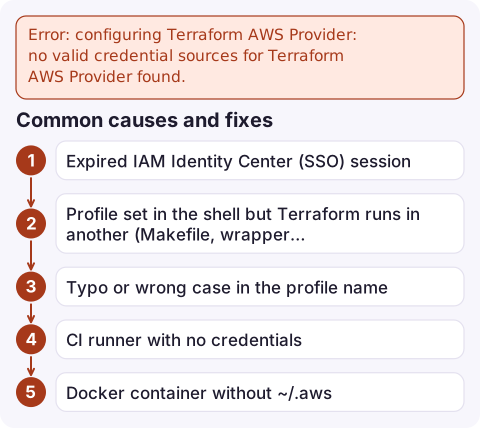
Common causes and fixes
| Cause | Fix |
|---|---|
| Expired IAM Identity Center (SSO) session | aws sso login --profile prod, then re-run |
| Profile set in the shell but Terraform runs in another (Makefile, wrapper, IDE) | Set profile = "prod" in the provider, or export AWS_PROFILE where Terraform runs |
| Typo or wrong case in the profile name | Compare with aws configure list-profiles |
| CI runner with no credentials | Use OIDC federation to assume a role (for example GitHub Actions' credentials action) and export the role's temporary credentials |
Docker container without ~/.aws | Mount the directory read-only or pass AWS_ACCESS_KEY_ID, AWS_SECRET_ACCESS_KEY and AWS_SESSION_TOKEN |
| EC2 runner whose instance role can't be reached | IMDSv2 hop limit too low inside containers: set the instance's metadata hop limit to 2 |
| Backend credentials | The S3 backend has its own profile/role_arn settings; set them too, because it initialises before the provider |
Mistakes to avoid
- Hard-coding access keys in the provider block. They end up in version control and state history. Use profiles locally and short-lived role credentials in CI.
- Using
assume_rolewithout base credentials. The provider still needs some credentials to callsts:AssumeRole; the error appears before the role is ever tried. - Old credentials in environment variables beating your profile. Environment variables take precedence;
unset AWS_ACCESS_KEY_ID AWS_SECRET_ACCESS_KEY AWS_SESSION_TOKENif they're stale, or you'll get ExpiredToken next.
Questions
How do I fix no valid credential sources for Terraform AWS Provider found?
Make aws sts get-caller-identity work with the same profile and environment, for example by running aws sso login or exporting AWS_PROFILE, then run Terraform again.
Does Terraform use AWS SSO profiles?
Yes. Current AWS provider versions read SSO profiles from ~/.aws/config, but the SSO session must be valid; run aws sso login when it expires.
Why does Terraform fail in Docker but work on my machine?
The container has no ~/.aws files or AWS environment variables. Mount the config read-only or pass temporary credentials in.

Credential errors in CI usually mean a release didn't go out. CloudConsole, a phone app for AWS, is being built to show alarms and logs on your phone, so a missed deployment is visible even when you're away from the pipeline.
Did it start after a deploy? What changed? on the app’s alarm screen lists the deploys and configuration changes from the hour before the alarm fired.
About the app → · Download on the App Store