 CloudConsole
Unable to parse config file: ~/.aws/config
The AWS CLI reads ~/.aws/config and ~/.aws/credentials as INI files, and one of them contains something that isn't valid INI: text before the first [section], a byte-order mark from a Windows editor, a duplicated section, or shell syntax such as export lines pasted in by mistake. Parse the file with Python to get the exact line number, fix that line, and retry.
What it means
$ aws sso login --profile prod
Unable to parse config file: /home/alice/.aws/config
Every CLI command loads the config before doing anything else, so a broken file stops even aws configure and aws sso login. The path in the message tells you which file failed: config, credentials, or a custom file named by AWS_CONFIG_FILE or AWS_SHARED_CREDENTIALS_FILE. The CLI doesn't print the line number, so you need another way to find it.
Find the exact line
Python's INI parser is close to what the CLI uses and reports the line and reason:
python3 -c 'import configparser,os,sys
p=configparser.RawConfigParser()
p.read(os.path.expanduser(sys.argv[1]))
print("ok:", p.sections())' ~/.aws/config
Typical output for a broken file:
configparser.MissingSectionHeaderError: File contains no section headers.
file: '/home/alice/.aws/config', line: 1
'[default]\n'
That is a UTF-8 byte-order mark. Check for one, and for Windows line endings, with:
head -c 3 ~/.aws/config | od -c
file ~/.aws/config
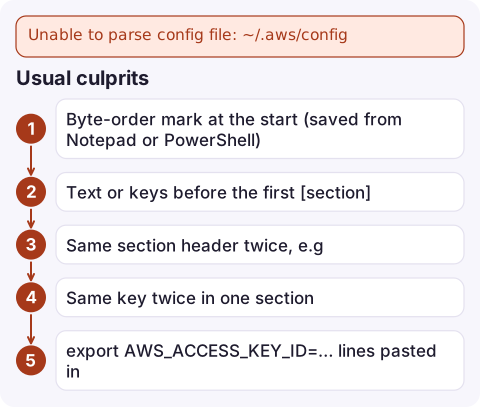
Usual culprits
| Problem | Fix |
|---|---|
| Byte-order mark at the start (saved from Notepad or PowerShell) | sed -i '1s/^\xEF\xBB\xBF//' ~/.aws/config, or re-save as UTF-8 without BOM |
Text or keys before the first [section] | Move them under [default] or a profile |
Same section header twice, e.g. two [profile prod] | Merge them into one |
| Same key twice in one section | Keep one |
export AWS_ACCESS_KEY_ID=… lines pasted in | Use aws_access_key_id = … under a section in the credentials file |
Git merge markers (<<<<<<<) from a dotfiles repo | Resolve the conflict |
AWS_CONFIG_FILE points at a JSON or YAML file | Point it at an INI file, or unset it |
Fix safely
- Back up the file first:
cp ~/.aws/config ~/.aws/config.bak. - Correct the line Python reported, then re-run the check until it prints
ok:and your section list. - Run the CLI again:
aws configure list-profiles aws sso login --profile prod - If
~/.aws/credentialswas the broken one, the same check works on that path.
Note the section naming rules while you're in there: profiles in config are written [profile prod] (except [default]), SSO sessions as [sso-session name], and in credentials just [prod]. Getting these wrong doesn't break parsing, but it does produce profile could not be found next.
Avoid it next time
Prefer aws configure set, aws configure sso and aws configure --profile over hand-editing; they write valid entries. If you keep ~/.aws/config in a dotfiles repository, keep credentials out of it and run the Python check in a pre-commit hook.
Questions
Why does aws sso login say unable to parse config file?
aws sso login has to read ~/.aws/config to find the profile's SSO settings, so any syntax error in that file blocks it. Fix the line the parser reports and try again.
Does the AWS CLI support comments in the config file?
Yes, full-line comments starting with # or ; are fine. Keep comments on their own lines rather than after a value.
Can I reset my AWS config file?
Move it aside (mv ~/.aws/config ~/.aws/config.old) and run aws configure or aws configure sso to create a fresh one, then copy over the profiles you need.

A broken config file takes every CLI command down at once, which hurts most during an incident. CloudConsole, a phone app for AWS, is built to keep alarms and logs viewable on your phone while you repair your local setup.
Did it start after a deploy? What changed? on the app’s alarm screen lists the deploys and configuration changes from the hour before the alarm fired.
About the app → · Download on the App Store