 CloudConsole
Unknown output type: None
The CLI read an output format it doesn't recognise from your profile's output setting or the AWS_DEFAULT_OUTPUT variable; the word after the colon is the exact value it found. Typing None at the aws configure prompt is the classic cause. Run aws configure set output json (with --profile if needed) or unset the variable, and the error goes away.
What the CLI is complaining about
Every CLI command formats its result using one of a fixed set of formats: json, yaml, yaml-stream, text or table (the YAML formats are CLI v2 only). Any other value stops the command before it prints anything:
$ aws s3 ls
Unknown output type: None
Because the command never runs, this error can't be caused by permissions, the network or the service. It is purely local configuration, which makes it quick to fix once you find where the value comes from.
Where the bad value comes from
| Value in the error | Typical cause |
|---|---|
None | At aws configure's "Default output format [None]:" prompt someone typed None. The brackets show the current value; press Enter to keep it. |
JSON, Json | Value in the wrong case; the CLI expects lowercase |
"json" or json | Quotes or trailing characters added by hand or by a setup script |
| Anything else | AWS_DEFAULT_OUTPUT exported by a dotfile, CI variable or container image |
The setting is per profile, so it can fail for --profile prod while default works. Precedence is: the --output option, then AWS_DEFAULT_OUTPUT, then the profile's output line.
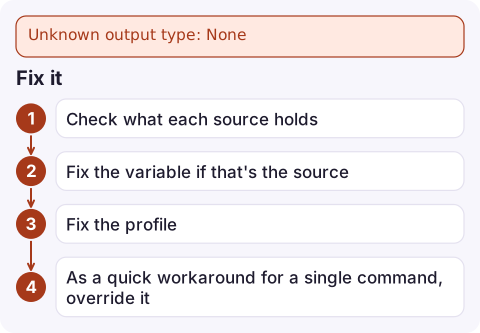
Fix it
- Check what each source holds:
Ifenv | grep AWS_DEFAULT_OUTPUT aws configure get output aws configure get output --profile prod grep -n 'output' ~/.aws/configaws configure getitself fails, use thegrepline instead. - Fix the variable if that's the source:
and remove it fromunset AWS_DEFAULT_OUTPUT~/.bashrc,~/.zshrcor your CI settings. - Fix the profile:
or editaws configure set output json --profile prod~/.aws/configso the line reads exactlyoutput = json. - As a quick workaround for a single command, override it:
aws s3 ls --output json.
Picking the right format
| Format | Good for |
|---|---|
json | Default choice; pipe into jq and scripts |
text | Shell loops: tab-separated values from a --query, e.g. instance IDs |
table | Reading results by eye in a terminal |
yaml | Readable nested output, or pasting into YAML-based tooling |
For scripts, always pass --output explicitly rather than relying on the profile. A teammate's different default then can't break your script's parsing.
When it only happens in CI or containers
If your laptop is fine but a pipeline or container fails, the bad value is almost certainly an environment variable baked into the job. Look for AWS_DEFAULT_OUTPUT in the CI project's variables, the Dockerfile's ENV lines and any shared base image. A config file copied into the image from a developer's machine can also carry the typo with it. Print the environment at the start of the job (without secrets) to confirm:
env | grep '^AWS_DEFAULT' || echo 'no AWS_DEFAULT_* variables set'Questions
What are the valid AWS CLI output formats?
json, text and table in both CLI versions, plus yaml and yaml-stream in AWS CLI v2. Values are lowercase.
Why does the AWS CLI say Unknown output type json?
The value isn't exactly json: it may be uppercase, quoted, or have extra characters around it, often from AWS_DEFAULT_OUTPUT or a hand-edited config file.
How do I reset the AWS CLI output format?
Run aws configure set output json for the affected profile and unset AWS_DEFAULT_OUTPUT if it is exported.

This one is purely a terminal problem, but it can cost minutes during an incident when every command fails the same way. CloudConsole, a phone app for AWS, is built so alarms and logs stay readable on your phone while you fix local tooling.
Did it start after a deploy? What changed? on the app’s alarm screen lists the deploys and configuration changes from the hour before the alarm fired.
About the app → · Download on the App Store