 CloudConsole
How to switch role in the AWS console
Open the account menu at the top right of the AWS console and choose Switch role, then enter the target account ID (or alias) and the role name. It only works if the role's trust policy allows your account or user to assume it and your own permissions include sts:AssumeRole on that role. You cannot switch roles while signed in as the root user.
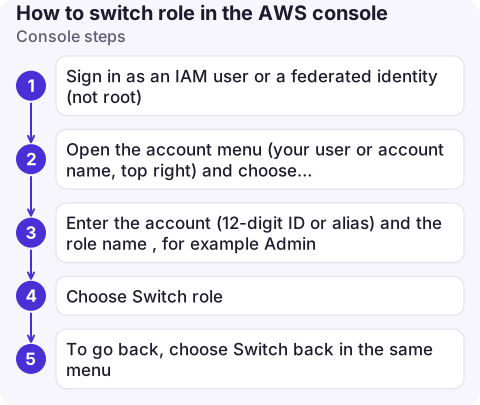
Console steps
- Sign in as an IAM user or a federated identity (not root).
- Open the account menu (your user or account name, top right) and choose Switch role.
- Enter the account (12-digit ID or alias) and the role name, for example
Admin. Optionally set a display name and colour so production stands out. - Choose Switch role. The account menu now shows the role and account; recently used roles are listed there for one-click switching.
- To go back, choose Switch back in the same menu.
You can also share a link that pre-fills the form. The format is https://signin.aws.amazon.com/switchrole?roleName=Admin&account=123456789012&displayName=Prod.
"How do I enable switch role?" What must exist first
There is no setting to switch on. Two policies have to agree:
1. The role's trust policy (in the target account) must name your account or a specific principal:
{
  "Version": "2012-10-17",
  "Statement": [{
    "Effect": "Allow",
    "Principal": { "AWS": "arn:aws:iam::111122223333:root" },
    "Action": "sts:AssumeRole",
    "Condition": { "Bool": { "aws:MultiFactorAuthPresent": "true" } }
  }]
}
Trusting :root means "this account", which then delegates to its own IAM policies; it does not mean only the root user. The MFA condition is optional but good practice for admin roles.
2. Your identity policy (in your own account) must allow the call:
{
  "Version": "2012-10-17",
  "Statement": [{
    "Effect": "Allow",
    "Action": "sts:AssumeRole",
    "Resource": "arn:aws:iam::123456789012:role/Admin"
  }]
}
Doing the same from the CLI
The console switch is just an AssumeRole call. On the command line you either configure a profile with role_arn and source_profile, or call aws sts assume-role yourself. Both are covered in switching role with the AWS CLI.
Check before and after
- Before: confirm who you are signed in as. If the account menu shows the root user, sign in as an IAM user or through IAM Identity Center instead.
- Before: if you were signed in with MFA and the trust policy requires it, the switch works; if you skipped MFA at sign-in, it fails with a generic error.
- After: the console session for a switched role lasts one hour; when it expires you are returned to your original identity.
- After: check the coloured label in the menu bar before making changes. A distinct colour for production roles prevents a lot of mistakes.
Why the switch fails
| Symptom | Likely cause |
|---|---|
| "Invalid information in one or more fields" | Typo in account ID or role name, the role doesn't exist, or the trust policy doesn't include you. The console doesn't say which, deliberately. |
| Works for a colleague but not you | Your identity policy lacks sts:AssumeRole on that role, or an SCP or permissions boundary denies it |
| Switch role option missing | You're signed in as root, or through a federated session type that doesn't offer it |
| Switched, but everything says access denied | The role exists but its permission policies are narrow; you are in, just not allowed |
For the CLI equivalents of these errors, see not authorized to perform sts:AssumeRole.
Questions
Can the root user switch roles?
No. The console does not let the root user assume roles. Sign in as an IAM user or through IAM Identity Center to switch.
How do IAM Identity Center users switch accounts?
Usually by going back to the access portal and choosing another account and permission set. Switch role also works from an Identity Center session if that session is allowed to assume the target role.
How long does a switched role session last in the console?
One hour. After that the console returns you to the identity you signed in with, and you can switch again.

Being in the right account matters most when you are making changes in a hurry. CloudConsole, a phone app for AWS, is built with production guardrails so the account and role you are acting in are always clear on a small screen.
About the app → · Download on the App Store