 CloudConsole
How to check ECS task logs
With the awslogs log driver, each container writes to the CloudWatch Logs group set in the task definition, in a stream named PREFIX/CONTAINER/TASK_ID. In the console, open the task and choose the Logs tab. From the CLI, run aws logs tail LOG_GROUP --log-stream-name-prefix PREFIX/CONTAINER/TASK_ID --since 1h. If there are no logs, check the task definition's logConfiguration and the task execution role's CloudWatch Logs permissions.
Find the log group and stream
aws ecs describe-task-definition --task-definition web \
  --query 'taskDefinition.containerDefinitions[].{name:name,driver:logConfiguration.logDriver,opts:logConfiguration.options}'
Typical options: awslogs-group = /ecs/web, awslogs-region = eu-west-2, awslogs-stream-prefix = ecs. The stream for container app in task 0f9e1b2c3d4e5f6a7b8c9d0e1f2a3b4c is then ecs/app/0f9e1b2c3d4e5f6a7b8c9d0e1f2a3b4c.
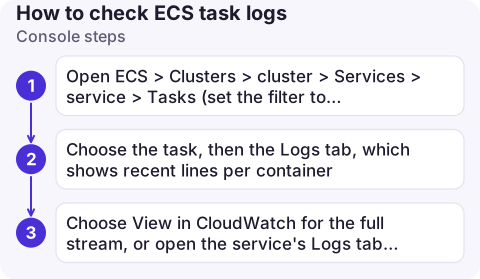
Console steps
- Open ECS > Clusters > cluster > Services > service > Tasks (set the filter to Stopped for tasks that already exited).
- Choose the task, then the Logs tab, which shows recent lines per container.
- Choose View in CloudWatch for the full stream, or open the service's Logs tab to see all its tasks together.
CLI steps
# All tasks of the service, live
aws logs tail /ecs/web --follow --since 15m --format short

# One task (take the ID from the task ARN)
aws logs tail /ecs/web --since 2h \
  --log-stream-name-prefix ecs/app/0f9e1b2c3d4e5f6a7b8c9d0e1f2a3b4c

# Last lines of the most recently stopped task
TASK=$(aws ecs list-tasks --cluster prod --service-name web --desired-status STOPPED \
  --query 'taskArns[0]' --output text | awk -F/ '{print $NF}')
aws logs tail /ecs/web --since 6h --log-stream-name-prefix ecs/app/$TASK | tail -50
Crash output just before exit is usually the most useful part. Pair it with the stopped reason from service events and describe-tasks.
No logs? Check these
| Symptom | Cause and fix |
|---|---|
No stream at all, task stopped with ResourceInitializationError | Execution role lacks logs:CreateLogStream/logs:PutLogEvents, or the log group doesn't exist; add awslogs-create-group = true plus logs:CreateLogGroup, or create the group. See ResourceInitializationError |
| Stream exists but is empty | The app logs to a file instead of stdout/stderr, or buffers output (Python without -u / PYTHONUNBUFFERED=1) |
| Task never started | Image pull or placement failed before the container ran; nothing to log. Check stopped reason |
| Private subnet, no logs | No route to CloudWatch Logs: add a NAT gateway or a logs interface endpoint |
| FireLens / other drivers | Logs go wherever Fluent Bit routes them, not to /ecs/... |
Common mistakes
- Waiting too long to look at a stopped task: the task disappears from the console after a while, but its log stream remains, so search the log group by task ID.
- No retention: set a retention period on
/ecs/...groups; see log retention. - Blocking mode: the awslogs driver's default blocking mode can stall the app if CloudWatch Logs is unreachable; non-blocking mode trades that for possible log loss.
Questions
Where are ECS container logs?
With the awslogs driver, in the CloudWatch Logs group named in the task definition, in a stream named prefix/container-name/task-id.
Why does my ECS task have no logs?
Usually the execution role can't write to CloudWatch Logs, the log group doesn't exist, the task has no network path to CloudWatch Logs, or the app writes to a file rather than stdout.
How do I see logs for a stopped ECS task?
Its log stream stays in CloudWatch Logs. Search the log group for a stream with the task ID, for example with aws logs tail --log-stream-name-prefix.

Container logs are where most ECS incidents are actually explained. CloudConsole, a phone app for AWS, is being built to show logs, service events and alarms on your phone, so you can read the crash output without opening a laptop.
About the app → · Download on the App Store