 CloudConsole
dedup in CloudWatch Logs Insights
The dedup command removes duplicate rows based on the fields you name, keeping only the first row for each unique value or combination. Because 'first' follows the current order, sort before dedup: sort @timestamp desc | dedup host gives you the latest event for each host.
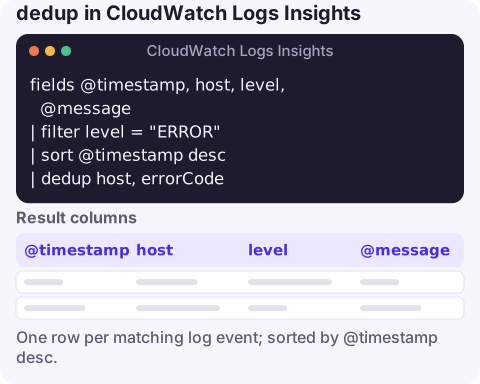
The query
fields @timestamp, host, level, @message
| filter level = "ERROR"
| sort @timestamp desc
| dedup host, errorCode
The result is one row per host-and-error-code pair: the most recent occurrence, with its full message. It's a quick way to see "which hosts are failing, and what's the latest thing each one said" without scrolling through thousands of repeats.
Line by line
fieldspicks the columns to keep. Include every field you'll dedup on and every field you want to read afterwards.filter level = "ERROR"narrows to errors before deduplication. Filtering first makes the query cheaper to reason about and ensures you dedup the right population.sort @timestamp descsets the order. This is what decides which duplicate survives: newest first means you keep the latest.dedup host, errorCodecompares the named fields and drops every row whose combination has already been seen. Name one field to dedup on that field alone, or several for combinations.
Variations
Oldest occurrence instead, to find when each problem first appeared in the window:
fields @timestamp, errorCode, @message
| sort @timestamp asc
| dedup errorCode
One sample per Lambda execution environment, useful for checking a configuration value each environment logs at start-up:
fields @timestamp, @logStream, @message
| filter @message like /config loaded/
| sort @timestamp desc
| dedup @logStream
Count instead of sample: if you want the number of repeats rather than an example, use stats:
filter level = "ERROR"
| stats count(*) as occurrences, latest(@message) as lastMessage by host, errorCode
| sort occurrences desc
This often beats dedup because it gives both the latest message and how often it happened.
dedup vs stats vs pattern
| Goal | Use |
|---|---|
| One real event per value, all its fields intact | sort then dedup |
| How many times each value occurred | stats count(*) by field |
| Group near-identical messages whose details vary (IDs, numbers) | pattern @message |
dedup only removes exact duplicates of the fields you name. Messages that differ by a request ID won't collapse; extract a stable field with parse first, or use pattern.
Limits and a naming confusion
- The 10,000-row cap on results still applies, so dedup on a field with tens of thousands of values returns an incomplete set.
- You pay for what is scanned before dedup runs; removing duplicates doesn't make a query cheaper.
- "Dedup" also comes up with alarm notifications, for example a de-duplication key in an incident-management tool so repeated CloudWatch alarm notifications don't open new incidents. That's set in the receiving tool or in the payload you send it, not in Logs Insights; the dedup command only affects query results.
Questions
Why does dedup return different rows each time?
Without a sort before it, the order of rows isn't guaranteed, so a different duplicate may be kept. Add sort @timestamp desc (or asc) before dedup.
Can I dedup on more than one field?
Yes. List them separated by commas, for example dedup host, errorCode, to keep one row per combination.
Is Logs Insights dedup related to alarm dedupe keys?
No. The dedup command filters query results. Alarm de-duplication is configured in the tool that receives alarm notifications.
When a flood of identical errors arrives, the first job is to see which distinct things are broken. CloudConsole, a phone app for AWS, is built to show alarms and log views on your phone for that first triage.
About the app → · Download on the App Store