 CloudConsole
How to stop a Lambda function from running
Set the function's reserved concurrency to 0: choose Throttle on the function page in the Lambda console, or run aws lambda put-function-concurrency --function-name NAME --reserved-concurrent-executions 0. New invocations are rejected immediately. Invocations already running continue until they finish or time out; there's no API to kill a running invocation. To undo it, remove the reserved concurrency with delete-function-concurrency.
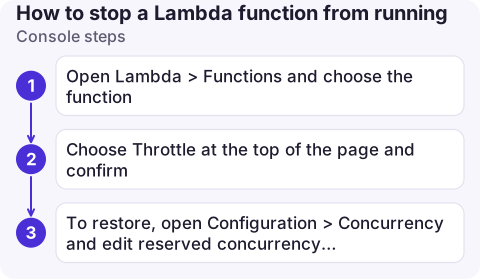
Console steps
- Open Lambda > Functions and choose the function.
- Choose Throttle at the top of the page and confirm. This sets reserved concurrency to 0.
- To restore, open Configuration > Concurrency and edit reserved concurrency back to Use unreserved account concurrency (or the value it had before).
Note the previous reserved concurrency value before throttling if there was one; the console's restore doesn't remember it.
CLI steps
# Record current setting first (empty output = none reserved)
aws lambda get-function-concurrency --function-name nightly-export

# Stop new invocations
aws lambda put-function-concurrency --function-name nightly-export \
  --reserved-concurrent-executions 0

# Undo: back to the shared pool
aws lambda delete-function-concurrency --function-name nightly-export
# ...or restore the old reserved value
aws lambda put-function-concurrency --function-name nightly-export --reserved-concurrent-executions 50
What happens to each kind of caller
| Invocation source | While throttled |
|---|---|
| API Gateway, SDK, function URLs (synchronous) | Callers get 429 TooManyRequestsException / Rate Exceeded |
| S3, SNS, EventBridge (asynchronous) | Lambda keeps the events and retries for up to six hours by default, then sends them to the on-failure destination or DLQ if configured, otherwise drops them |
| SQS | Messages are received and throttled, and can reach the DLQ; disable the trigger instead |
| Kinesis, DynamoDB Streams | The shard stops progressing and retries; records can expire if the stream's retention passes |
| EventBridge Scheduler / schedules | Scheduled runs fail and are retried per the target's retry policy |
Stopping the source instead
- Schedules: disable the EventBridge rule or Scheduler schedule so runs aren't queued up for retry.
- Stream and queue triggers: disable the event source mapping with
aws lambda update-event-source-mapping --uuid ... --no-enabled. - A runaway loop (a function writing to the bucket that triggers it): throttle first, then remove or fix the trigger. Lambda's recursive loop detection stops some SQS/SNS/S3 loops automatically, but don't rely on it.
Check it worked
- The function's
Throttlesmetric rises andInvocationsdrops to zero within a minute or two;ConcurrentExecutionsfalls as in-flight runs finish. aws lambda get-function-concurrency --function-name nightly-exportreturnsReservedConcurrentExecutions: 0.- New log streams stop appearing in
/aws/lambda/nightly-export; see view Lambda logs. - Tell whoever owns the callers: synchronous clients will start seeing 429s, and alarms on their side may fire.
Common mistakes
- Expecting running invocations to stop: they run to completion or timeout. Lower the timeout too if you need them gone sooner (applies to new invocations only).
- Forgetting to un-throttle: async events retried for six hours mean a function left at 0 silently drops work.
- Deleting the function to stop it: you lose versions, aliases and triggers, and async events queued for it.
Questions
How do I stop an AWS Lambda function from running?
Set its reserved concurrency to 0 with the Throttle button or aws lambda put-function-concurrency --reserved-concurrent-executions 0. New invocations are rejected.
Can I kill a running Lambda invocation?
No. In-flight invocations continue until they complete or reach the function timeout.
How do I re-enable a throttled Lambda function?
Run aws lambda delete-function-concurrency to return it to the shared pool, or set reserved concurrency back to its previous value.

Throttling a misbehaving function is a quick way to stop damage while you investigate. CloudConsole, a phone app for AWS, is being built to show Lambda metrics, logs and alarms on your phone with production guardrails, so you can see what it is doing first.
About the app → · Download on the App Store